Okx is a basic RestExchange adaptation for OKX exchange.
OKX account setup
An API Key can be considered as a username that is generating to allow access to data.
An API Secret, also referred to as API Private Key is simply a password used in combination with an API Key.
An API Password, also referred to as Passphrase, is considered an extra layer of security that is generally user generated. In this instance, you can create an API password to lock the API Key and Secret created on the OKX website. You will only be able to see your API Key and Secret by inputting the password you selected.
Create an account on OKX
- Fill this OKX registration form
Generate API key
If you are wondering what an API Key is and why OctoBot is using it, checkout our introduction to exchanges API Keys.
Generate Your Keys
- Sign into your OKX account
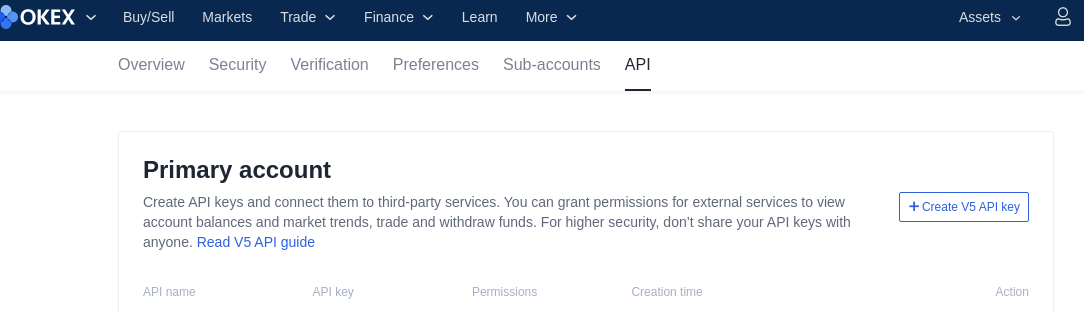
- Click on your profile in the top right corner.
- Click on the
API - Click on
Create V5 API Key
Configure the API Settings
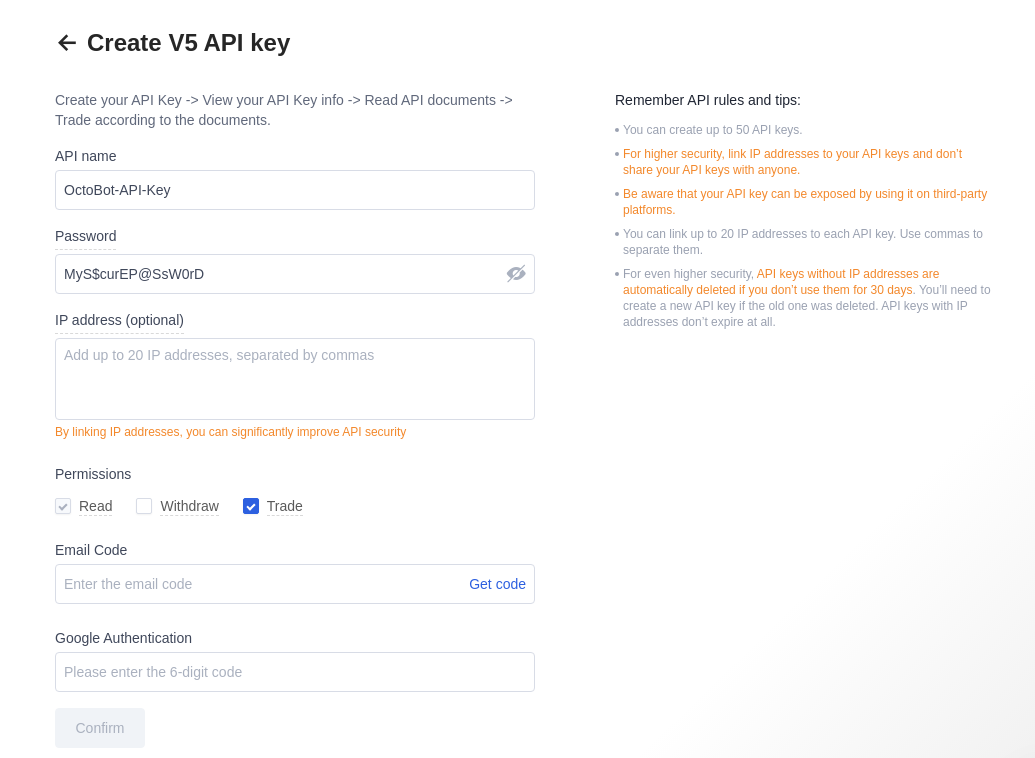
- Give a name to your API Key, and set a Passphrase.
Make sure to remember that Passphrase, as you will need to use it again in a few moments.
- OctoBot needs the
Readfunction to be able to pull in balances from OKX andTradeto create new orders. - Click on Confirm, then click on
Viewto see your API Key and API Secret.
Add the API key to OctoBot
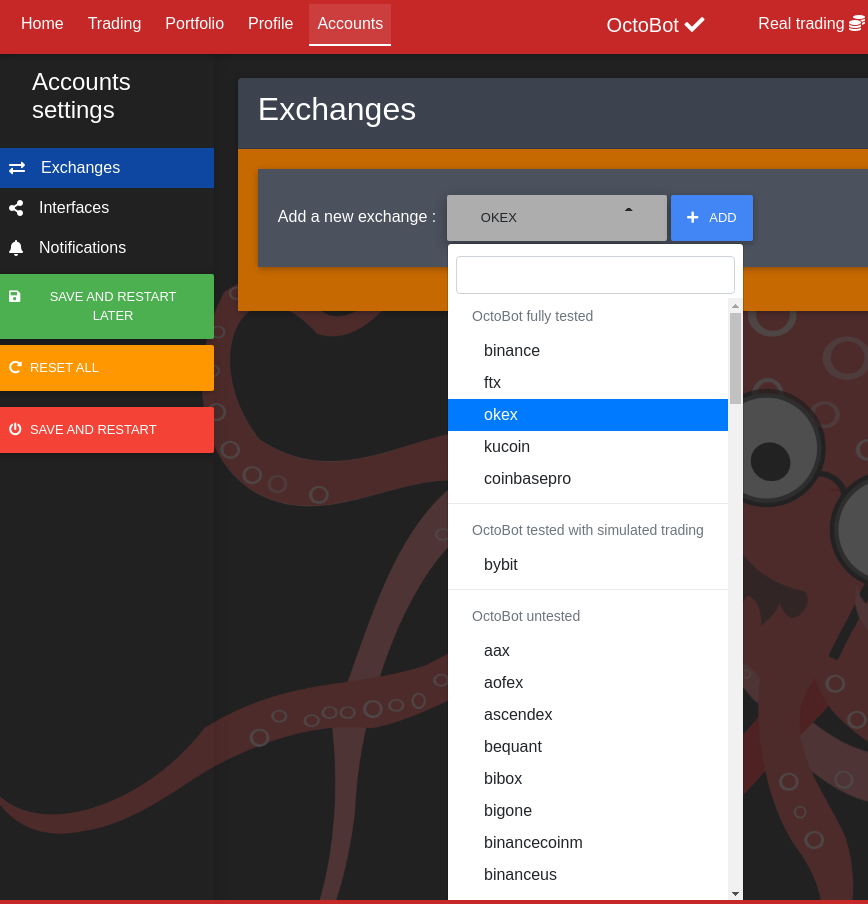
Add OKX exchange
- Start your OctoBot
- Click on
Accountstab - Click on
Exchangeson the left menu - Click on the selector and search
okx - Click on
ADD
Add OKX API keys
- Copy and paste
API Keyfrom OKX to your OctoBotAPI Keyfield - Copy and paste
Secret Keyfrom OKX to your OctoBotAPI Secretfield - Enter your OKX
API Passwordto OctoBotAPI Passwordfield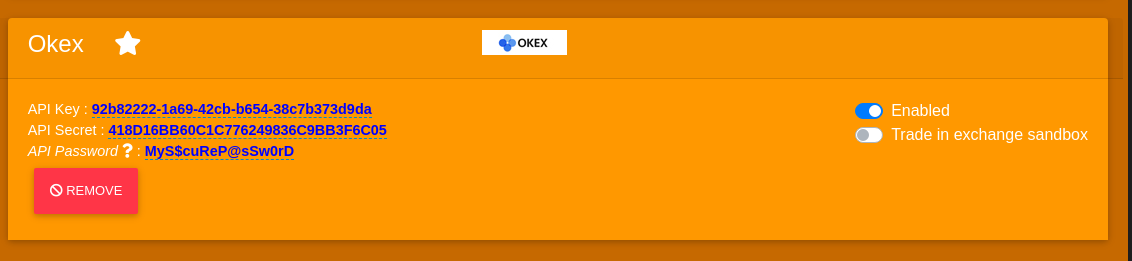
- Click on
Save And restart