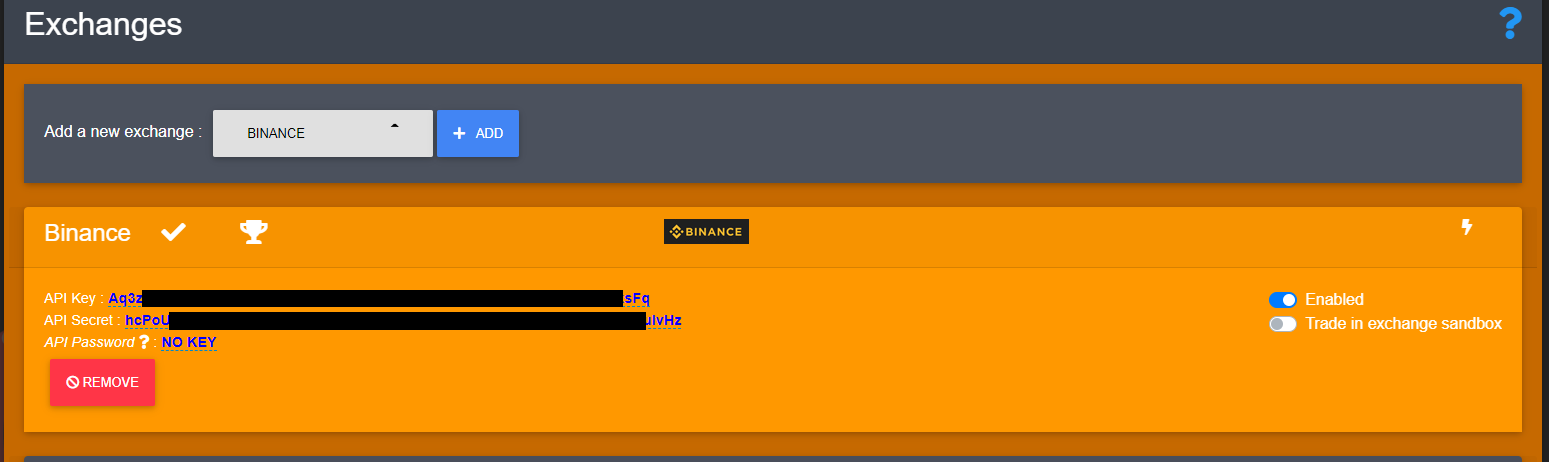
Binance is a RestExchange adaptation for Binance exchange using the REST API.
Binance account setup
Create an account
- Fill this Binance registration form
Generate API key
If you are wondering what an API Key is and why OctoBot is using it, checkout our introduction to exchanges API Keys.
Generate Your Keys
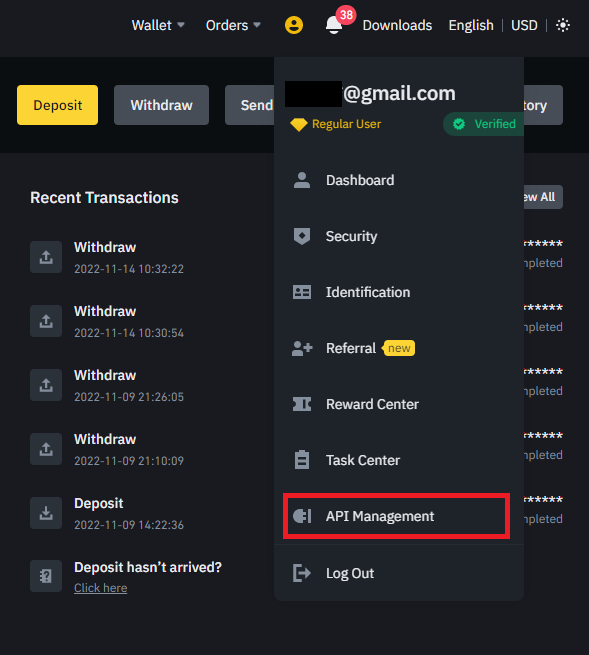
- Sign into your Binance account
- Click on your profile in the top right corner
- Click on
API Management
Configure the API Settings
- Give a label to your API Key.
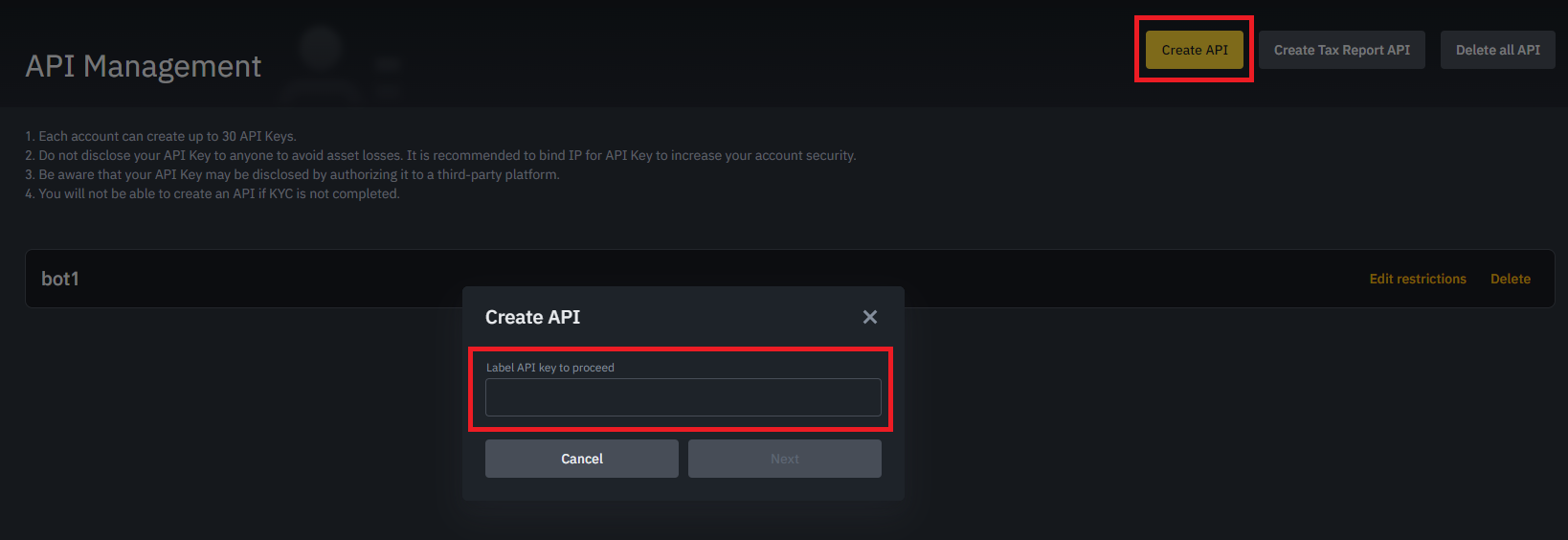
- Binance will ask a security confirmation to continue.
- OctoBot needs the
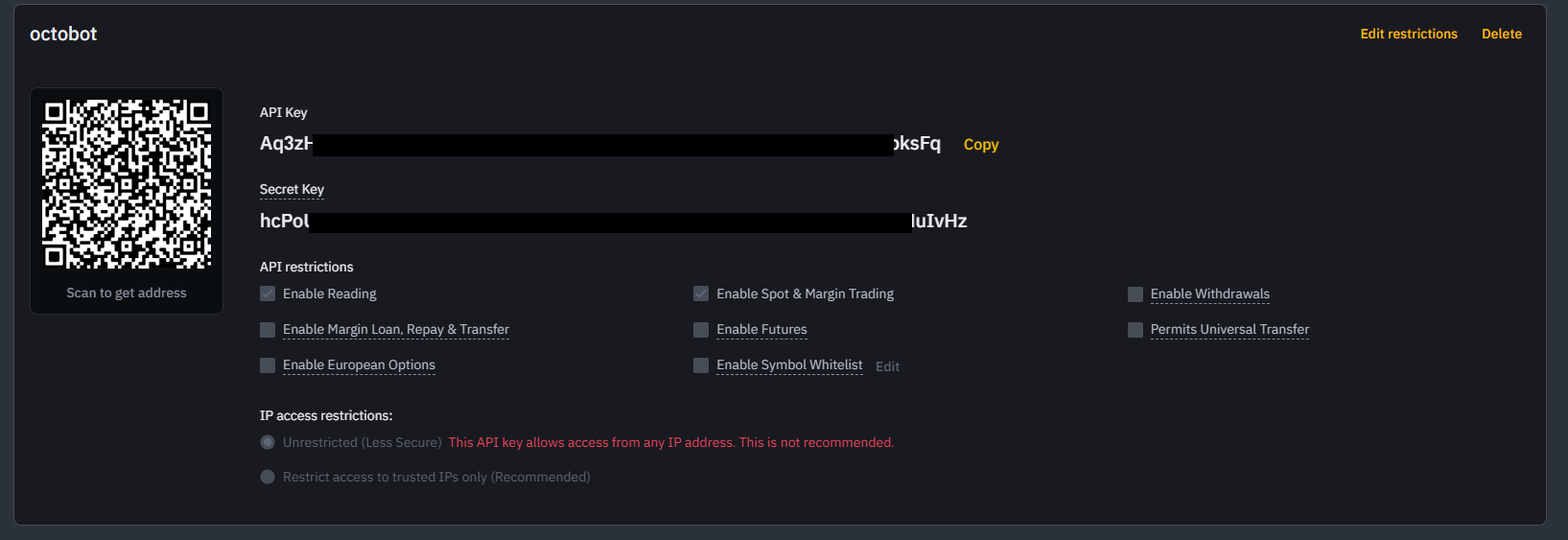
Enable Readingpermission to be able to pull in balances from Binance andEnable Spot & Margin Tradingpermission to create new orders. Click onEdit restrictionsto enableEnable Spot & Margin Trading.
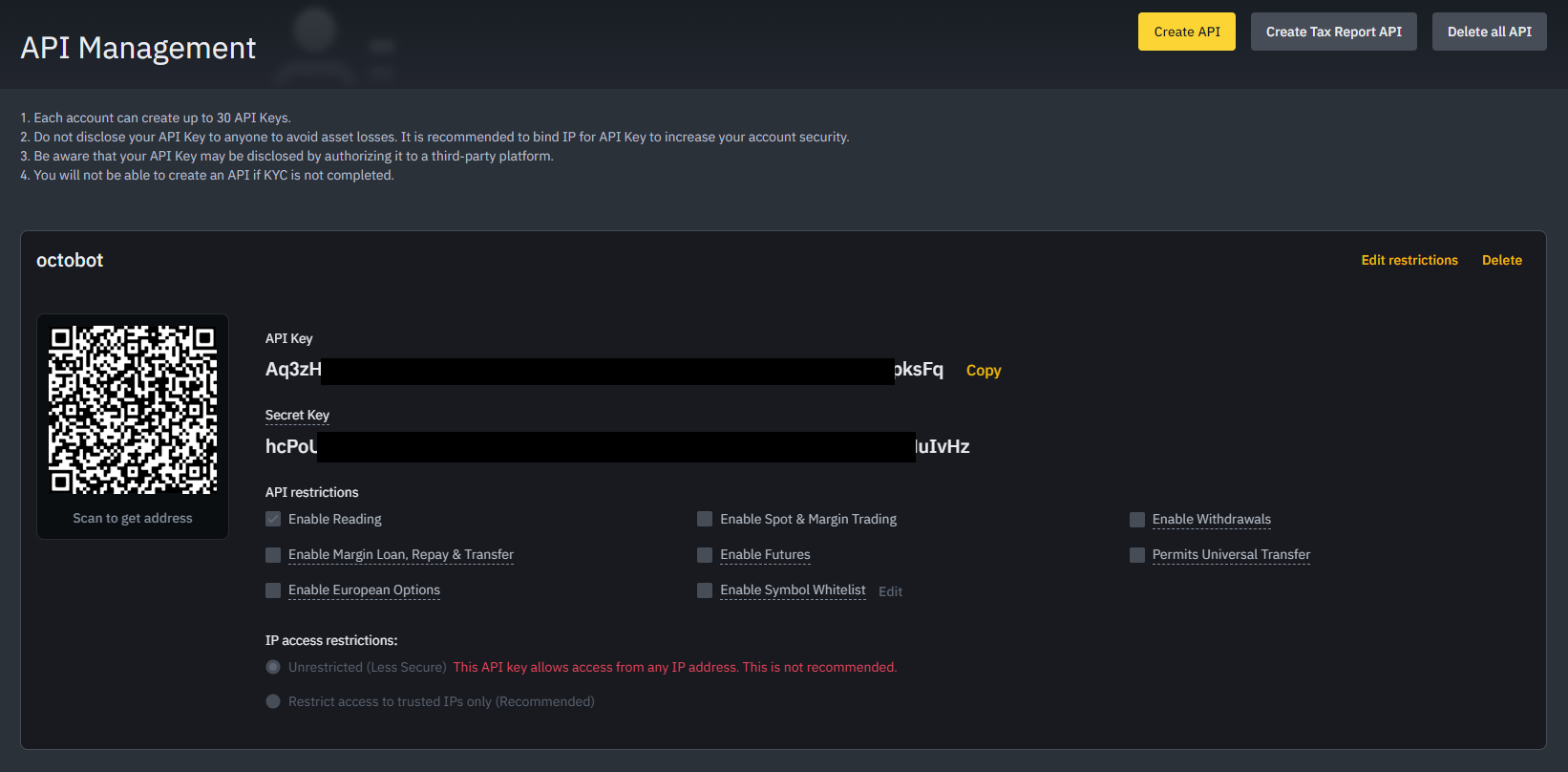
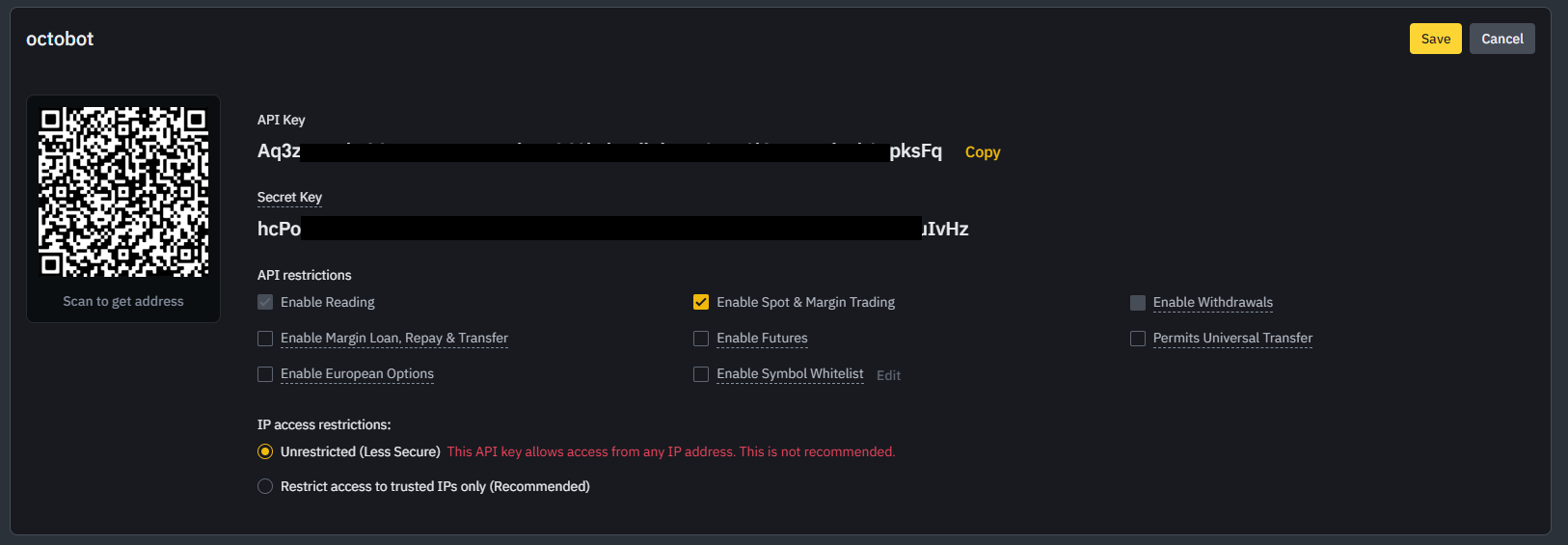
- Click on
Savesave the permission update.
Add the API key to OctoBot
Add Binance exchange
- Start your OctoBot
- Click on
Accountstab - Click on
Exchangeson the left menu - Click on the selector and search
Binance - Click on
ADD
Add Binance API keys
- Copy and paste
API Keyfrom Binance to your OctoBotAPI Keyfield - Copy and paste
Secret Keyfrom Binance to your OctoBotAPI Secretfield - Leave the
API Passwordas is