Nous sommes fiers d'annoncer la nouvelle version d'OctoBot. 1.0.4 est une mise à jour ajoutant la possibilité de télécharger des stratégies d'OctoBot cloud directement dans votre OctoBot, l'ajout de la plateforme d'échange BingX parmi les échanges partenaires et de nombreuses améliorations.
Chez OctoBot, nous travaillons à rendre le trading aussi accessible que possible. Pour cela , rendre compatible OctoBot avec la majorité des plateformes d'échanges est une étape nécessaire. En suivant cette philosophie, nous venons d'ajouter le support de BingX. Nous espérons que cet ajout aidera un maximum de nos utilisateurs.
Correction de bugs liés aux plateformes d'échanges
Dans OctoBot 1.0.4, nous avons corrigé plusieurs problèmes liés à la connexion aux plateformes d'échanges. Cela concerne en particulier le trading de futures et les ordres de take profit et stop loss. Un grand merci à Nes, Grr, Gerhard et Artem de notre communauté pour nous avoir aidé à trouver ces problèmes.
Dans cette version, nous avons ajouté des paramètres permettant aux trading modes DCA et Daily d'être personalisés de façon plus fine en fonction de vos idées.
De nombreux bugs ont été corrigés, en particulier sur l'interface web, à propos du sélecteur de cryptomonnaies, plusieurs problèmes de connexion aux plateformes d'échange, de configuration de Ngrok et bien plus encore.
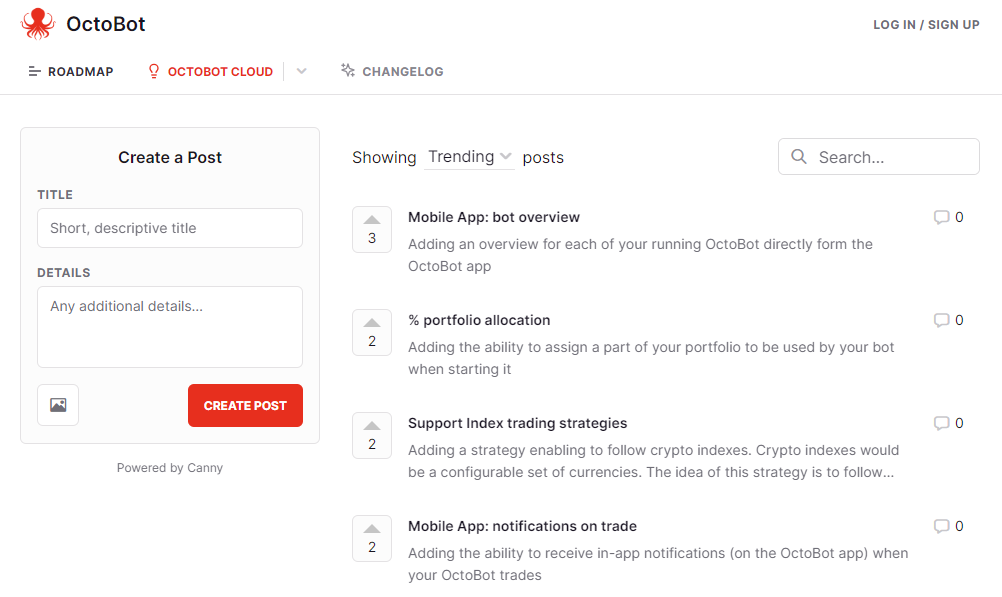
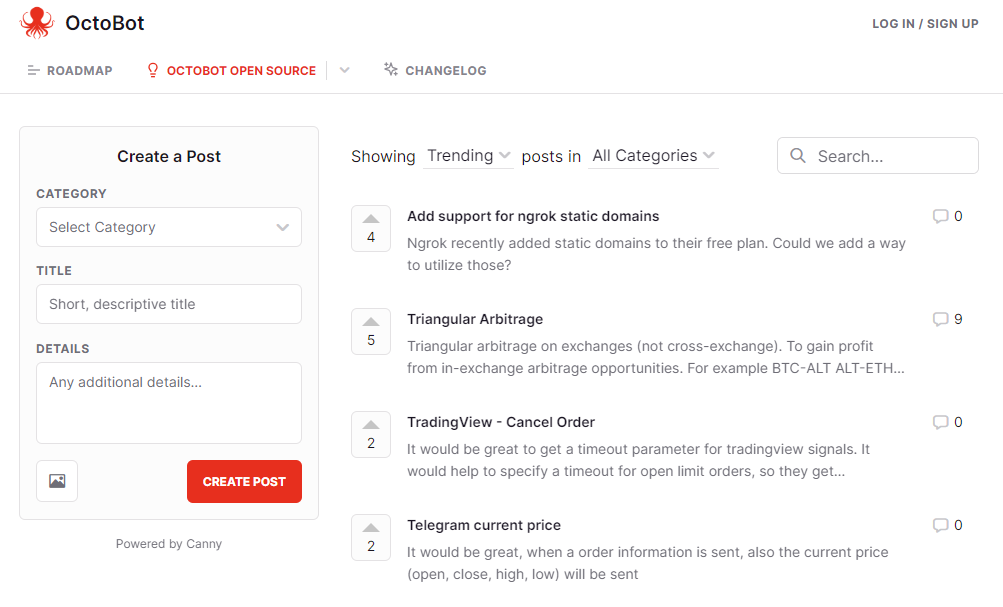
Nous avons hate de savoir ce que vous pensez de cette nouvelle version. Partagez vos idées et suggestions que vous aimeriez dans la prochaine version avec ce lien de feedback.
Votre OctoBot sera toujours en ligne et à jour: l'équipe OctoBot s'assure de tous les aspects techniques
Profitez des extensions exclusives au trading bots OctoBot cloud telles que le Strategy Designer pour créer et optimiser vos meilleures stratégies de trading
Obtenez un support personnalisé pour être certain d'avoir toutes les informations nécessaires afin de lancer votre OctoBot correctement et selon la stratégie de votre choix
Utilisez et personnalisez facilement les stratégies d'OctoBot cloud
Automatisez simplement et de façon sécurisée les trades de vos stratégies TradingView sans avoir recours à une configuration additionnelle.
Profitez du plein potentiel des stratégies basées sur ChatGPT sans avoir à payer pour un abonnement OpenAI
Les trading bots OctoBot cloud vous donnent accès à une version améliorée d'OctoBot en version open-source. Cependant, à la différence de la version open-source pour laquelle il est nécessaire de s'assurer que votre OctoBot reste en ligne, votre trading bots OctoBot cloud est toujours en ligne et fonctionne dans les meilleures conditions.
Cela signifie qu'avec un cloud OctoBot, vous pouvez:
Créer vos propres stratégies basées sur des indicateurs techniques, TradingView, Reddit ou même Google Trends
Trader sur les marchés Spot et Futures sur toutes les plateformes d'échange supportées. Il n'y a aucune restriction sur les plateformes d'échange que vous pouvez utiliser
Optimiser vos stratégies en utilisant le backtesting sur tout type de marché et de plateforme d'échange avec la fonctionnalité de backtesting ou le Strategy Designer
Les OctoBots utilisant OctoBot cloud ont un accès exclusif au Strategy Designer, qui est l'outil de mise au point de stratégies de trading le plus avancé que nous avons créé.
En utilisant le Strategy Designer, vous pouvez facilement personnaliser, tester et comparer les performances de toutes les stratégies.
Obtenez des informations détaillées sur votre historique de portefeuille et Profit and Loss, explorez chaque trade, comparez vos résultats au fil des exécutions et bien plus.
Demandez une session personalisée avec l'équipe OctoBot
Nous savons que démarrer une stratégie de trading peut être compliqué. C'est pourquoi l'équipe OctoBot propose de vous accompagner pendant 30 minutes dans une session en tête-à-tête personnalisée pour lancer votre OctoBot selon vos idées.
De cette façon, vous serez certain d'être en mesure d'utiliser votre OctoBot à son plein potentiel.
Utiliser et personnaliser les stratégies d'OctoBot cloud
Un des avantages majeurs à utiliser les trading bots OctoBot cloud est la possibilité de configurer les stratégies d'OctoBot cloud.
Cela signifie que vous pouvez:
Les utiliser sur votre OctoBot, sur la plateforme d'échange de votre choix
Comprendre comment elles fonctionnent et modifier leur configuration
Utiliser le backtesting et le Strategy Designer pour obtenir les meilleurs résultats sur les cryptomonnaies de votre choix
Interroger ChatGPT depuis un logiciel est une fonctionnalité payante d'OpenAI, la société qui a développé ChatGPT. Ansi pour utiliser ChatGPT avec la version open-source d'OctoBot, afin d'utiliser une stratégie employant ChatGPT, devez avoir et configurer un compte payant OpenAI. Chaque utilisation de ChatGPT vous sera facturée.
Avec les plans standard ou ultra, les coûts liés à ChatGPT sont pris en charge. Il n'est donc plus nécessaire de disposer d'un compte OpenAI, tout est déjà prêt pour l'utilisation.
Nous avons ouvert les inscriptions pour l'accès anticipé aux trading bots OctoBot cloud. Si vous êtes intéressé par les nombreux avantages des robots de trading OctoBot cloud, lancez votre trading bot sur
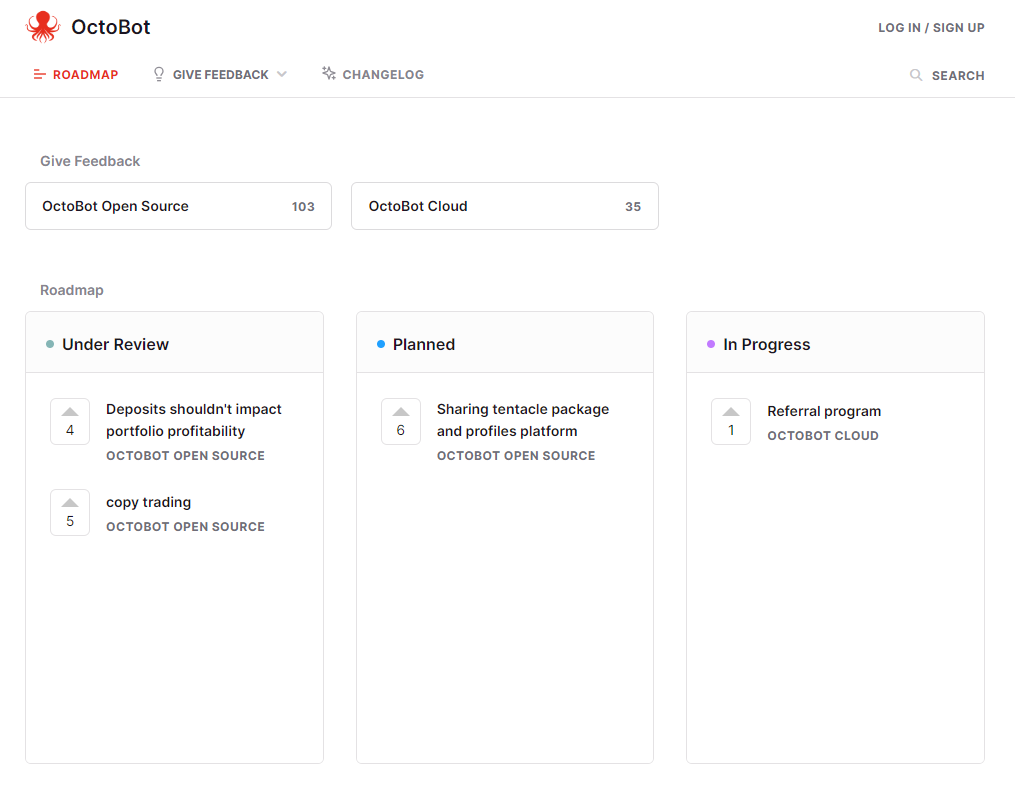
trading bots OctoBot cloud
At OctoBot, transparency is one of our core values. It is the reason why OctoBot is open source and why each strategy comes with its historical results.
In order to bring this one step further, we decided to make paper trading of trading strategies free and unlimited.
While most trading robot services choose to charge for paper trading or limit its duration, we decided to stay true to our ethos and include paper trading to our free services for all users.
This means that when using OctoBot cloud, you can:
Explore: Test the trading strategy (or strategies !) you are interested in using paper trading
Invest: Once you find a trading strategy you like, start an OctoBot with your real funds
Optimize: Keep experimenting other trading strategies risk free with your paper trading OctoBot
Comment lancer son bot de trading virtuel avec OctoBot ?
As paper trading is using virtual funds, OctoBot cloud doesn't need your exchange credentials to run a paper trading OctoBot.
This means that you can very quickly experiment with any strategy on OctoBot cloud in just 3 steps:
Nous sommes ravis de vous présenter l'application OctoBot pour Android. Cette nouvelle application offre la possibilité de suivre votre OctoBot, qu'il soit auto-hébergé ou dans le cloud, directement depuis votre mobile.
L'application Android OctoBot est une application mobile conçue pour faciliter l'accès à vos bots de trading OctoBot. Elle vous permet de vous connecter en utilisant votre compte OctoBot cloud et de suivre vos bots de trading directement depuis votre appareil Android.
Nous croyons que la meilleure façon de créer un outil qui répond véritablement aux besoins de nos utilisateurs est d'écouter ce qu'ils ont à dire. C'est pourquoi nous invitons les utilisateurs à donner leur avis sur l'application Android OctoBot.
Nous avons mis en place un site de feedback où vous pouvez partager vos pensées, suggestions et expériences avec l'application.
Avec l'application OctoBot pour Android, vous pouvez maintenant gérer vos bots de trading de n'importe où, en quelques gestes sur votre appareil mobile.
Bien que nous soyons fiers de cette réalisation, nous savons qu'il reste encore beaucoup à faire. Votre feedback est crucial, nous vous encourageons à partager votre expérience sur notre site de feedback.
Alors, pourquoi attendre jusqu'à demain ? Téléchargez dès maintenant l'application OctoBot pour Android : cherchez "OctoBot" dans votre Playstore.
Ne serait-il pas formidable de savoir ce que ChatGPT pense d'une direction particulière du marché ?
Bien que ChatGPT ne puisse pas répondre directement à des questions telles que "Le BTC/USD va-t-il monter demain ?", il peut répondre à de nombreuses questions connexes, y compris les prévisions de tendances.
C'est une excellente opportunité de tirer parti de l'IA extrêmement puissante qu'est ChatGPT (dans sa version 3 ou ultérieure) et de l'intégrer directement dans vos stratégies de trading.
Dans cette vidéo, nous présentons une stratégie de trading ChatGPT que nous avons créé sur OctoBot cloud. Nous expliquons son fonctionnement et ses performances.
Si vous êtes intéressés pour en savoir plus sur cette stratégie de trading ChatGPT, nous avons créé ce making of de la stratégie ChatGPT dans lequel nous couvrons on détails:
Les achats et ventes de cette stratégie
Ses performances en trading simulé avec les données historiques (backtesting)
Les performances d'un OctoBot qui trade avec cette stratégie depuis plusieurs semaines.
Depuis OctoBot 0.4.47, nous avons ajouté un nouvel évaluateur : le GPTEvaluator. Cet évaluateur peut être utilisé facilement avec le profile GPT Trading.
Une fois activé, il demandera automatiquement à ChatGPT son avis sur chaque paire échangée, sur chaque intervalle de temps.
Le type de données donné à ChatGPT peut être configuré : la valeur du prix de l'actif ou différents types d'évaluateurs techniques peuvent être envoyés à ChatGPT pour qu'il donne son avis.
Une fois activé, le GPTEvaluator se comporte comme tout autre évaluateur technique, ce qui signifie qu'il peut être combiné avec d'autres, utilisé pour trader, pour créer des signaux de trading ou pour vous notifier lorsque la situation change.
Vous pouvez donc :
Trader automatiquement en se basant uniquement sur les prédictions de ChatGPT
Trader en combinant les prédictions de ChatGPT avec d'autres évaluateurs
Obtenir l'avis de ChatGPT sur le marché à tout moment depuis l'interface web et le statut du marché et être notifié de tout changement
Plus de détails sur le fonctionnement des stratégies de trading ChatGPT avec OctoBot sur le guide de trading ChatGPT.
Nous avons également mis en place une page où vous pouvez suivre les derniers signaux de trading crypto de ChatGPT.
L'objectif de cette nouvelle page est simple. Il s'agit de vous montrer les derniers signaux de trading crypto de notre stratégie ChatGPT. De cette façon, vous pouvez voir comment cela fonctionne et confirmer que cela fonctionne réellement.
Tableau de bord des derniers signaux de trading ChatGPT
Pour des informations en temps réel, nous avons également créé un compte Twitter / X et un Telegram qui publient les nouveaux signaux. En suivant ces comptes, vous pouvez immédiatement recevoir des notifications sur les derniers signaux, ce qui facilite le suivi du marché crypto.
Étant donné que les appels automatisés à ChatGPT sont une fonctionnalité payante de openai.com, il existe 3 façons de l'utiliser dans OctoBot et de trader avec ChatGPT.
1. Utiliser une stratégie de trading OctoBot cloud basée sur ChatGPT
En utilisant OctoBot cloud, vous pouvez utiliser des stratégies de trading ChatGPT simplement et gratuitement. Utilisez les sur votre compte de plateforme d'échange favorite ou sans risque en utilisant le trading virtuel.
2. ChatGPT à partir de votre OctoBot auto-hébergé
Pour utiliser ChatGPT à partir de votre robot de trading OctoBot cloud, renseignez votre clé API OpenAI et la stocker dans la configuration de votre OctoBot. Les tarifs d'OpenAI seront alors appliqués.
Plus de détails sur la configuration de ChatGPT et comment estimer le coût de ses demandes dans le guide ChatGPT
La traduction française de cette page est en cours.
At OctoBot, we are always trying to find new ways to trade. After experimenting with many types of strategies, we realized that sometimes, keeping it simple just works.
Our idea was to take the concept of Dollar Cost Averaging and adapt it to smaller scale investments.
Dollar Cost Averaging (or DCA) is a very well known investment strategy where you buy on
a regular basis in order to profit from local price drops. It allows investors
to reduce their overal buying costs.
The DCA concept can also be applied to selling an asset. Selling something over a long period of time, when the price is going up, is allowing to profit from the whole range of prices and increase your average selling price.
Buying and selling using DCA is a way to maximise profits when investing in and out of a coin.
After running tons of tests with historical market data, we realized that this idea also works very well on shorter term trades.
We also had the surprise to observe an interesting side effect of smaller term DCA: it's a great way to profit from markets that are not moving synchronously. In other words, it can allow to profit from a rising ETH in the morning, take profits at noon and profit from a rising SOL in the afternoon, as long as ETH and SOL are not moving at the same time.
In order to multiply trades, trading assets that are moving up and down at different times is optimal. We call such assets complementary.
In the end, to optimize profits, the most important part is to include smartly chosen traded assets, so that the strategy trades as much as possible while lowering risk by investing in multiple coins.
The Smart DCA strategy is adapted to sideways or upwards markets. In order to be able to quickly fill its sell orders, it relies on the market not being in a pure downtrend.
Using the Smart DCA strategy in a downwards market might not allow sell order to be filled and therefore lock funds in open sell orders. While this is not a selling at a loss, it is still non optimal and can prevent generating profits from other cryptocurrencies.
Let's now explore the very technical aspects of the Smart DCA strategy.
After the initial step of identifying complementary coins to trade, the next part is to optimize the way Smart DCA will trade those coins.
This comes down to how entries and exits should be traded, how much to assign to each entry signal, how to configure take profits, all of this while limiting inherent risks associated with the traded assets.
Profits in Smart DCA come from the difference between the sell and buy prices.
The higher the difference, the bigger the profits. However the bigger the risks of not selling the asset.
In a ideal world, your Smart DCA configuration is so that each entry quickly finds its exit because the exit price is configured according to your traded assets typical behavior. However in reality this is not always true.
Therefore the goal of the strategy's entry and exit configuration is to find the sweet point for your traded assets where the large majority of your exit orders end up filled within the next hours or days at maximum. This allows to quickly free up funds and jump to the next opportunity. We don't want to be waiting for a fill that might take weeks to happen and prevent you from making money with this trade funds using other traded markets.
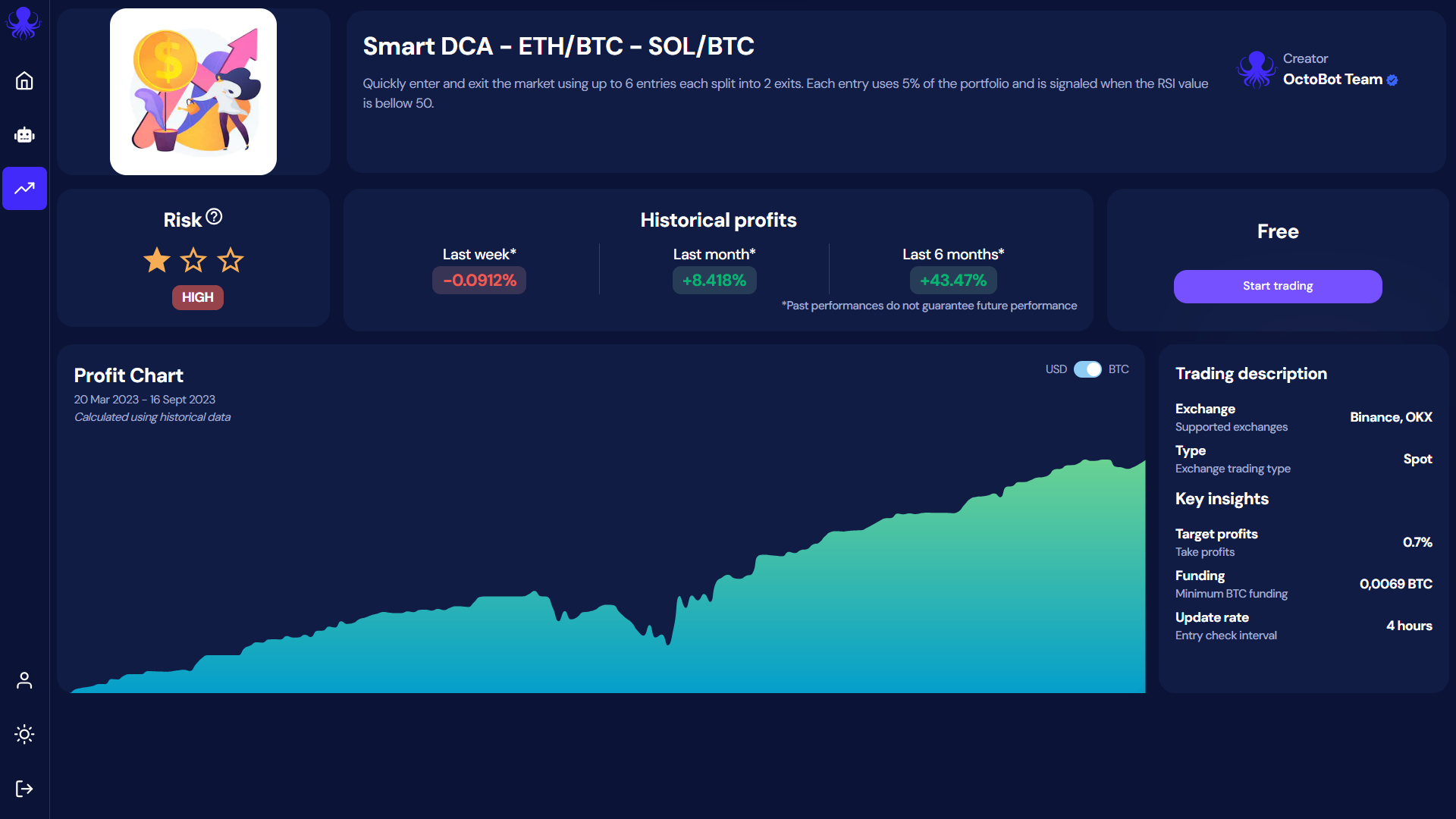
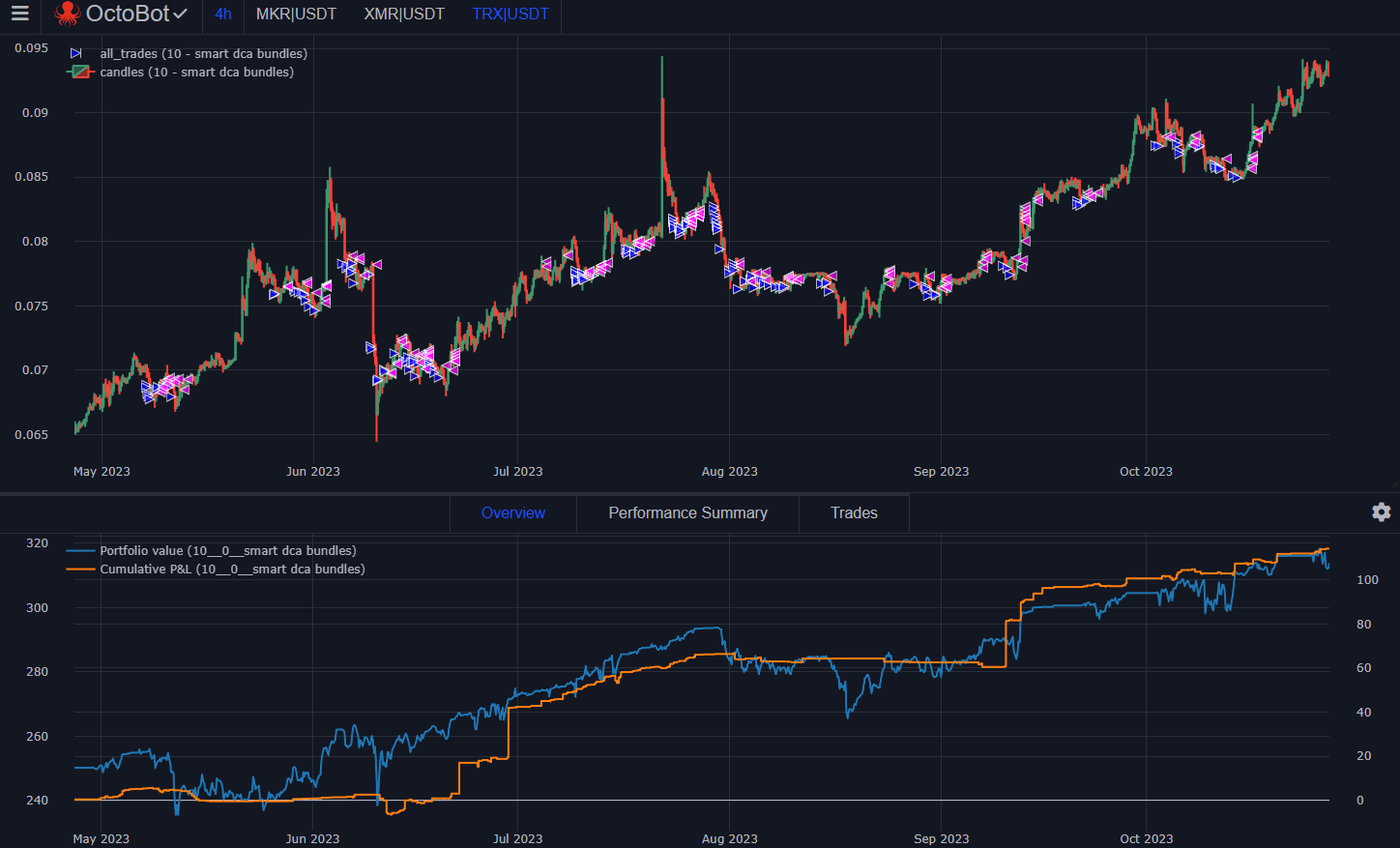
Steady portfolio growth and regular trades using 0.8% take profit targets
At OctoBot cloud, we realized that for the top 50 altcoins, this point is usually around 0.8% profits. This configuration allows to make profits even after exchange fees while quickly freeing funds to multiply trade opportunities and limit asset exposure.
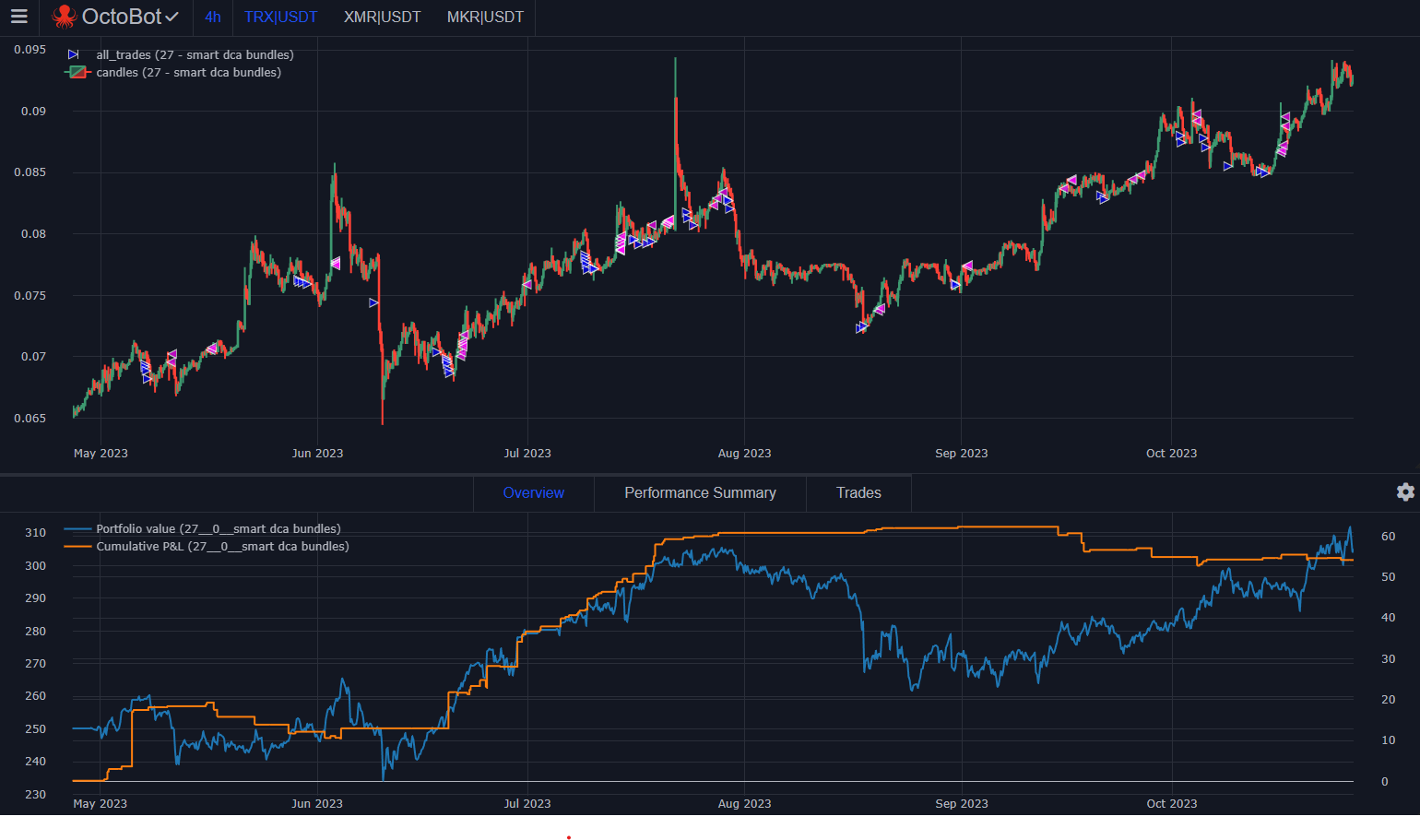
Unoptized portfolio growth: missed trades and higher volatily using 2% take profit targets
Of course this number is highly correlated to the volatility of the traded pairs. If you are trading pairs from top 100 to 200 ranks, it's possible that a 1.5% take profit target would be more profitable as those pairs are much more volatile.
A key concept to optimize your returns using Smart DCA is to trade complementary coins. This allows to multiply trades while reducing risk by spreading funds between different assets.
But how many coins should be traded ?
Overal, the more the better providing 3 conditions:
All assets must remain complementary (not making the same moves at the same time), otherwise profits are not increased.
Assets should display a similar volatility.
Having enough initial funds to create orders on every market.
As explained on the video, the best way we found to identify complementary assets is to select assets from different naratives. This means coins that serve different purposes and therefore won't be moving from the same market events or trends.
As the goal of the strategy is to quickly go in and out of each asset, it is important that each asset displays overall the same volatily. This allows to fine tune entries and exits goals in an efficient manner.
Using markets with different volatility present the following risks:
Exiting the market too early and missing on profits from more volatile assets.
Not exiting the market when an opportunity arises due to targets adapted for a higher volatility market.
According to our tests, the ideal way to size orders on DCA is to use a small percent of your total traded portfolio value on each order. Here the meaning of small can vary depending on your context and goals but overal the idea is the following:
Using a %t order amount settings to size orders according to the total value of traded assets holdings and keep order sizes consistent.
Sizing %t in a manner that complies with the exchange minimal order size rules. For example this is usually $5 or $10 (or USD equivalent) on Binance. Please note that the current version of backtesting is very permissive on this topic and it's better to use the live trading simulator or manually check order sizes if you are unsure about minimal order sizes
Keeping the order amount smaller as you increase the number of traded pairs to profit of each pair and reduce chances of having a large part of your portfolio being stuck in sell orders of a particular asset when your exits did not yet trigger.
On OctoBot cloud, strategies usually trade with between 5% and 8% of the portfolio in each order. This allows to benefit from multiple pairs while allowing for minimum initial portfolios in the range of 100 to 200 USD-equivalent.
When creating a trading strategy, it's always important to test it with backtesting to make sure the strategy behaves as expected. Backtesting can also be used to optimize a strategy settings. This is what we do at OctoBot when we create a new strategy.
However, it's important to keep in mind that backtesting is only using past data. Therefore there are a few key points to pay attention to:
Never over-optimize a strategy for a single backtesting context as the future is very rarely the exact repetition of the past. Prefer finding settings that work good (but not necessarily perfect) in most relevant historical range of your traded assets.
Carefully identify areas with no buy trades when there should be some. This usually means that your portfolio is completely invested and probably that you are missing a few opportunities. Your settings can most likely be improved for the selected market.
Assets that look complementary only based on their past price chart doesn't mean they will keep doing it. That's why having clear fundamental reasons to explain their price complementary (such as the narative) is better than just relying on price charts.
Veuillez noter que le contenu de cet article est destiné à DES FINS D'INFORMATION GÉNÉRALE et non pas à des conseils financiers. Les informations contenues ici sont uniquement à titre informatif. Rien dans ce document ne doit être interprété comme un conseil financier, juridique ou fiscal. Le contenu de cet article reflète uniquement les opinions de l'auteur et/ou de l'équipe d'OctoBot. Aucun d'entre eux n'est un conseiller financier agréé ou un conseiller en investissement. L'achat de cryptomonnaies comporte des risques considérables de perte. L'auteur et/ou l'équipe OctoBot ne garantissent aucun résultat particulier. Les performances passées ne préjugent pas des résultats futurs.
With OctoBot cloud, we are comitted in creating the best strategy automation system possible. Of course, "best" always depends on what is used as comparison criteria.
For us it means that you, our users, can:
Clearly identify the investment strategies you want to use
Easily start the trading strategies you choose
Quickly access and understand all the data to follow your investment
Adjust things whenever you want to, in a very simple way
This represents many challenges as each of those 4 steps can become very complex and end up being unsable. We want to avoid that at all cost.
That is why are building tools to make it easy for you to share your ideas on how to improve each of those steps, according to your own experience.
Up until the day of writing this article, the open source OctoBot grew based on user feedbacks according to a mix of ideas pushed by the user community on:
Our goal is, and has always been, to shape the whole OctoBot ecosystem according to its whole community best ideas and needs.
As the community is growing and we are now releasing new features at a much faster pace, we will give a greater weight to our public feedback and roadmap system and split it into two part:
La traduction française de cette page est en cours.
The new Investor plans allow you to enjoy trading strategies in a very easy yet powerful way. These plans allow you to benefit from OctoBot based strategies without the technicalities of OctoBot. OctoBot cloud trading bots also benefit from an improvement and are now designer for users you want to automate their own trading strategies.
At OctoBot, we realized that the current state of OctoBot is suitable for users with a technical background but is too complex for the majority of people.
The goal of OctoBot has always been to bring automated trading strategies to any crypto investor. This includes tech savvy users as well as all the others. Up until now, OctoBot failed to be usable by any crypto investor and the new OctoBot cloud is built for them.
While the full OctoBot is designed to create and customize strategies, the new OctoBot cloud makes it very easy to use those strategies
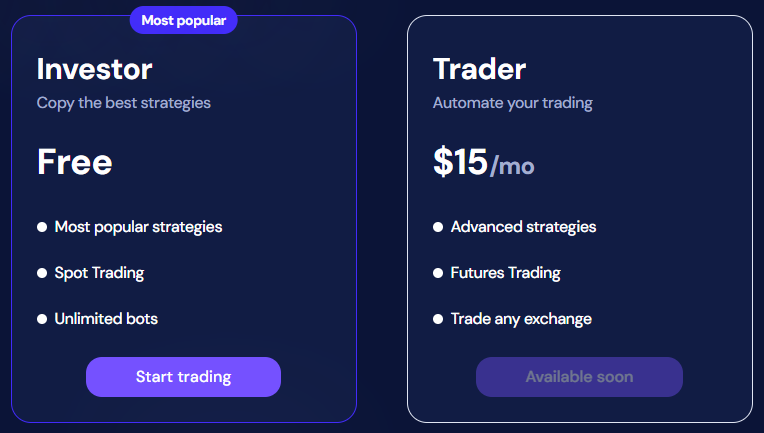
We are splitting OctoBot plans into 2 different kinds:
Strategy based plans
Full OctoBot plans
Choisir une stratégie, pas un robot: les plans basés sur les stratégies
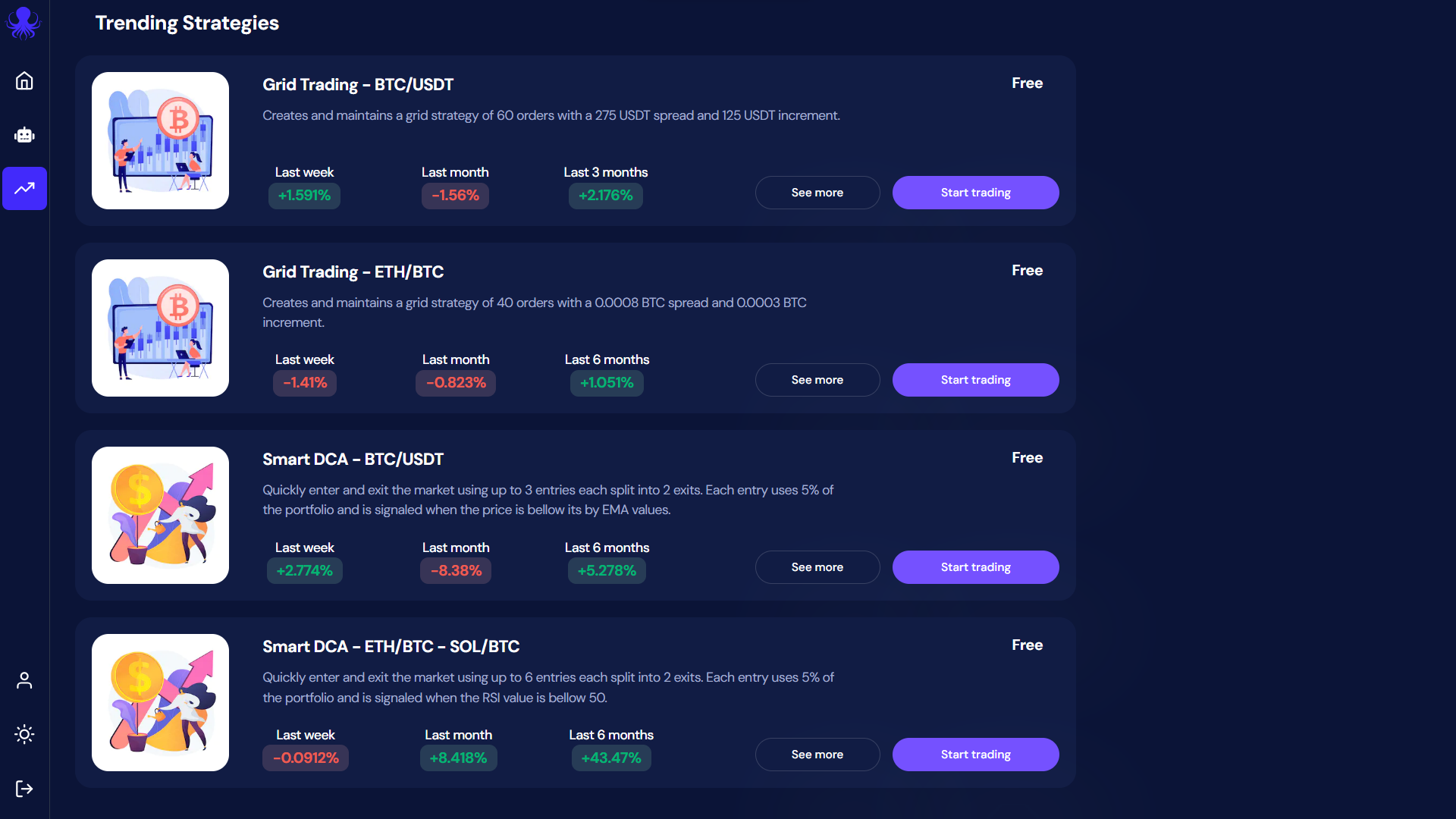
OctoBot can be complicated to use and setup, finding your suitable strategy can be even more difficult. That's why we make strategy based plans as simple and clear as possible
Besides simplicity, making strategies financially accessible is also important to us. For this reason, we designed the Investor plan to be completely free and unlimited.
At OctoBot, we believe that making a free plan will help a lot of people accessing automated trading strategies.
That's why the Investor plan enables everyone to simply use trading strategies for free.
This not a free trial: when you use a strategy with the Investor plan, we are not asking for your payment information, there is no monthly subscription fee, no % taken on gains, no hidden fees.
How is this possible ? When using the Investor plan, we rely on exchange partnerships to pay for our running costs. This means that as long as you use an exchange account from an OctoBot official partner, exchanges reward us and you are free to use the Investor plan forever.
Of couse, each strategy on OctoBot cloud is built, run and tested using OctoBot. This means that each strategy past performance is evaluated on a regular basis using historical data and OctoBot's backtesting engine. This ensures that displayed statistics are real as strategy based plans are also using OctoBot under the hood.
At OctoBot we believe in transparency. This means that sometimes strategies can turn unprofitable as profits depends on so many different factors including market conditions. If a strategy is not making profits during a given period, you will see it before using it.
Créer votre propre stratégie: les robots de trading OctoBot cloud
At the time of writing, the new OctoBot cloud is in beta stage. While the technical part is fully fonctionnal, we are working on the last user interface improvements before completely replacing the current octobot.cloud.
Feel free to use, experiment and give us your feedback on the new OctoBot cloud, we are looking forward to knowing what your think of it and our new strategy-based plans.
Join us on the beta dedicated telegram channel here
La traduction française de cette page est en cours.
Trader en utilisant vos stratégies TradingView favorites
You love using TradingView indicators and strategies ? With OctoBot, you can take it to the next level and trade using TradingView strategies and indicators directly the exchange you want.
This means that you can use all the OctoBot features according to your TradingView tools, this includes:
Trading on your favorite exchange(s) using your TradingView strategy
Test your TradingView strategy in real time with simulated funds
Get real time notifications when your TradingView strategy sends a buy or sell signal
Vos stratégies TradingView directement dans votre OctoBot
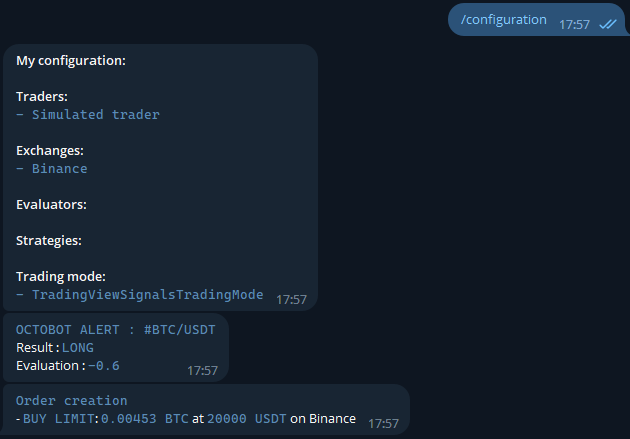
When following a TradingView strategy, your OctoBot will listen for TradingView signals and when signals are received, it will react instantly by creating the associated alert and order(s), which can be simulated or real, on any supported exchange.
You can send details on the order to create directly from the TradingView signal such as the type of order, the take profit and stop loss prices and much more. View the full details of orders signals on the TradingView signals guide.
Comment lier votre compte TradingView à votre OctoBot ?
When using a self hosted OctoBot, you will have to configure a way to make your OctoBot reachable from a webhook. This is required for TradingView to send signals to your OctoBot and might require an external paid software.
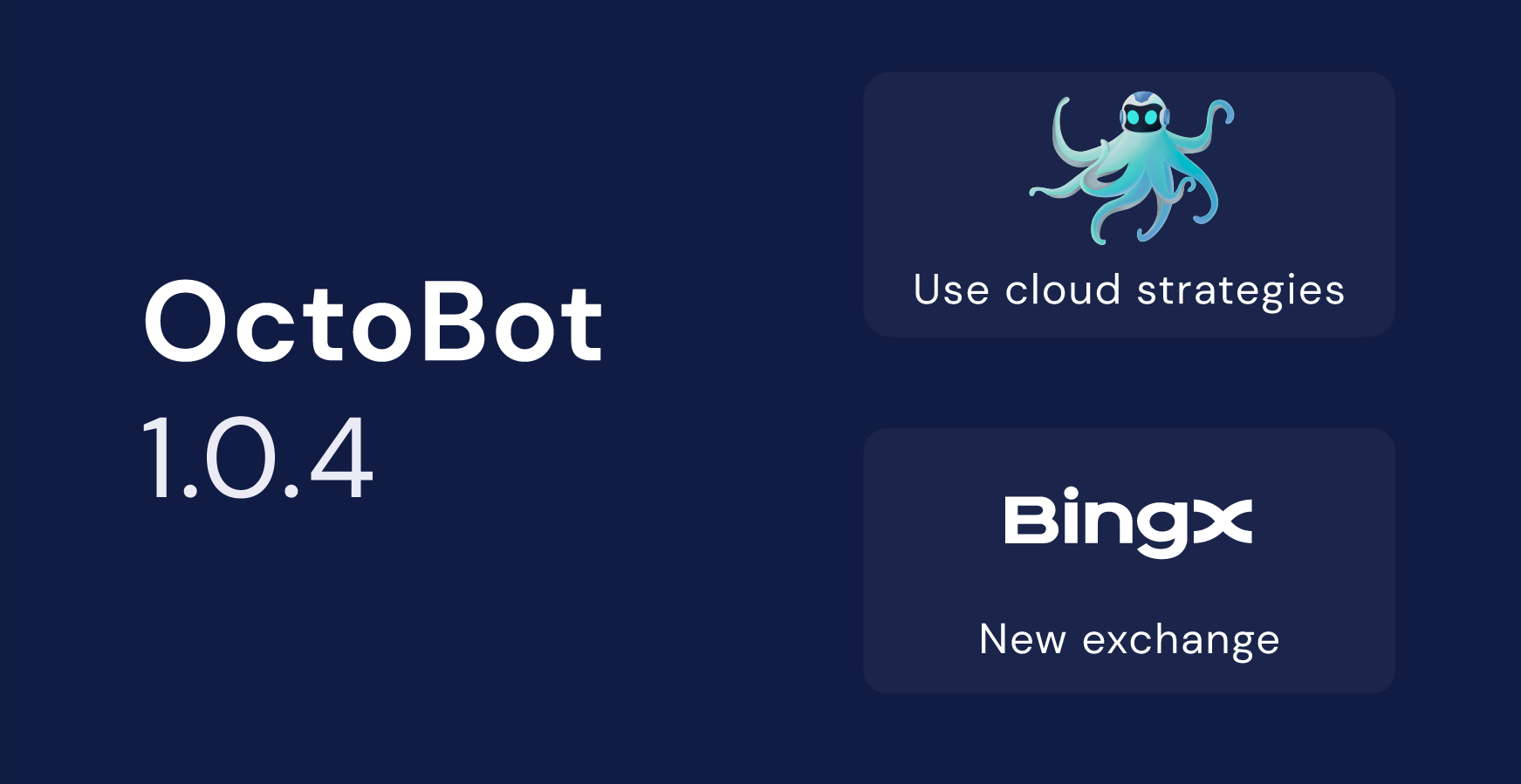

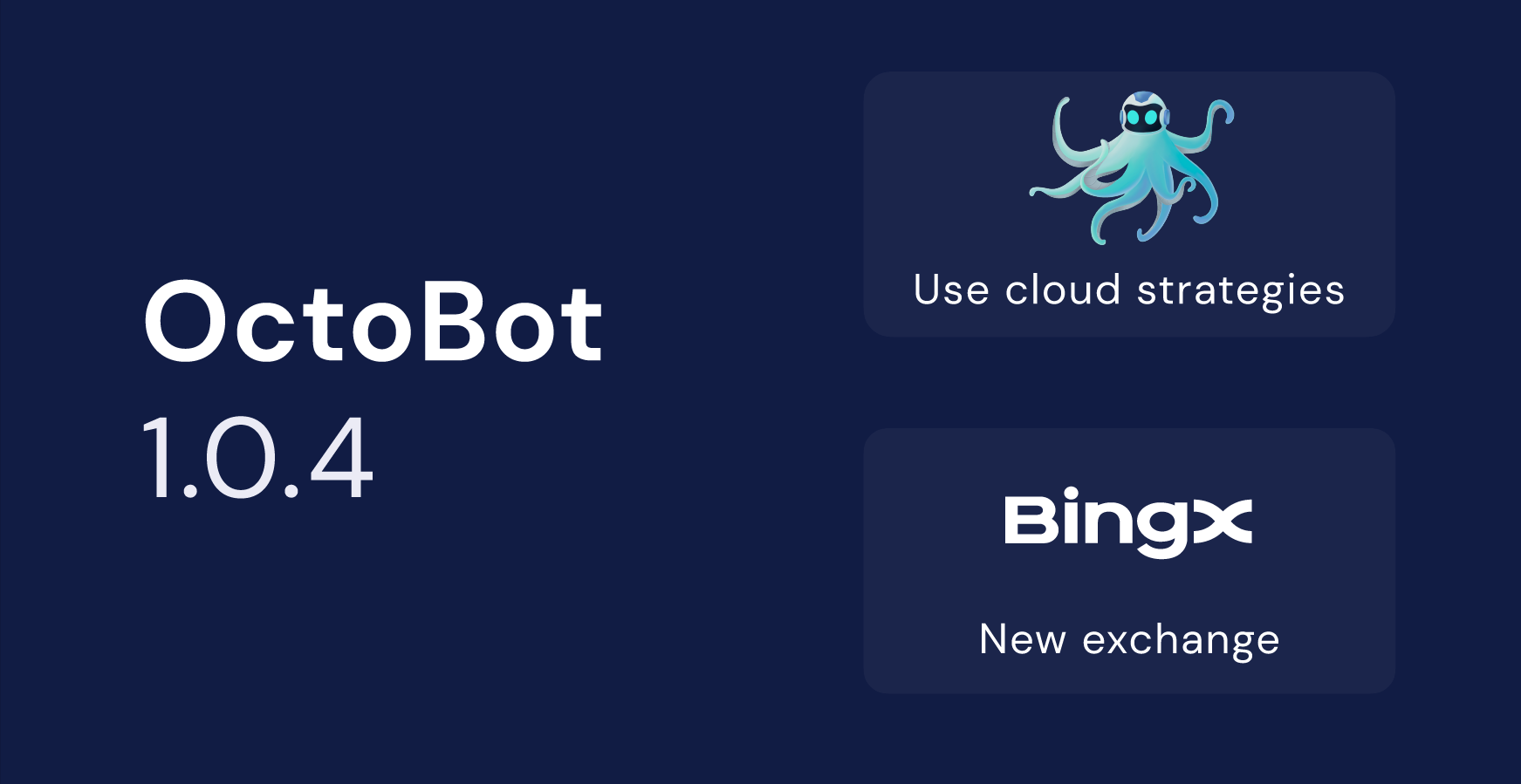
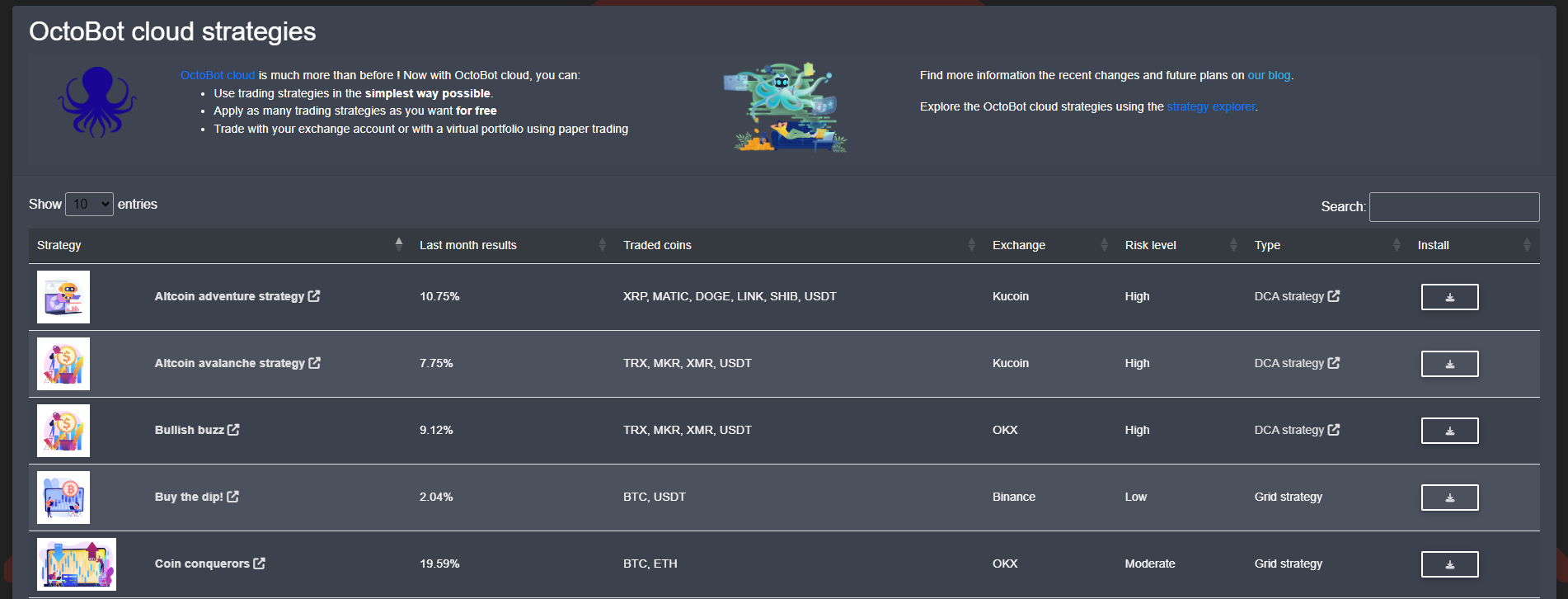
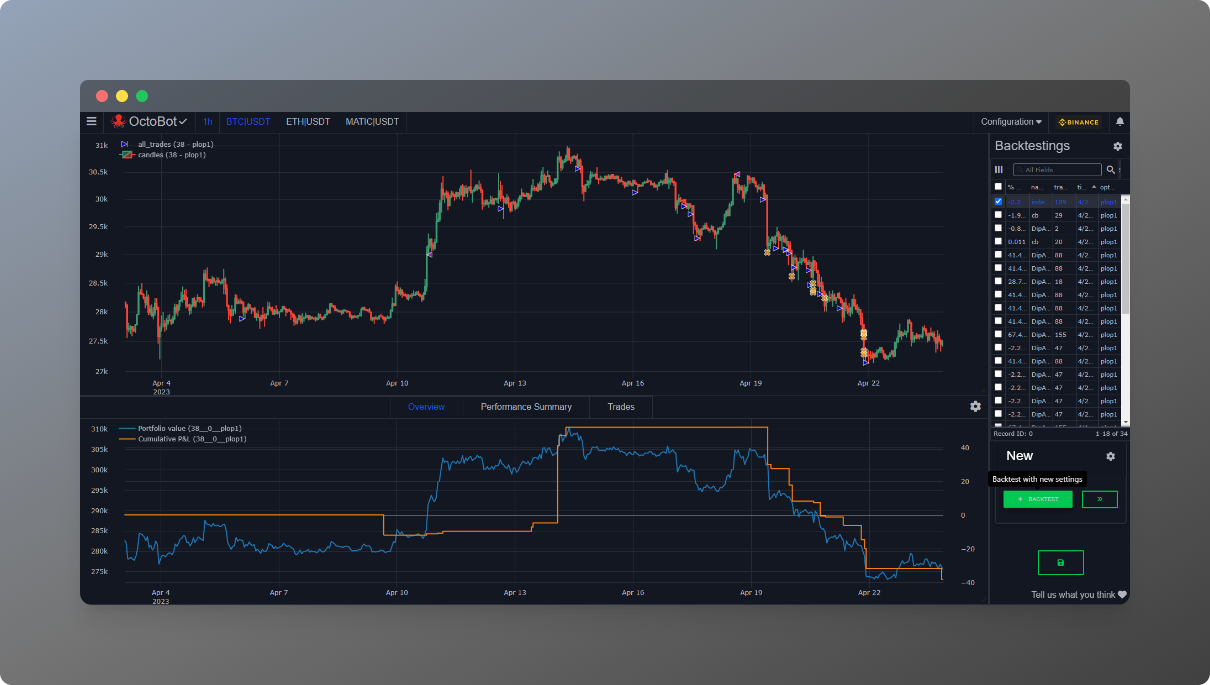
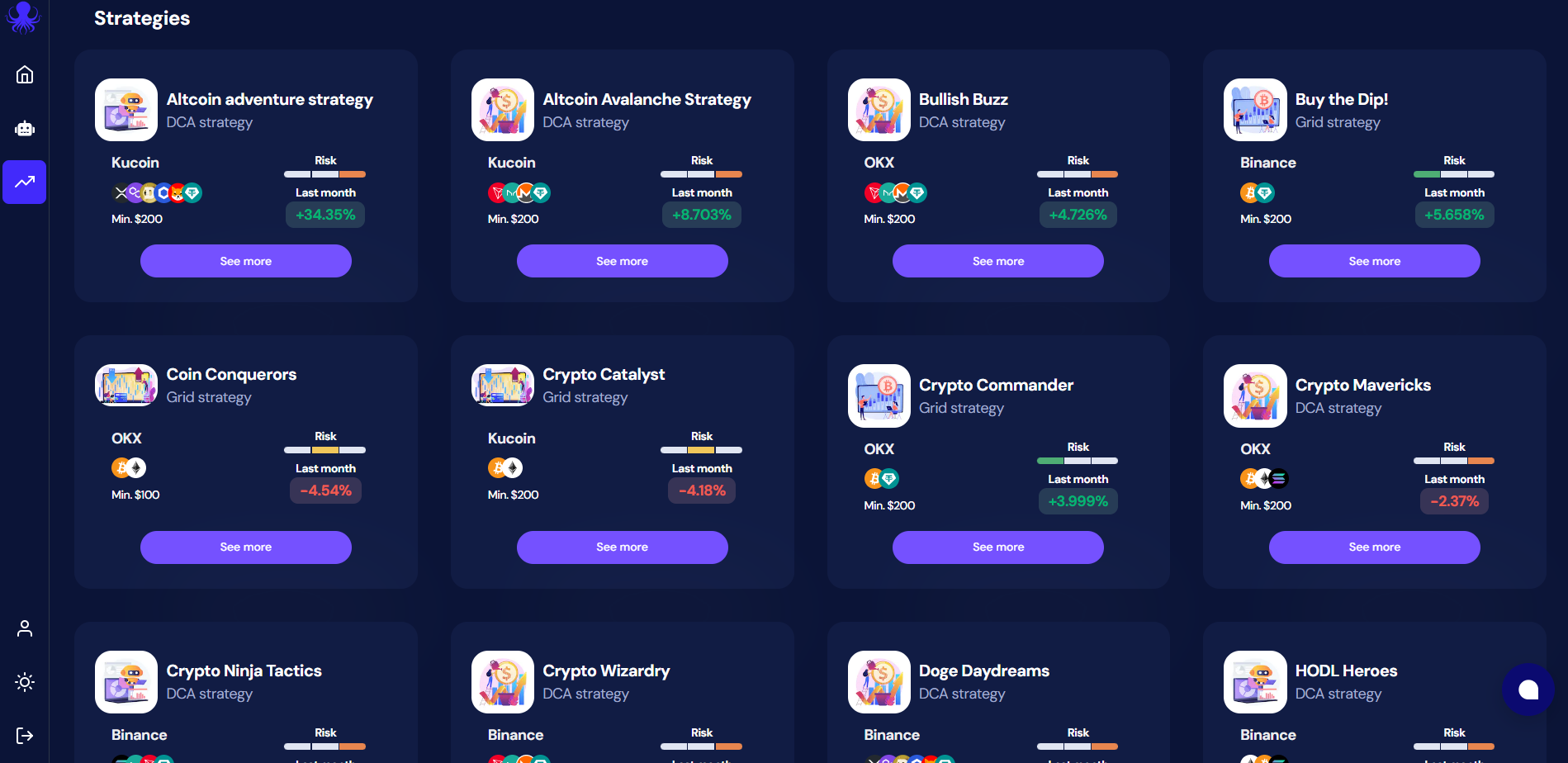
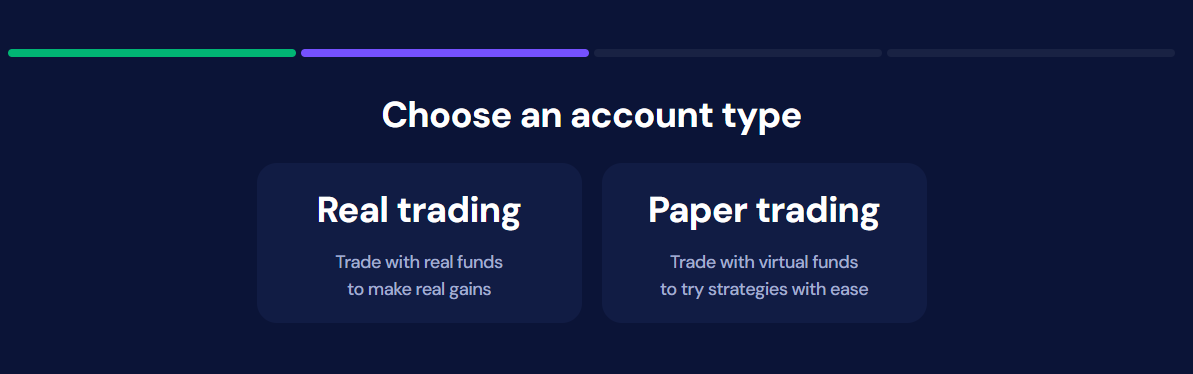
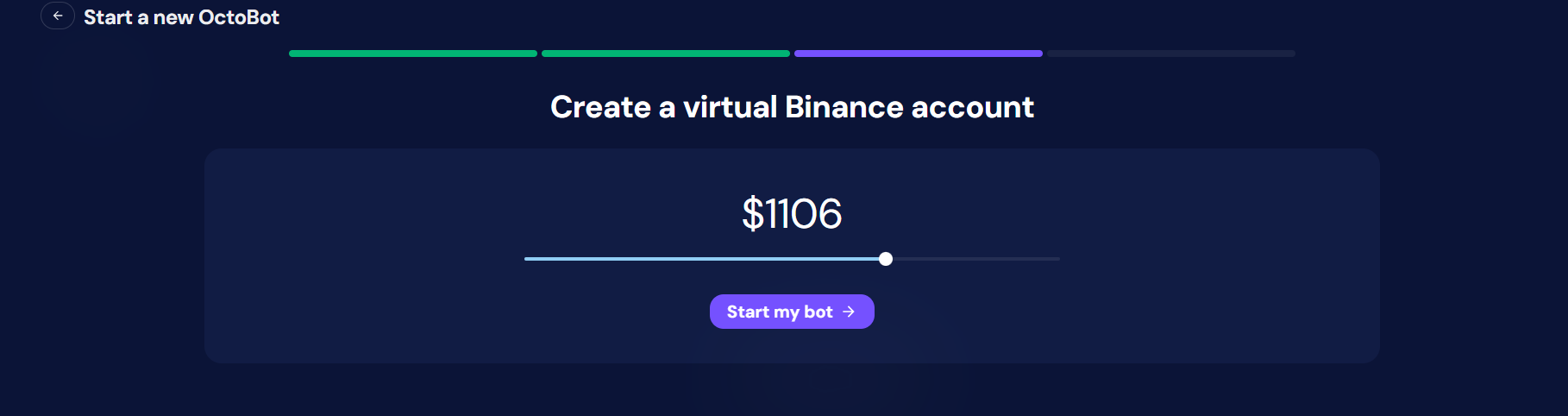

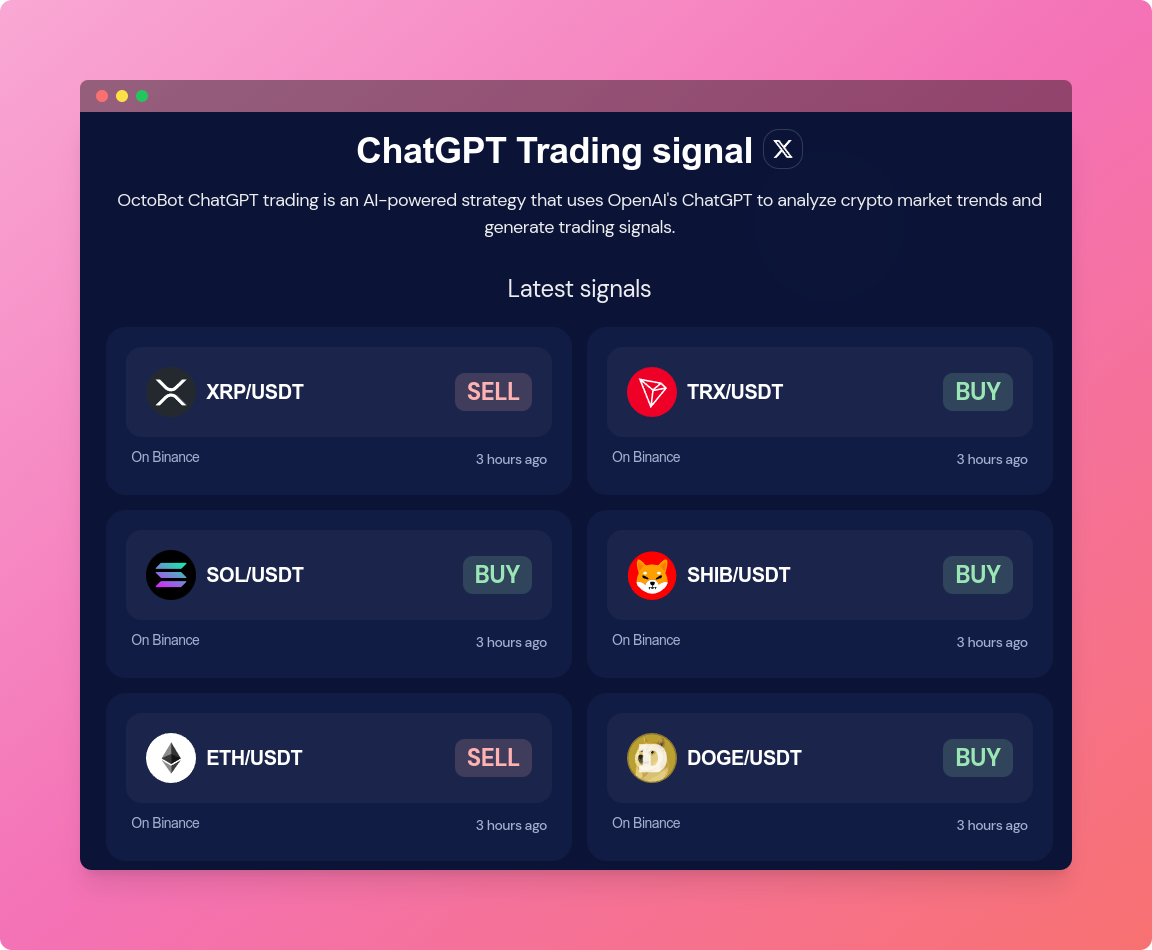 Tableau de bord des derniers signaux de trading ChatGPT
 Steady portfolio growth and regular trades using 0.8% take profit targets
 Unoptized portfolio growth: missed trades and higher volatily using 2% take profit targets
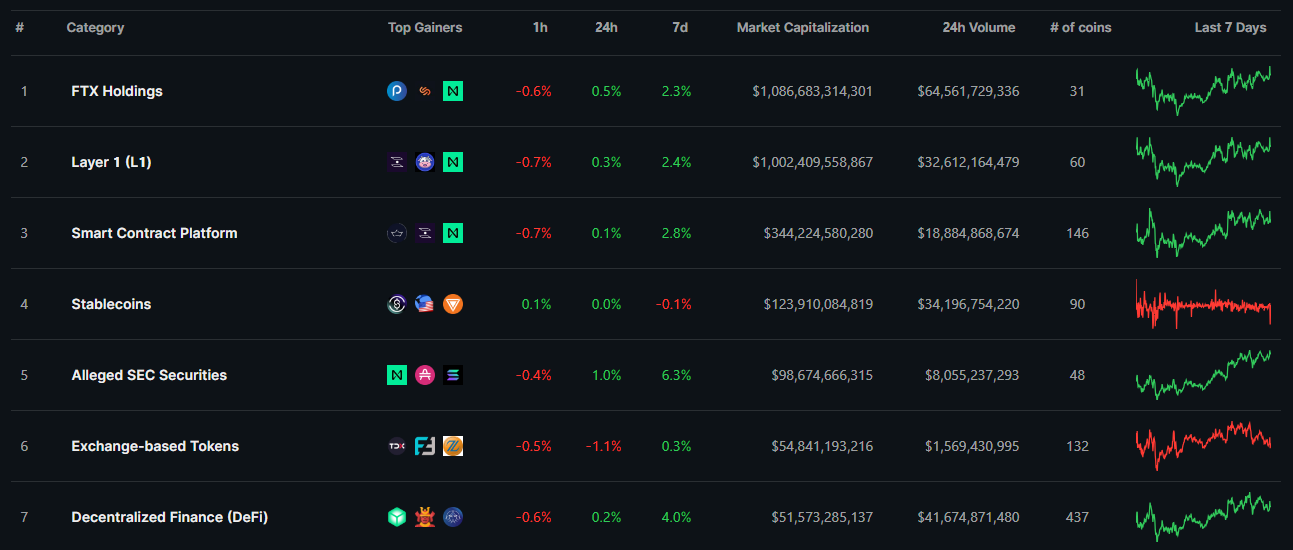 CoinGecko's
 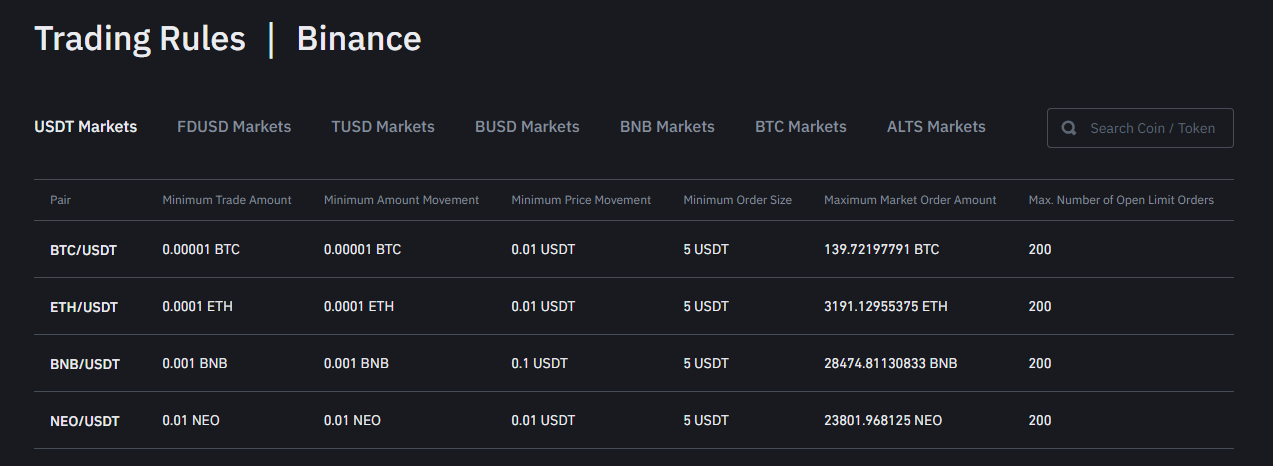 Binance's