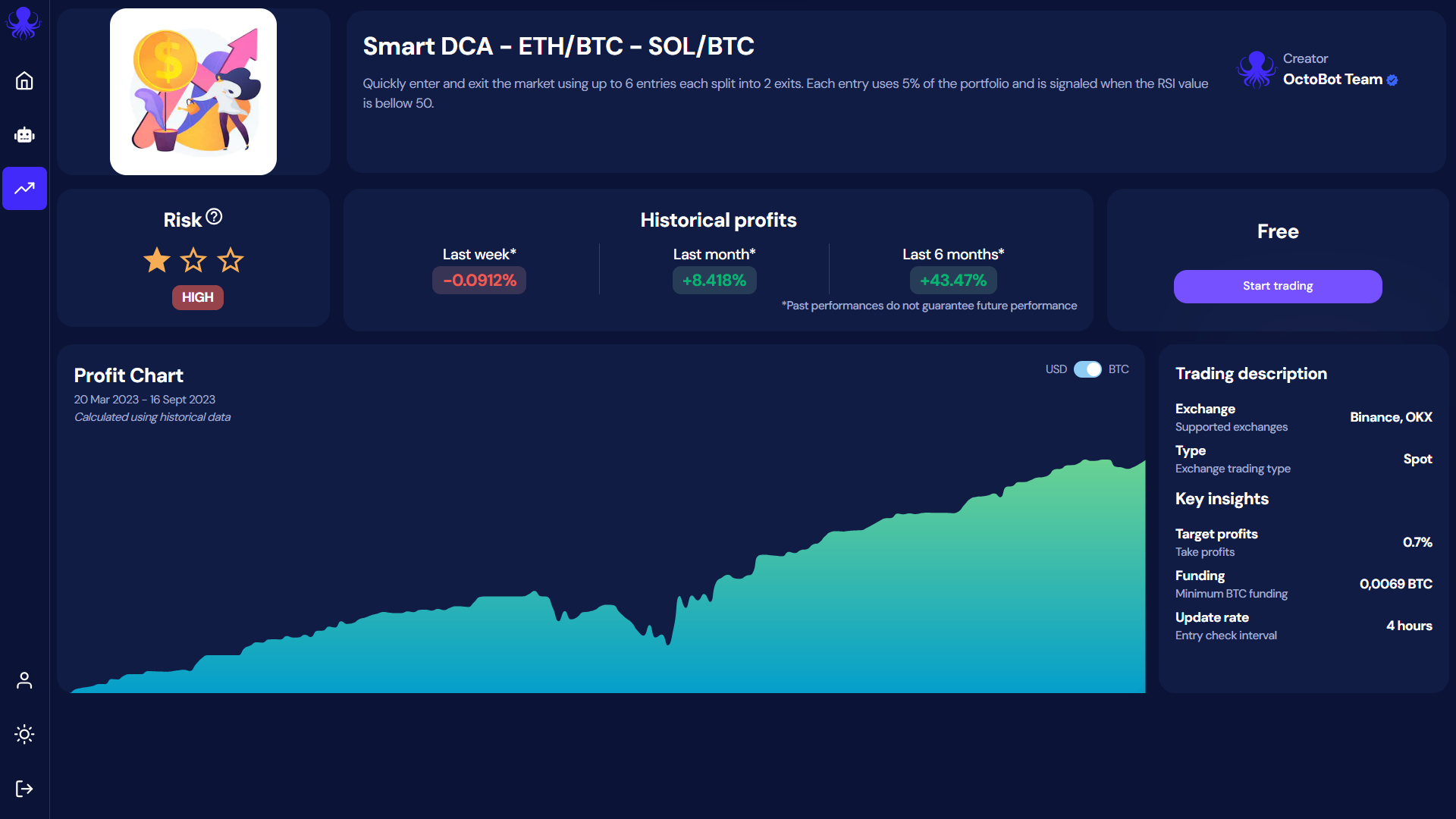
At OctoBot, transparency is one of our core values. It is the reason why OctoBot is open source and why each strategy comes with its historical results.
In order to bring this one step further, we decided to make paper trading of trading strategies free and unlimited.
While most trading robot services choose to charge for paper trading or limit its duration, we decided to stay true to our ethos and include paper trading to our free services for all users.
This means that when using OctoBot cloud, you can:
Explore: Test the trading strategy (or strategies !) you are interested in using paper trading
Invest: Once you find a trading strategy you like, start an OctoBot with your real funds
Optimize: Keep experimenting other trading strategies risk free with your paper trading OctoBot
Comment lancer son bot de trading virtuel avec OctoBot ?
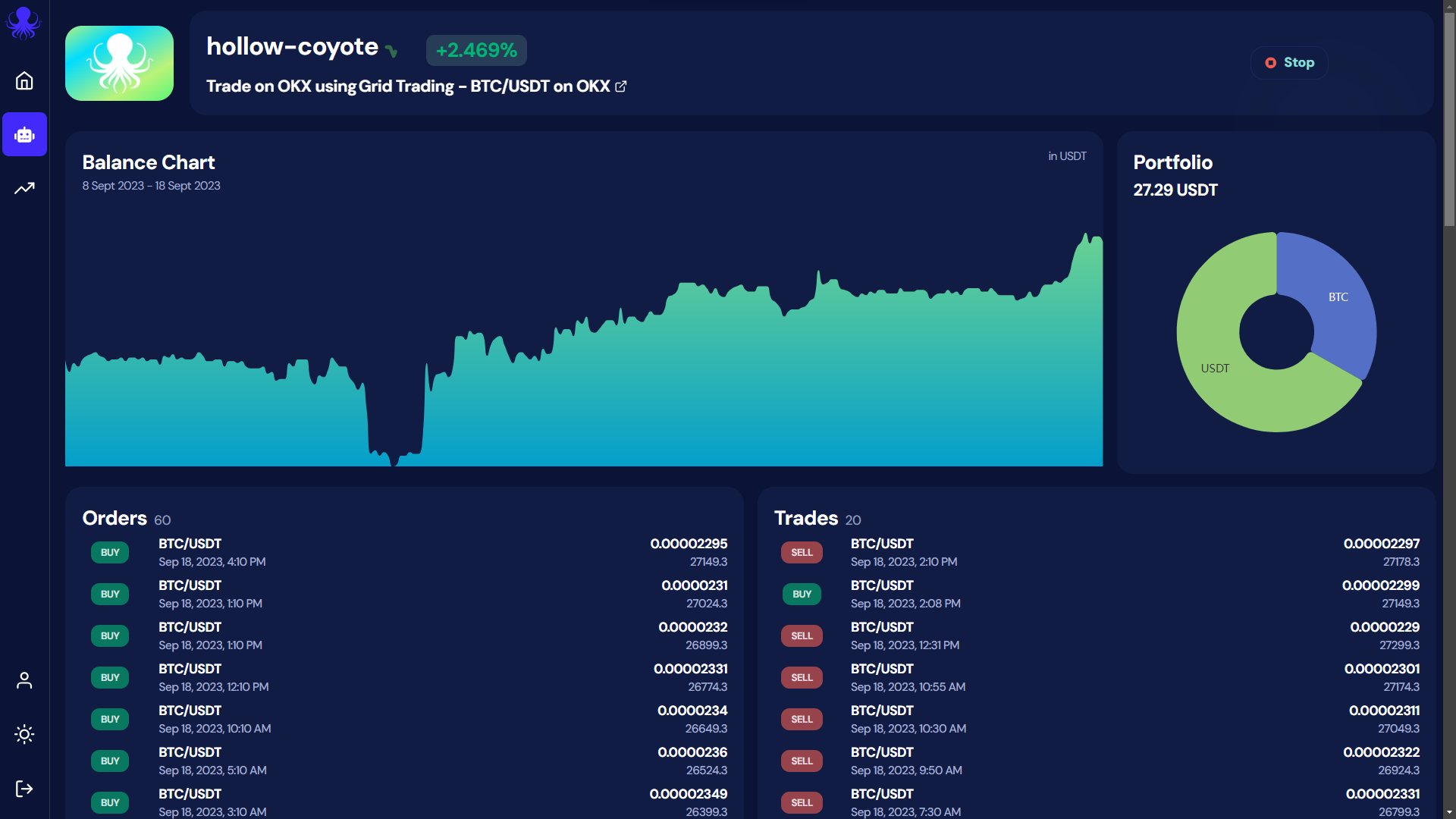
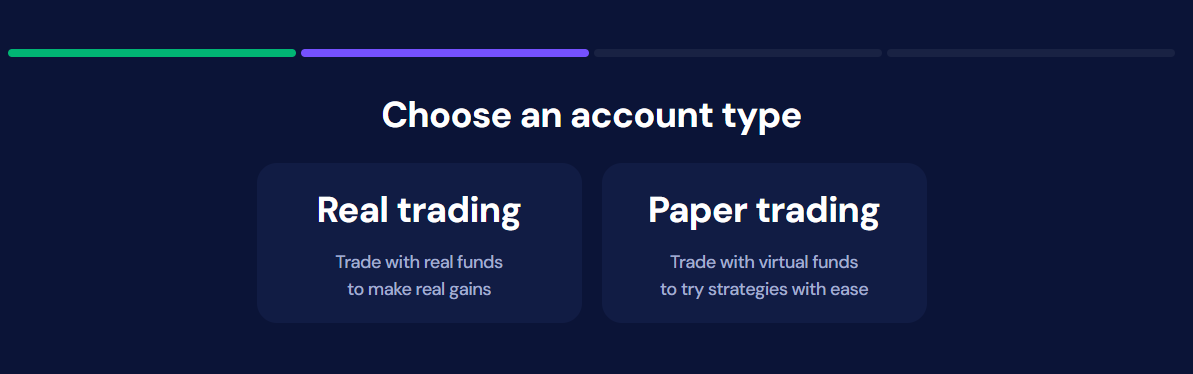
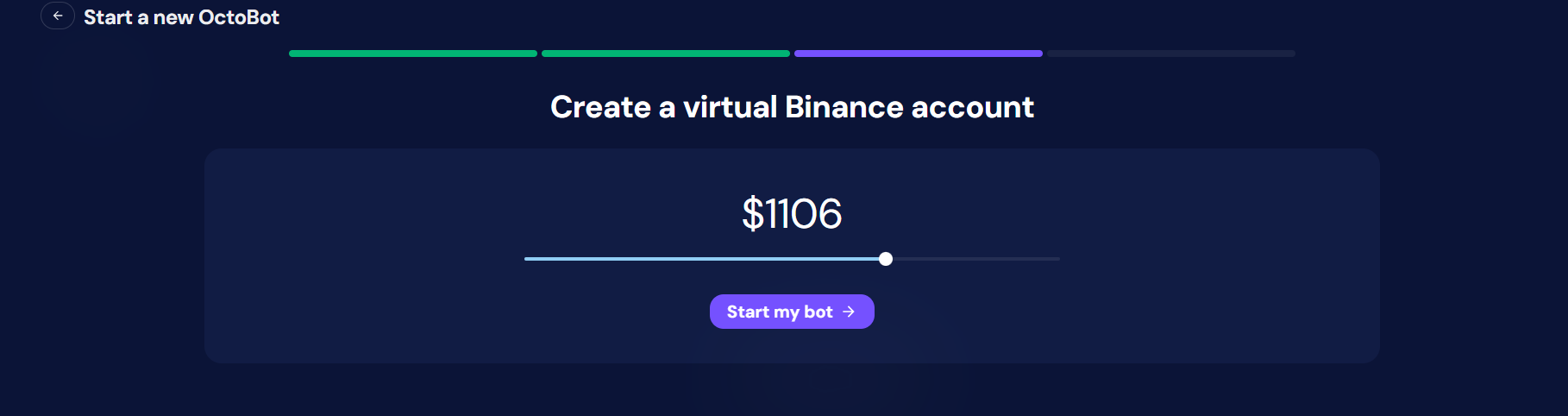
As paper trading is using virtual funds, OctoBot cloud doesn't need your exchange credentials to run a paper trading OctoBot.
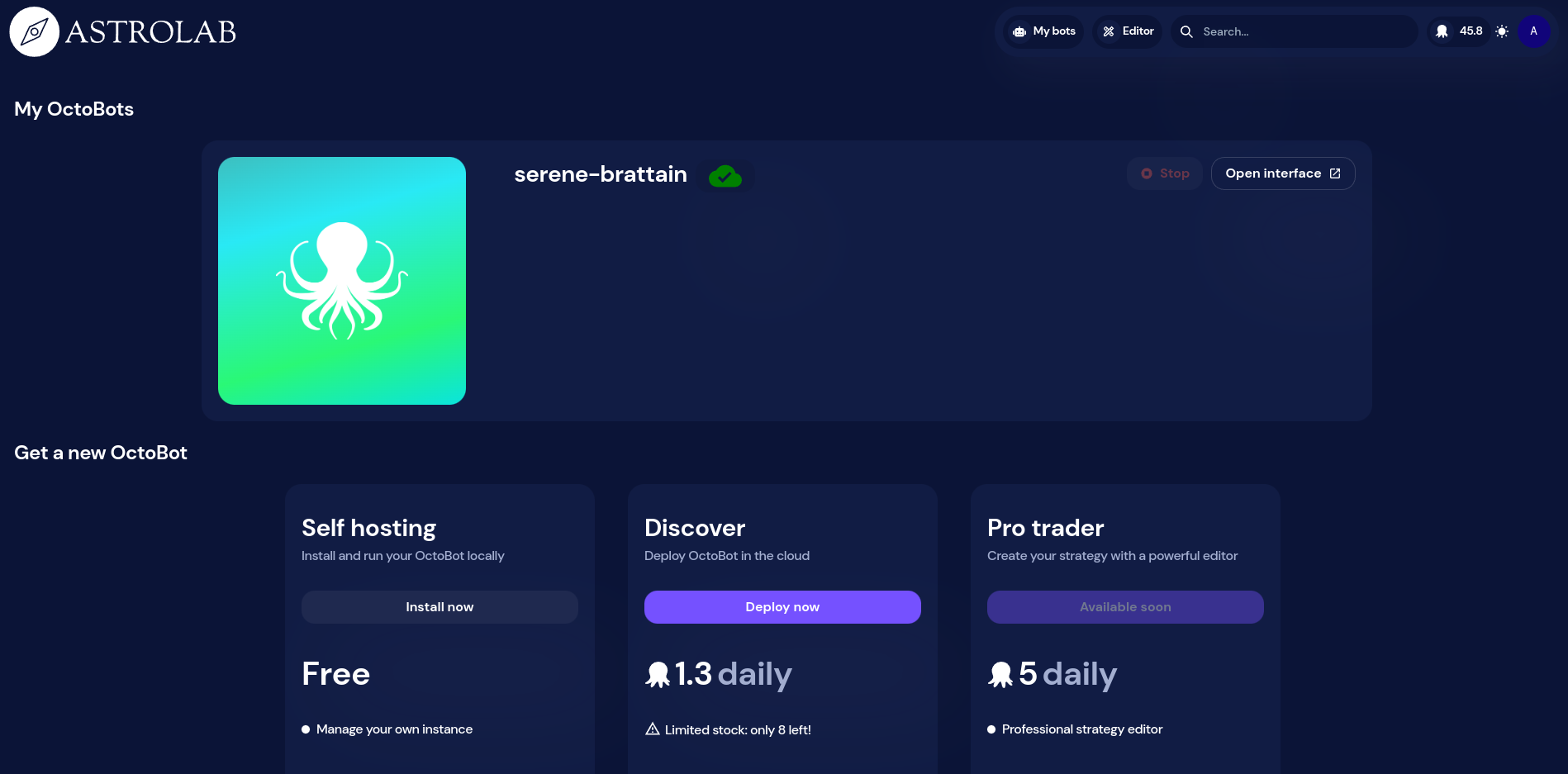
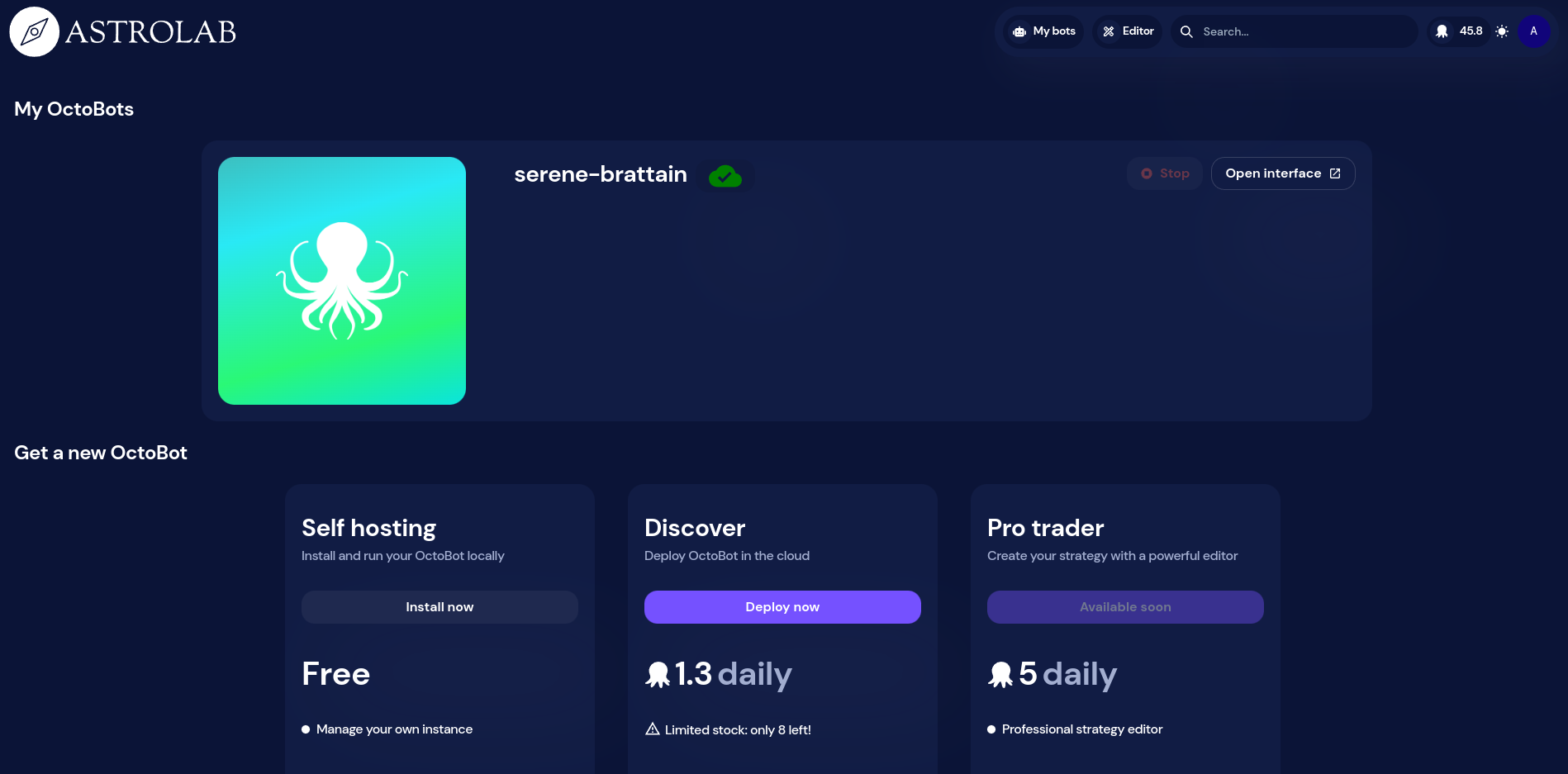
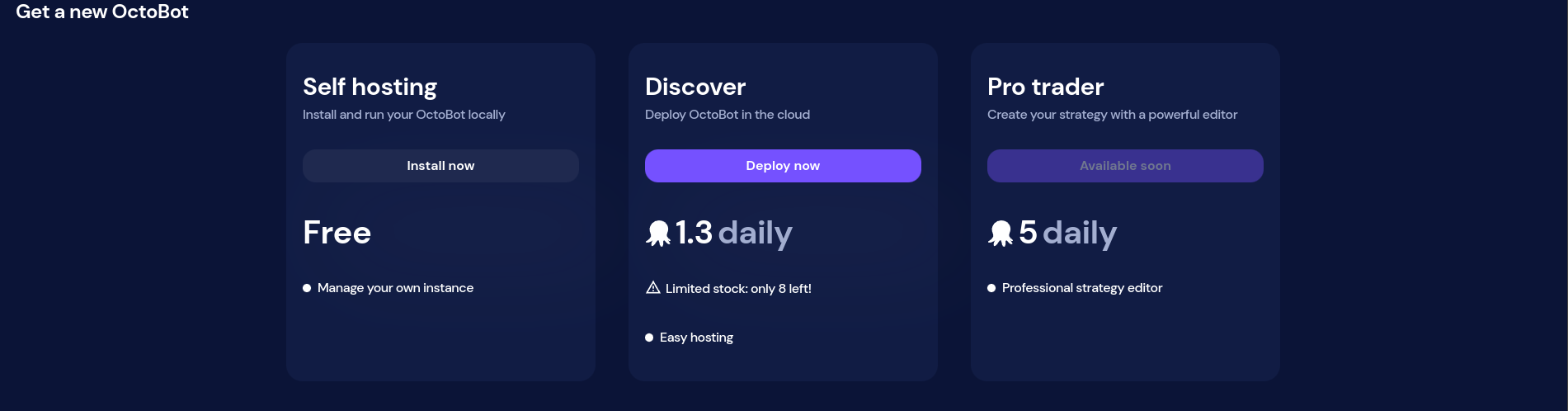
This means that you can very quickly experiment with any strategy on OctoBot cloud in just 3 steps:
Dans cet article nous présentons notre dernier outil conçu pour fournir des signaux d'ACHAT ou de VENTE simples pour différentes cryptomonnaies basés sur des prédictions IA.
Notre nouvel outil exploite la puissance de ChatGPT, un modèle d'intelligence artificielle développé par OpenAI.
ChatGPT a été entraîné sur divers textes d'Internet, et il
utilise cette connaissance pour générer des textes pertinents en réponse aux
entrées qu'il reçoit. Dans le contexte de notre outil, il utilise sa
connaissance de l'historique des prix du marché, en particulier des modèles de
chandeliers (format d'affichage des prix aussi nommé "candlestick"), pour faire
des prédictions sur les tendances des cryptomonnaies.
Les modèles de chandeliers, qui affichent les prix hauts, bas, d'ouverture et de clôture pour une période spécifique, sont fondamentaux pour réaliser des analyses techniques à fin de trading.
ChatGPT utilise sa base de connaissances étendue pour identifier ces modèles dans les données historiques de prix de diverses cryptomonnaies.
En reconnaissant ces modèles, il peut alors prédire les tendances futures potentielles en comparant les données du marché actuel avec des situations historiques similaires.
Cette analyse forme la base des signaux 'ACHETER' ou 'VENDRE' que notre outil génère.
Nous fournissons à ChatGPT les prix actuels de différentes cryptomonnaies et lui demandons de déterminer la probabilité que ces prix augmentent ou diminuent.
Actuellement, notre outil utilise uniquement les prix des chandeliers pour ses prédictions. Cependant, à l'avenir, nous prévoyons d'inclure des indicateurs d'analyse technique pour une prédiction plus détaillée et précise, vous offrant une perspective plus complète sur les mouvements potentiels du marché.
Voici comment ça fonctionne :
Nous demandons à ChatGPT de prédire la direction potentielle du prix (soit à la hausse, soit à la baisse) en fonction des données de prix les plus récentes des cryptomonnaies, comme illustré dans la capture d'écran suivante.
Ensuite, nous utilisons la réponse de ChatGPT pour créer un signal de trading, qui dépend de la direction du prix prédite et de la confiance de ChatGPT dans cette prédiction.
Plus de détails sur le fonctionnement des stratégies de trading ChatGPT avec OctoBot sur le guide de trading ChatGPT.
Capture d'écran de la page de présentation des signaux de trading ChatGPT
Cette fonctionnalité peut être utilisée par quiconque souhaite suivre ce que ChatGPT pense qu'il va arriver sur les différentes cryptomonnaies.
C'est comme avoir un aperçu rapide et à jour des prédictions de l'IA qui pourrait vous aider dans votre prise de décisions.
Nous avons franchi une étape supplémentaire en introduisant des comptes Twitter et Telegram dédiés qui publient un signal chaque fois qu'une nouvelle prédiction avec une grande confiance est faite par ChatGPT.
En suivant ces comptes, vous pouvez rester à jour avec les signaux de trading de cryptomonnaies les plus intéressants prédits par ChatGPT.
De cette manière, vous ne manquerez jamais une opportunité.
À titre d'illustration, ce tweet a été publié à 21h, prédisant une forte
probabilité d'augmentation du prix de SHIB. Cela s'est avéré être une excellente
prédiction, car juste quelques minutes après la publication du tweet, le prix de
SHIB a effectivement commencé à augmenter.
La traduction française de cette page est en cours.
The new Investor plans allow you to enjoy trading strategies in a very easy yet powerful way. These plans allow you to benefit from OctoBot based strategies without the technicalities of OctoBot. OctoBot cloud trading bots also benefit from an improvement and are now designer for users you want to automate their own trading strategies.
At OctoBot, we realized that the current state of OctoBot is suitable for users with a technical background but is too complex for the majority of people.
The goal of OctoBot has always been to bring automated trading strategies to any crypto investor. This includes tech savvy users as well as all the others. Up until now, OctoBot failed to be usable by any crypto investor and the new OctoBot cloud is built for them.
While the full OctoBot is designed to create and customize strategies, the new OctoBot cloud makes it very easy to use those strategies
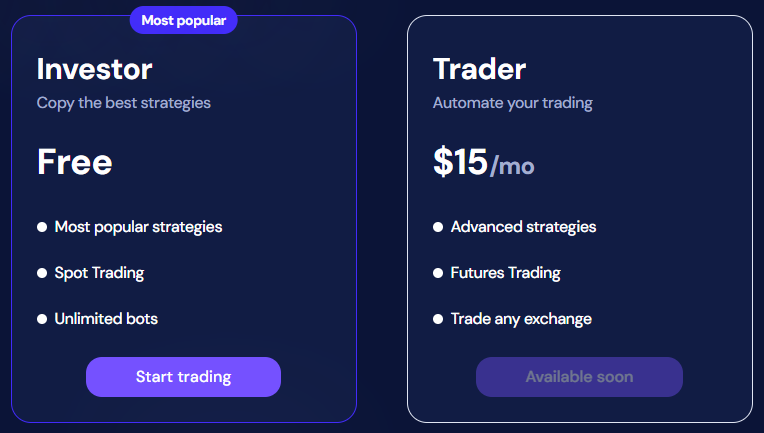
We are splitting OctoBot plans into 2 different kinds:
Strategy based plans
Full OctoBot plans
Choisir une stratégie, pas un robot: les plans basés sur les stratégies
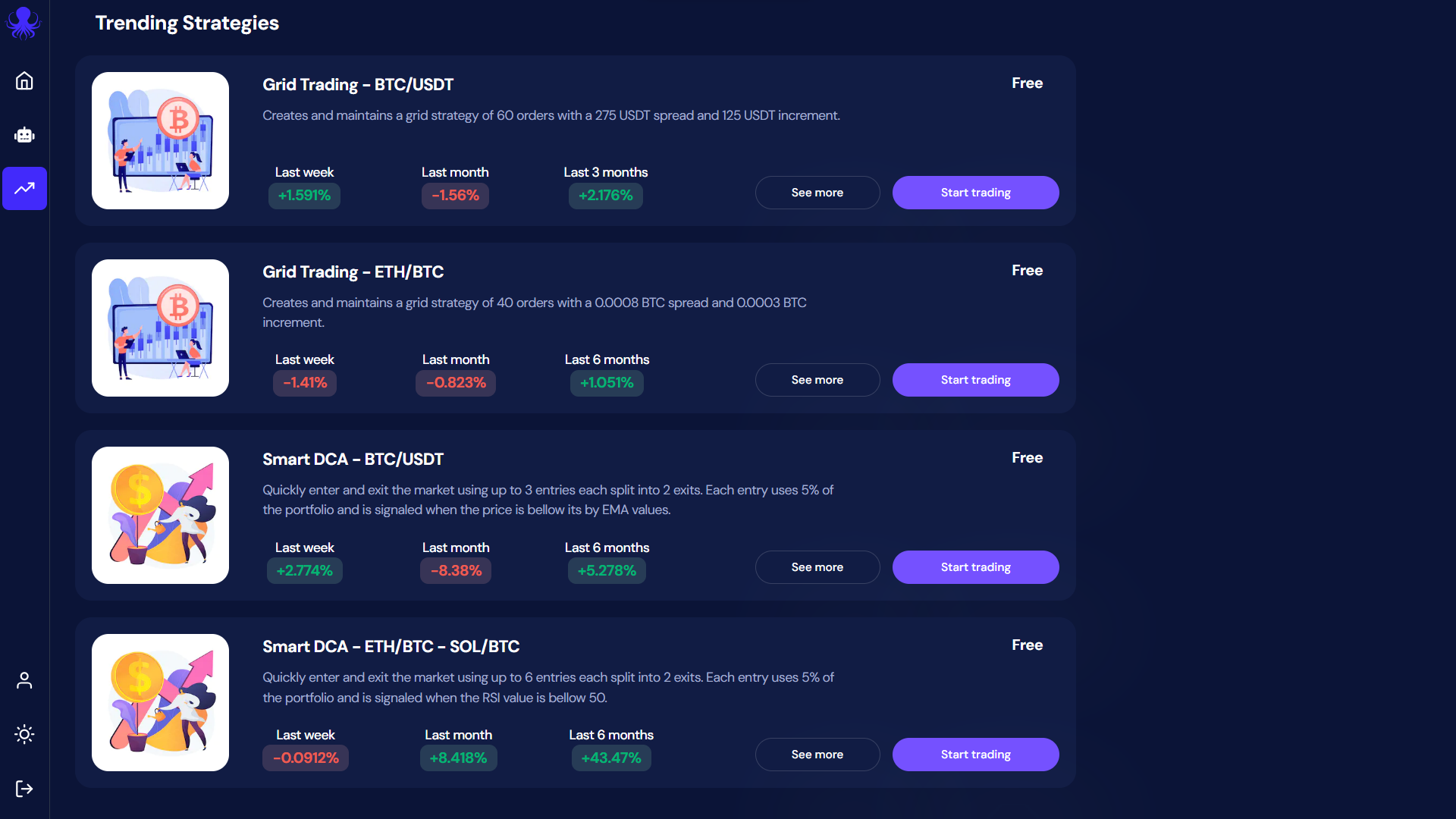
OctoBot can be complicated to use and setup, finding your suitable strategy can be even more difficult. That's why we make strategy based plans as simple and clear as possible
Besides simplicity, making strategies financially accessible is also important to us. For this reason, we designed the Investor plan to be completely free and unlimited.
At OctoBot, we believe that making a free plan will help a lot of people accessing automated trading strategies.
That's why the Investor plan enables everyone to simply use trading strategies for free.
This not a free trial: when you use a strategy with the Investor plan, we are not asking for your payment information, there is no monthly subscription fee, no % taken on gains, no hidden fees.
How is this possible ? When using the Investor plan, we rely on exchange partnerships to pay for our running costs. This means that as long as you use an exchange account from an OctoBot official partner, exchanges reward us and you are free to use the Investor plan forever.
Of couse, each strategy on OctoBot cloud is built, run and tested using OctoBot. This means that each strategy past performance is evaluated on a regular basis using historical data and OctoBot's backtesting engine. This ensures that displayed statistics are real as strategy based plans are also using OctoBot under the hood.
At OctoBot we believe in transparency. This means that sometimes strategies can turn unprofitable as profits depends on so many different factors including market conditions. If a strategy is not making profits during a given period, you will see it before using it.
Créer votre propre stratégie: les robots de trading OctoBot cloud
At the time of writing, the new OctoBot cloud is in beta stage. While the technical part is fully fonctionnal, we are working on the last user interface improvements before completely replacing the current octobot.cloud.
Feel free to use, experiment and give us your feedback on the new OctoBot cloud, we are looking forward to knowing what your think of it and our new strategy-based plans.
Join us on the beta dedicated telegram channel here
La traduction française de cette page est en cours.
Trader en utilisant vos stratégies TradingView favorites
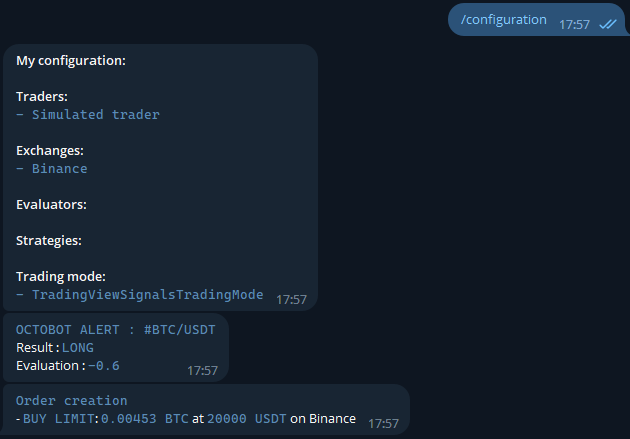
You love using TradingView indicators and strategies ? With OctoBot, you can take it to the next level and trade using TradingView strategies and indicators directly the exchange you want.
This means that you can use all the OctoBot features according to your TradingView tools, this includes:
Trading on your favorite exchange(s) using your TradingView strategy
Test your TradingView strategy in real time with simulated funds
Get real time notifications when your TradingView strategy sends a buy or sell signal
Vos stratégies TradingView directement dans votre OctoBot
When following a TradingView strategy, your OctoBot will listen for TradingView signals and when signals are received, it will react instantly by creating the associated alert and order(s), which can be simulated or real, on any supported exchange.
You can send details on the order to create directly from the TradingView signal such as the type of order, the take profit and stop loss prices and much more. View the full details of orders signals on the TradingView signals guide.
Comment lier votre compte TradingView à votre OctoBot ?
When using a self hosted OctoBot, you will have to configure a way to make your OctoBot reachable from a webhook. This is required for TradingView to send signals to your OctoBot and might require an external paid software.
The main benefit of hosting OctoBot in the cloud are that it will be remain online, no need to install OctoBot or have it running your computer anymore.
Moreover, your OctoBots can be accessed from anywhere, as long as you have an internet connection.
This can be especially useful for traders who need to monitor their OctoBot from different locations or devices.
Comment déployer votre OctoBot sur OctoBot cloud ?
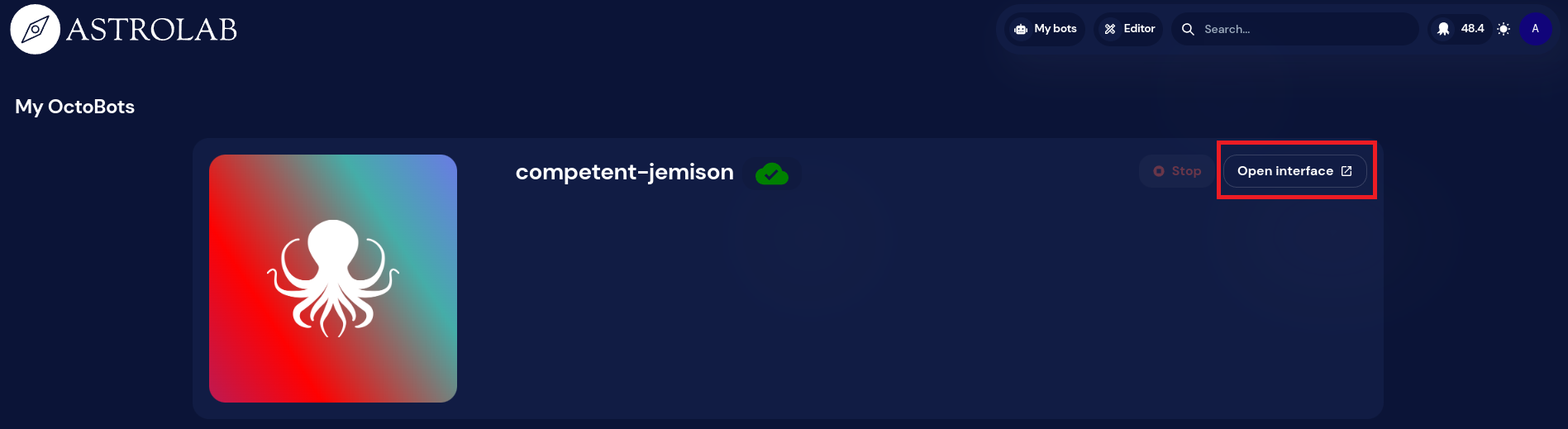
Wait until your OctoBot is available. This may take a few minutes.
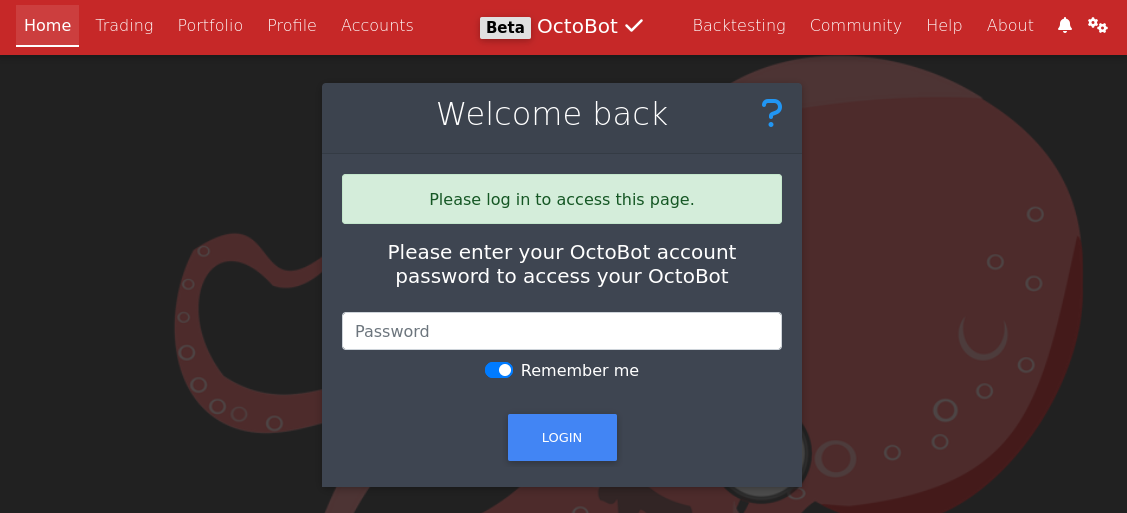
Access your personal OctoBot using the Open Interface button.
Unlock your OctoBot with your OctoBot cloud account password.
Enjoy your OctoBot from anywhere.
Note: running a cloud OctoBot requires OctoBot cloud credits. We will soon add ways to get those credits. Fow now please ask the OctoBot team if you need beta credits.
If you're interested in participating, be sure to follow any guidelines and instructions provided by the OctoBot team, and take the time to thoroughly test the application and provide useful feedback.
To participate in the beta testing of OctoBot's cloud hosting, you'll need to sign up to be a beta tester.
Once you've been accepted into the program, please follow these instructions to access the beta version of the application and any other necessary information.
La traduction française de cette page est en cours.
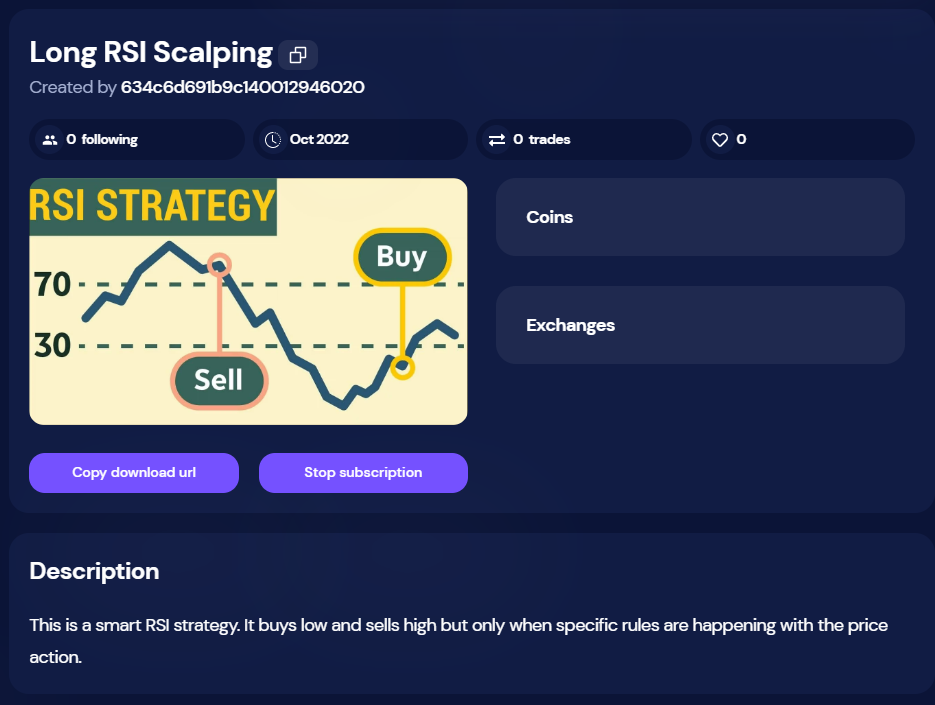
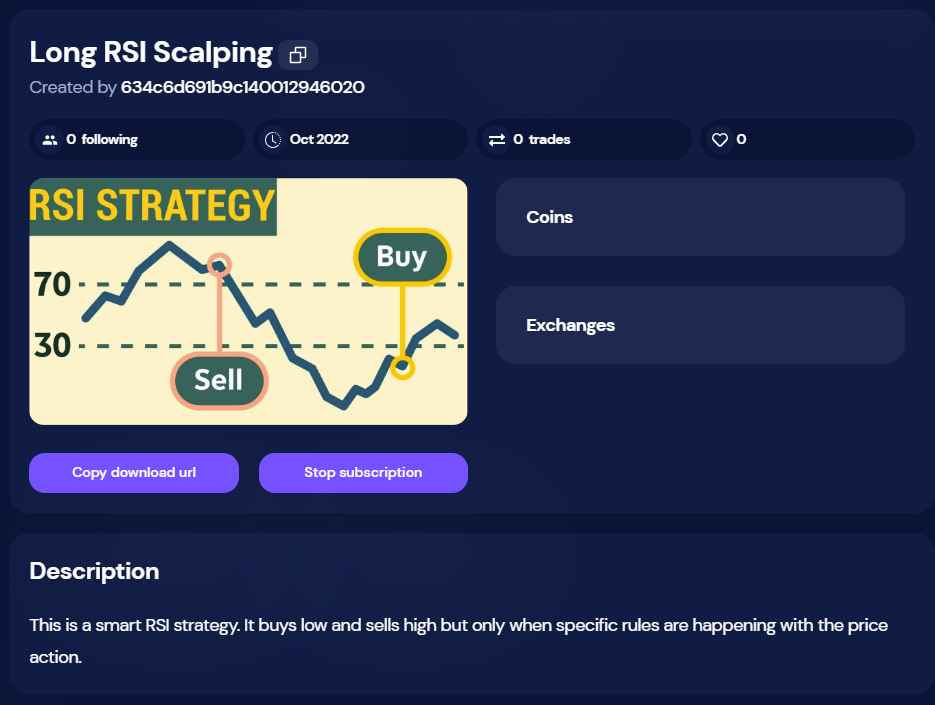
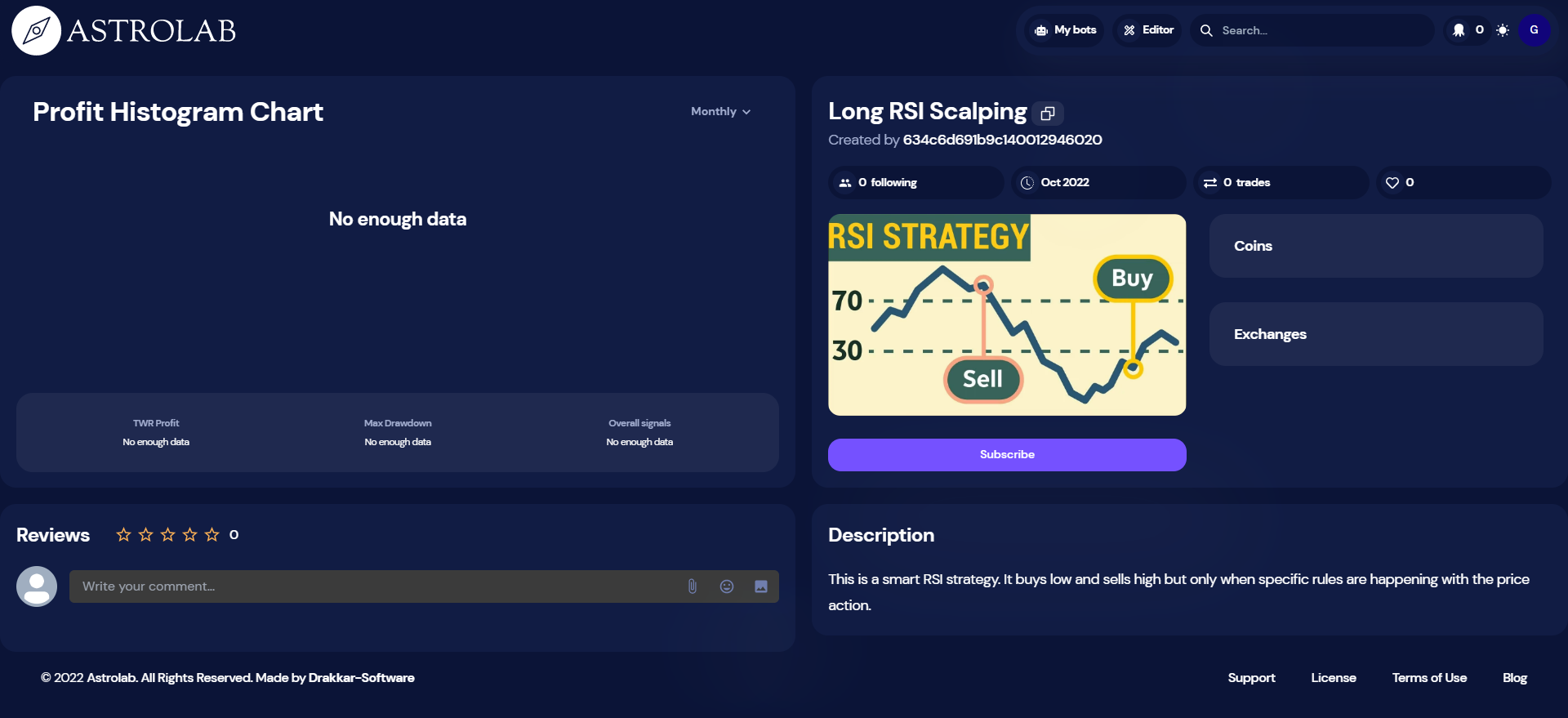
On OctoBot cloud, you can subscribe to trading strategies. Subscribing to a strategy allows you to easily trade using a strategy made by someone else from the OctoBot community.
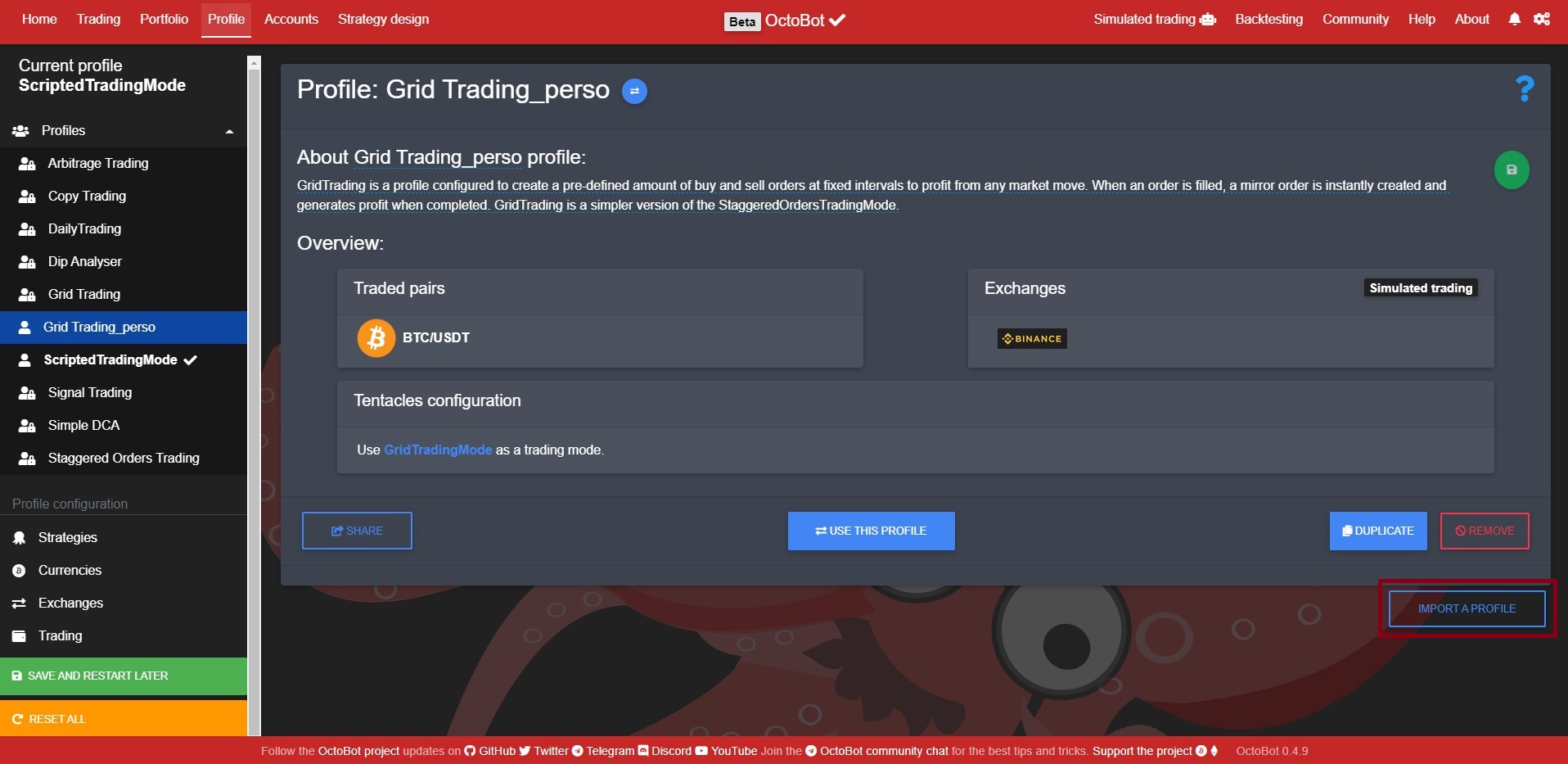
When subscribed to a strategy, you can use the strategy profile directly from your OctoBot. When you do so, your OctoBot will follow the strategy by coping any trade made by this strategy. Order amounts will be adapted to your current portfolio.
When following a strategy, a user gets access to the trading signals of the strategy. Trading signals are emitted at each order created or cancelled by the followed strategy. This way followers of a strategy benefit from trades of the desired strategy in real time directly from their OctoBot. Strategies can be applied to any exchange as long as the strategy trading pairs are supported. You can follow a strategy with real or simulated trading.
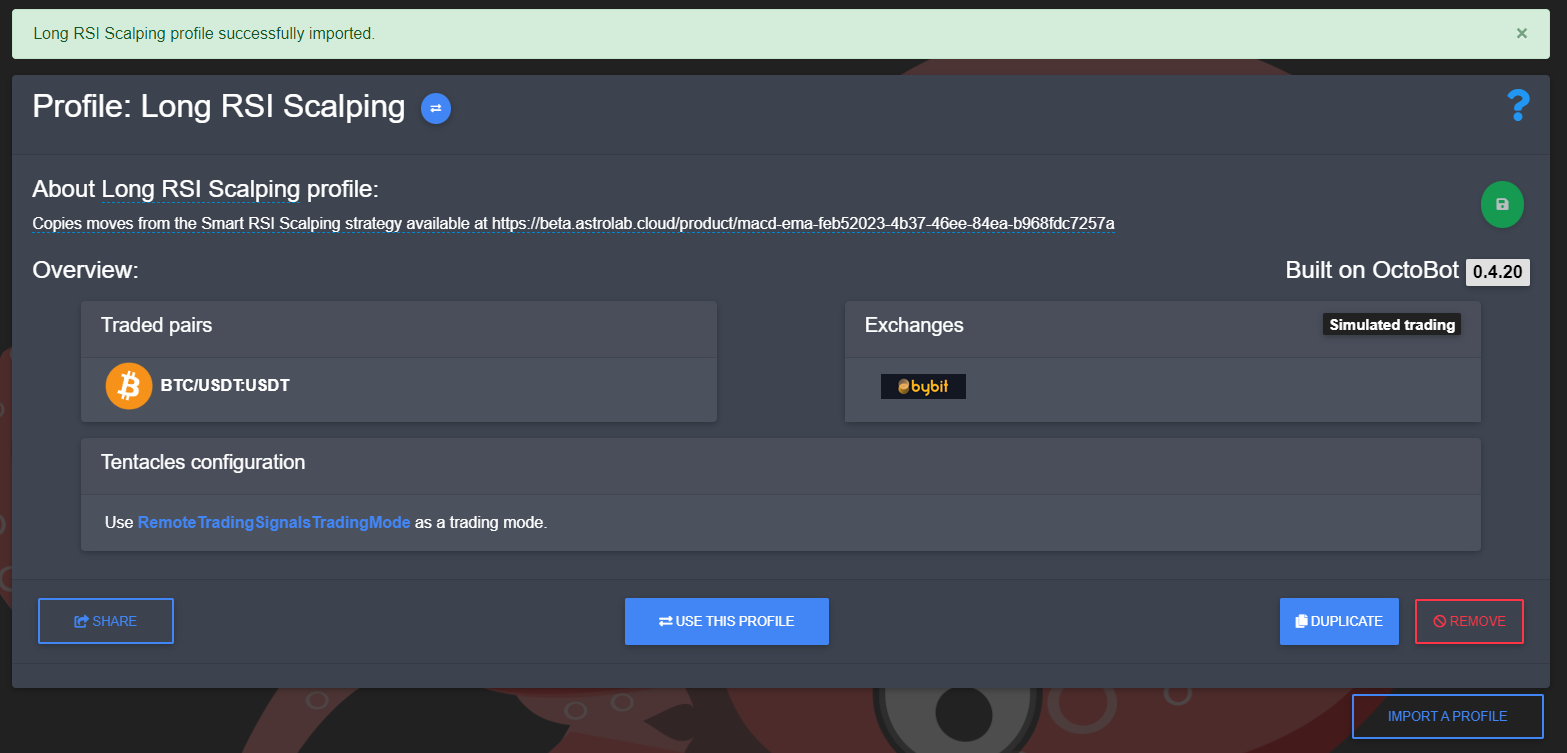
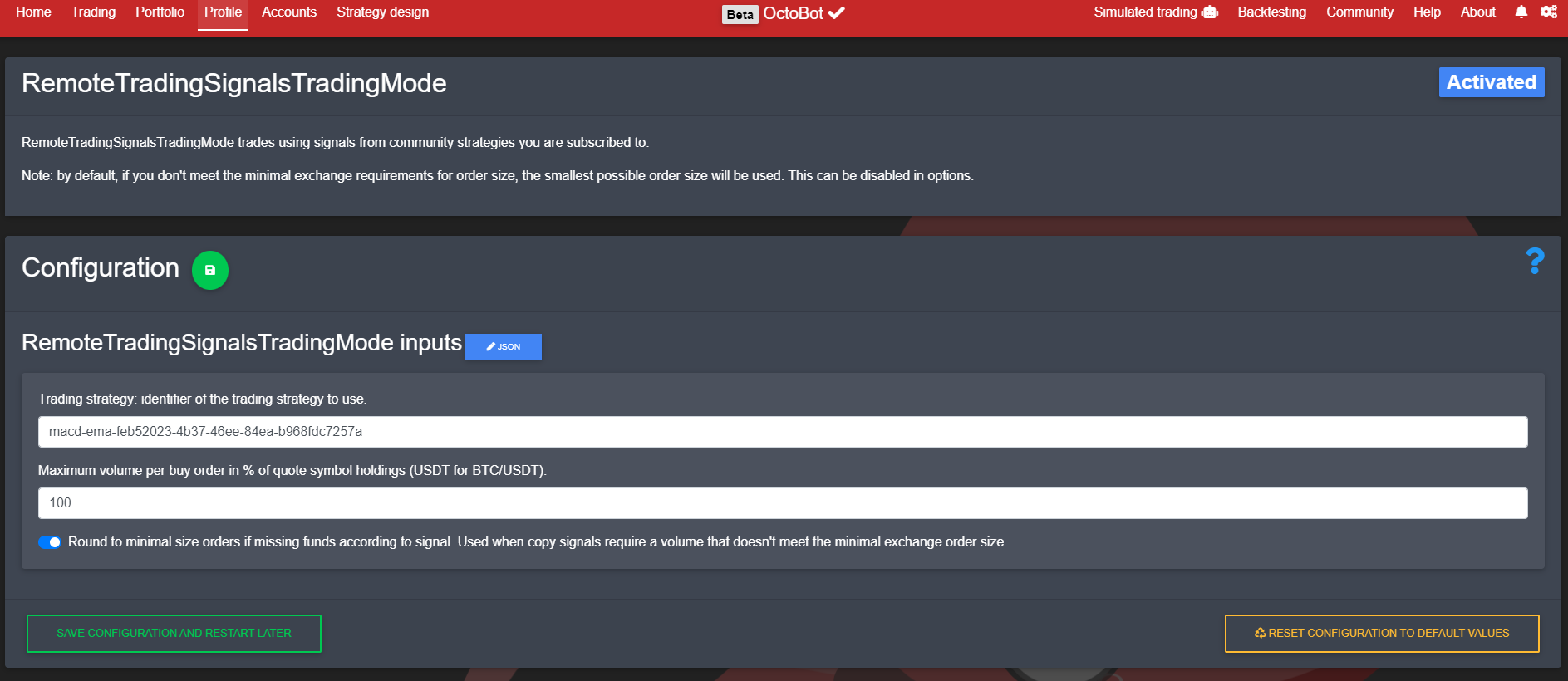
Trading through strategy signals is achieved by using the RemoteTradingSignalsTradingMode configured to follow the strategy you selected. When importing a strategy profile, you are importing an already configured profile that enables this trading mode with the right strategy identifier and the strategy traded pairs and default exchange.
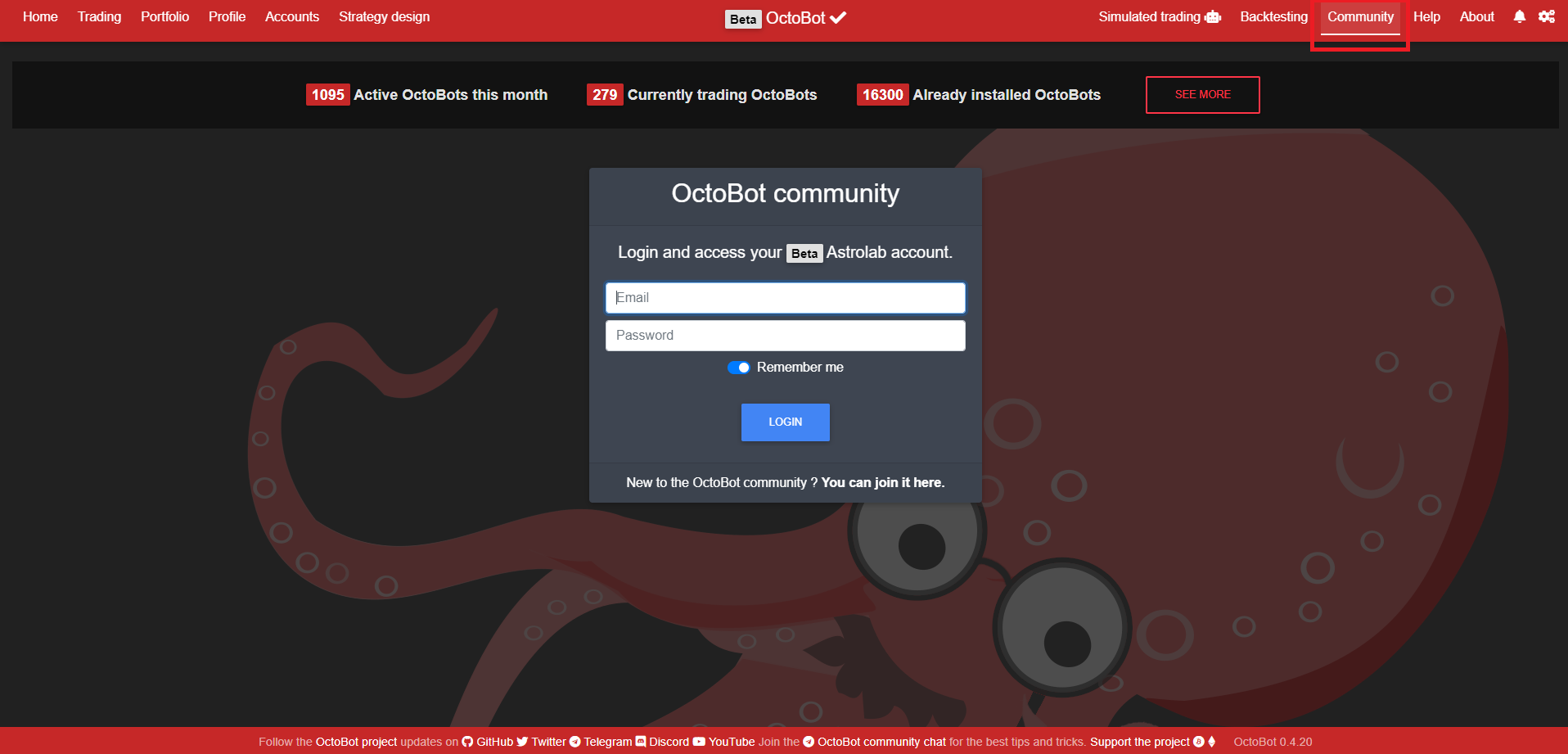
As following a strategy is only possible through OctoBot cloud, you need to login to your OctoBot cloud account from your OctoBot to be able to follow a strategy.
Comment publier une stratégie sur OctoBot cloud ?
Trading strategies are published on OctoBot cloud by the OctoBot community.
When a user wants to share a trading strategy, the only thing to do is to:
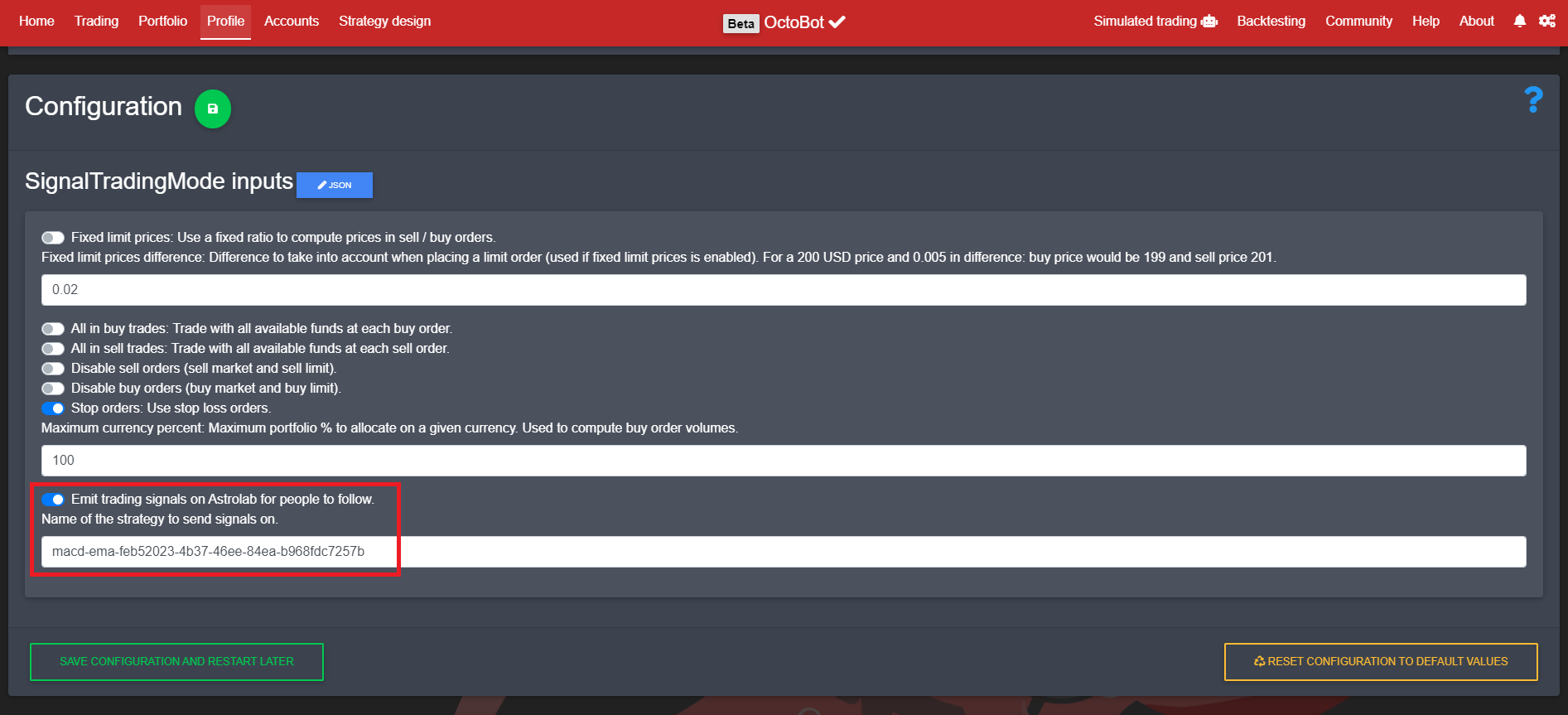
Setup the desired OctoBot trading mode to emit trading signals to this strategy
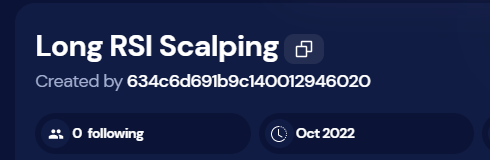
Note: the identifier of the strategy to emit signal on can be found on the strategy page, by clicking on this button
Please note that configuration and content of a published strategy is not uploaded to OctoBot cloud and followers can't access the code or configuration of the strategy. They will only get trading signals when the OctoBot that is actually running the strategy will create or cancel orders.
Cryptocurrency future trading is a process of buying and selling digital assets with the aim of making a profit from the difference in prices. It is one of the most popular forms of cryptocurrency trading, as it allows traders to speculate on the future price movements of their chosen asset. In this article, we will take a look at what cryptocurrency future trading is, how it works, and whether it is right for you.
La traduction française de cette page est en cours.
A trading strategy is a set of rules or guidelines that traders use to determine when to buy and sell assets in the financial markets. While there are many different strategies that traders can employ, some common elements include the use of technical analysis, risk management, and market psychology. In this article, we will take a look at some of the most popular trading strategies and how they can be used to improve your own trading.
A trading strategy is a plan that outlines how you will trade cryptocurrencies, stocks, options and more. It includes when you will buy and sell, what you will buy and sell, and how much you are willing to risk. A trading strategy should be based on your investment goals and risk tolerance.
If you are new to trading, or even if you have some experience, you may be wondering why using a trading strategy is so important. There are many different reasons why having a good trading strategy can be beneficial.
First of all, having a trading strategy can help to keep you disciplined. It can be very easy to get caught up in the excitement of trading and make decisions based on emotions rather than logic. A trading strategy can help to take the emotion out of decision making by providing clear rules to follow. This can help to prevent impulsive decisions that might lead to losses.
Another reason why using a trading strategy is important is that it can help you to stay focused. There are so many different things that you need to keep track of when trading that it can be easy to get distracted. Having a clear strategy can help you to stay focused on what is important and ignore everything else. This can lead to better decision making and improved results.
Finally, having a good trading strategy can help you to manage your risk. Risk management is an essential part of successful trading, and a good strategy will allow you to control your risk while still giving you the opportunity to make profits. Without proper risk management, it becomes difficult to protect your capital and can lead to significant losses.
Automatiser votre propre stratégie de trading avec OctoBot
In the blog section, we will discuss how you can use OctoBot to automate your own trading strategy. OctoBot is a powerful tool that can help you take your trading to the next level. By automating your trading strategy, you can free up your time to focus on other important aspects of your life. OctoBot can help you stay disciplined with your trading and ensure that you are always following your predetermined rules. In addition, OctoBot can also help you manage your risk by automatically adjusting your position size according to your risk profile.



 Logo de ChatGPT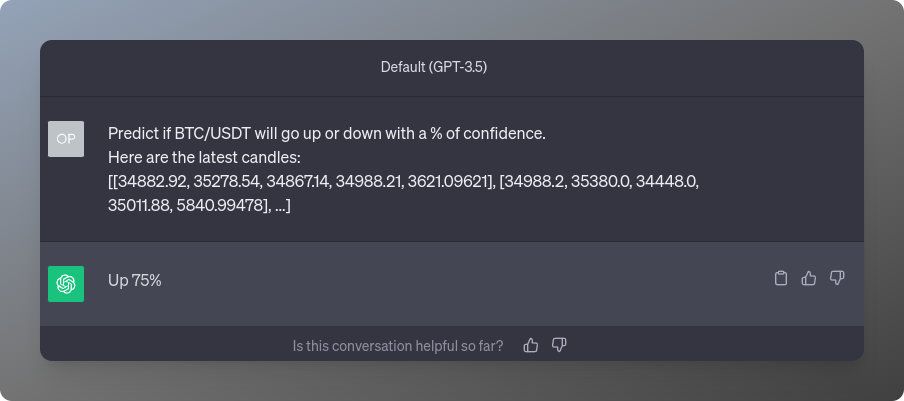
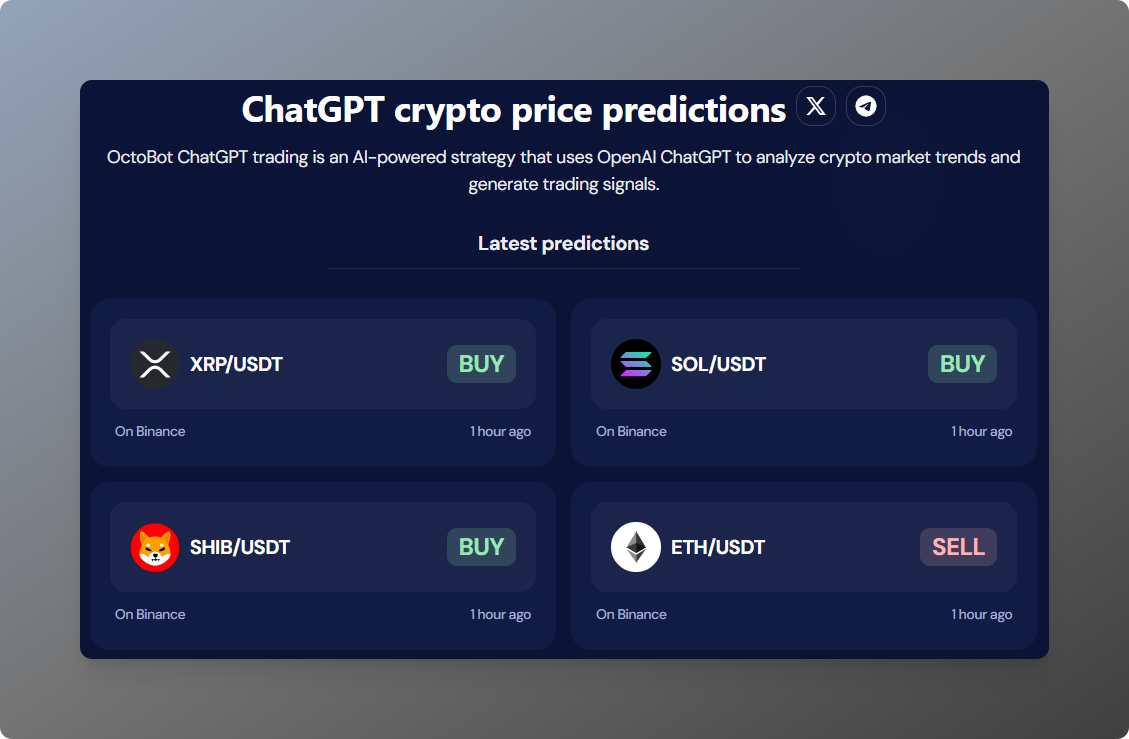 Capture d'écran de la page de présentation des signaux de trading ChatGPT
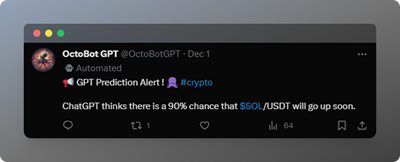 Tweet de prédiction OctoBotGPT SOL/USDT
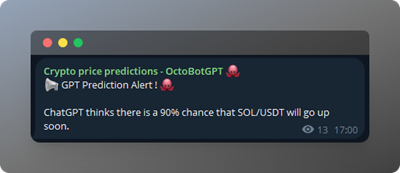 Notification Telegram de prédiction OctoBotGPT SOL/USDT
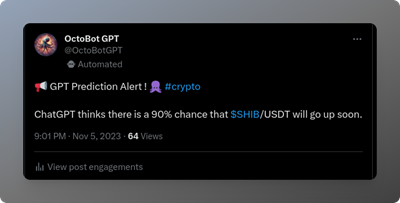 Tweet de prédiction OctoBotGPT SHIB/USDT à 21h
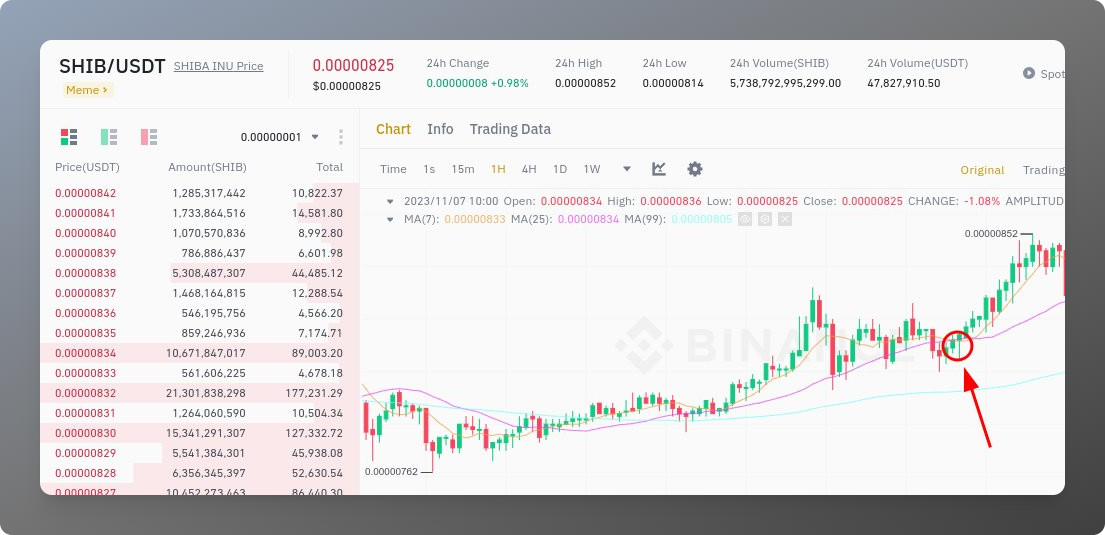 Prix SHIB/USDT sur Binance à 21h