Aller au contenu principal
Making of de la stratégie de trading Smart DCA

Making of de la stratégie de trading Smart DCA

· 9 minutes de lecture
Guillaume
Co-founder of OctoBot
info

La traduction française de cette page est en cours.

At OctoBot, we are always trying to find new ways to trade. After experimenting with many types of strategies, we realized that sometimes, keeping it simple just works.

Our idea was to take the concept of Dollar Cost Averaging and adapt it to smaller scale investments.

Présentation du Smart DCA

Dollar Cost Averaging (or DCA) is a very well known investment strategy where you buy on a regular basis in order to profit from local price drops. It allows investors to reduce their overal buying costs.

The DCA concept can also be applied to selling an asset. Selling something over a long period of time, when the price is going up, is allowing to profit from the whole range of prices and increase your average selling price.

Buying and selling using DCA is a way to maximise profits when investing in and out of a coin.

After running tons of tests with historical market data, we realized that this idea also works very well on shorter term trades.

We also had the surprise to observe an interesting side effect of smaller term DCA: it's a great way to profit from markets that are not moving synchronously. In other words, it can allow to profit from a rising ETH in the morning, take profits at noon and profit from a rising SOL in the afternoon, as long as ETH and SOL are not moving at the same time.

Résumé de la vidéo

Les pours et les contres de la stratégie

  1. Advantages of Smart DCA:
  • It works very well in sideway markets and uptrends.
  • It does not require big market moves, simple + or minus 0.5 to 1% are enough to make profits.
  • It never sells at a loss.
  1. Drawbacks of Smart DCA:
  • It should not be used in downward markets as it would lock your funds in sell orders (since it's not selling at a loss).

Trouver les crypto à trader

In order to multiply trades, trading assets that are moving up and down at different times is optimal. We call such assets complementary.

In the end, to optimize profits, the most important part is to include smartly chosen traded assets, so that the strategy trades as much as possible while lowering risk by investing in multiple coins.

Quand utiliser la stratégie Smart DCA

The Smart DCA strategy is adapted to sideways or upwards markets. In order to be able to quickly fill its sell orders, it relies on the market not being in a pure downtrend.
cover

Using the Smart DCA strategy in a downwards market might not allow sell order to be filled and therefore lock funds in open sell orders. While this is not a selling at a loss, it is still non optimal and can prevent generating profits from other cryptocurrencies.

Analyse des aspects techniques de la stratégie

Let's now explore the very technical aspects of the Smart DCA strategy.

After the initial step of identifying complementary coins to trade, the next part is to optimize the way Smart DCA will trade those coins.

This comes down to how entries and exits should be traded, how much to assign to each entry signal, how to configure take profits, all of this while limiting inherent risks associated with the traded assets.

We will split this into 3 mains topics:

  1. Configuring entries and exits.
  2. Taking multiple markets into account.
  3. Going beyond backtesting results.

Optimiser les entrées et sorties de la stratégie

Profits in Smart DCA come from the difference between the sell and buy prices.

The higher the difference, the bigger the profits. However the bigger the risks of not selling the asset.

In a ideal world, your Smart DCA configuration is so that each entry quickly finds its exit because the exit price is configured according to your traded assets typical behavior. However in reality this is not always true.

Therefore the goal of the strategy's entry and exit configuration is to find the sweet point for your traded assets where the large majority of your exit orders end up filled within the next hours or days at maximum. This allows to quickly free up funds and jump to the next opportunity. We don't want to be waiting for a fill that might take weeks to happen and prevent you from making money with this trade funds using other traded markets.
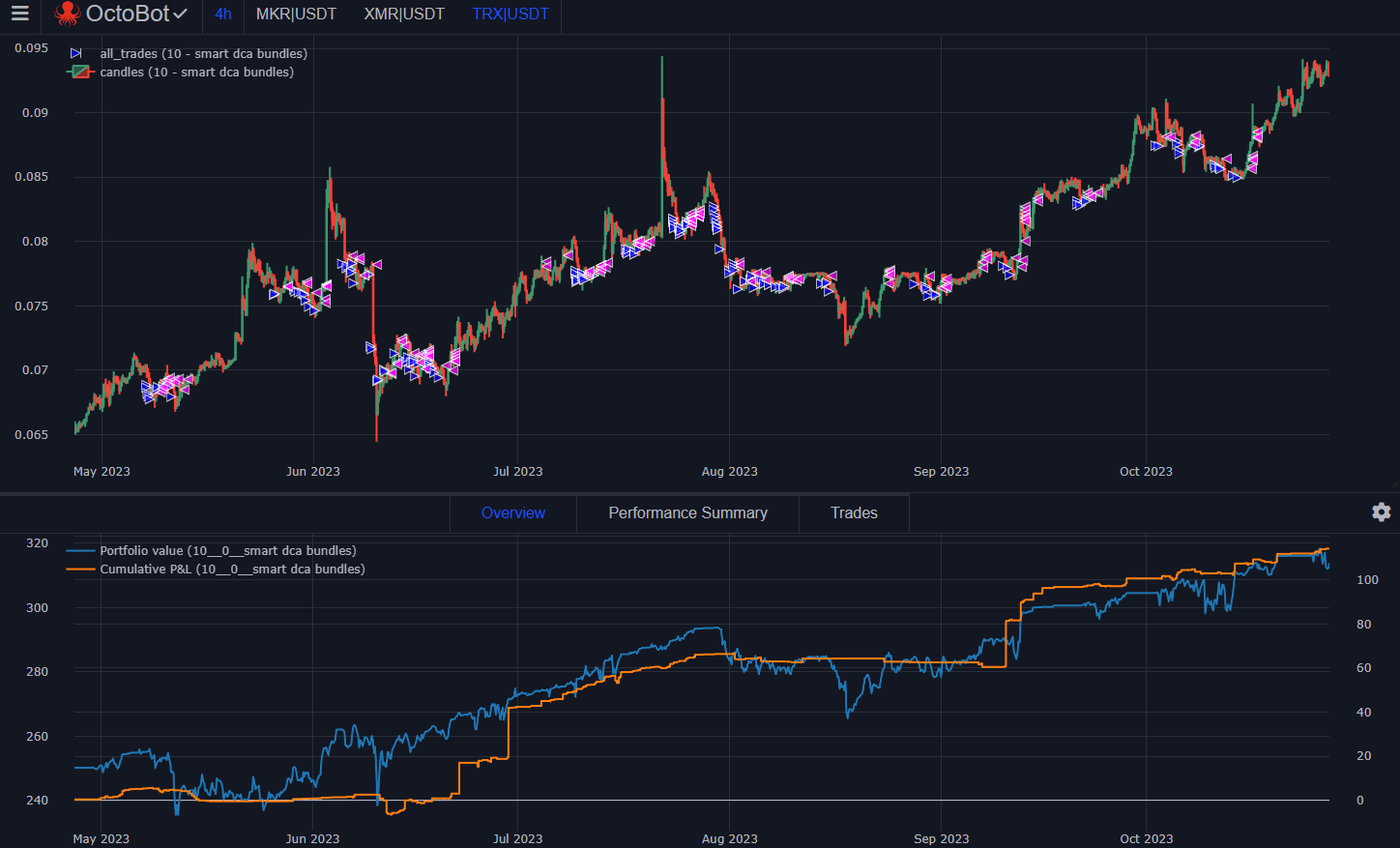
profitable results with 0.8 percent take profit Steady portfolio growth and regular trades using 0.8% take profit targets

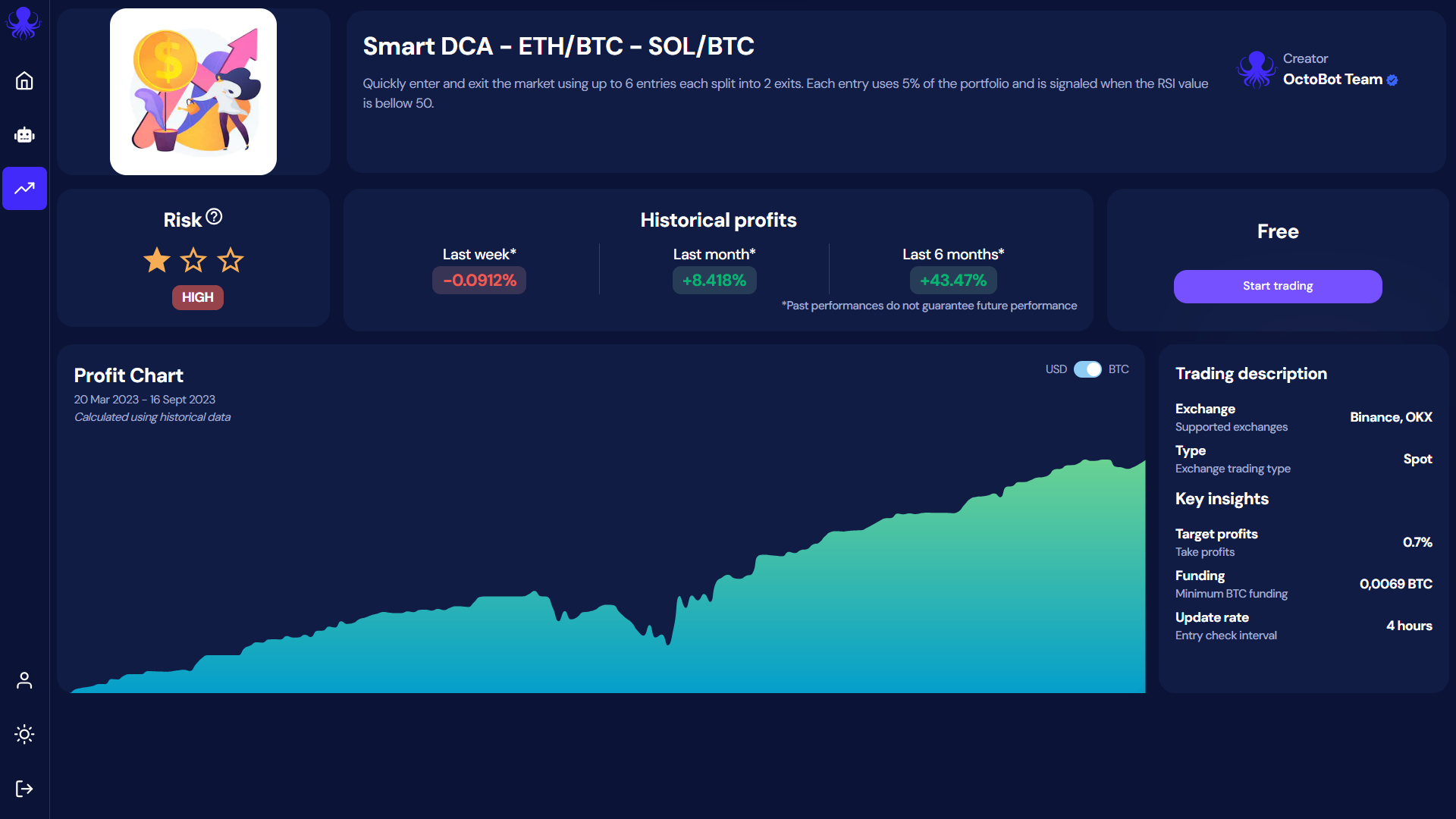
At OctoBot cloud, we realized that for the top 50 altcoins, this point is usually around 0.8% profits. This configuration allows to make profits even after exchange fees while quickly freeing funds to multiply trade opportunities and limit asset exposure.
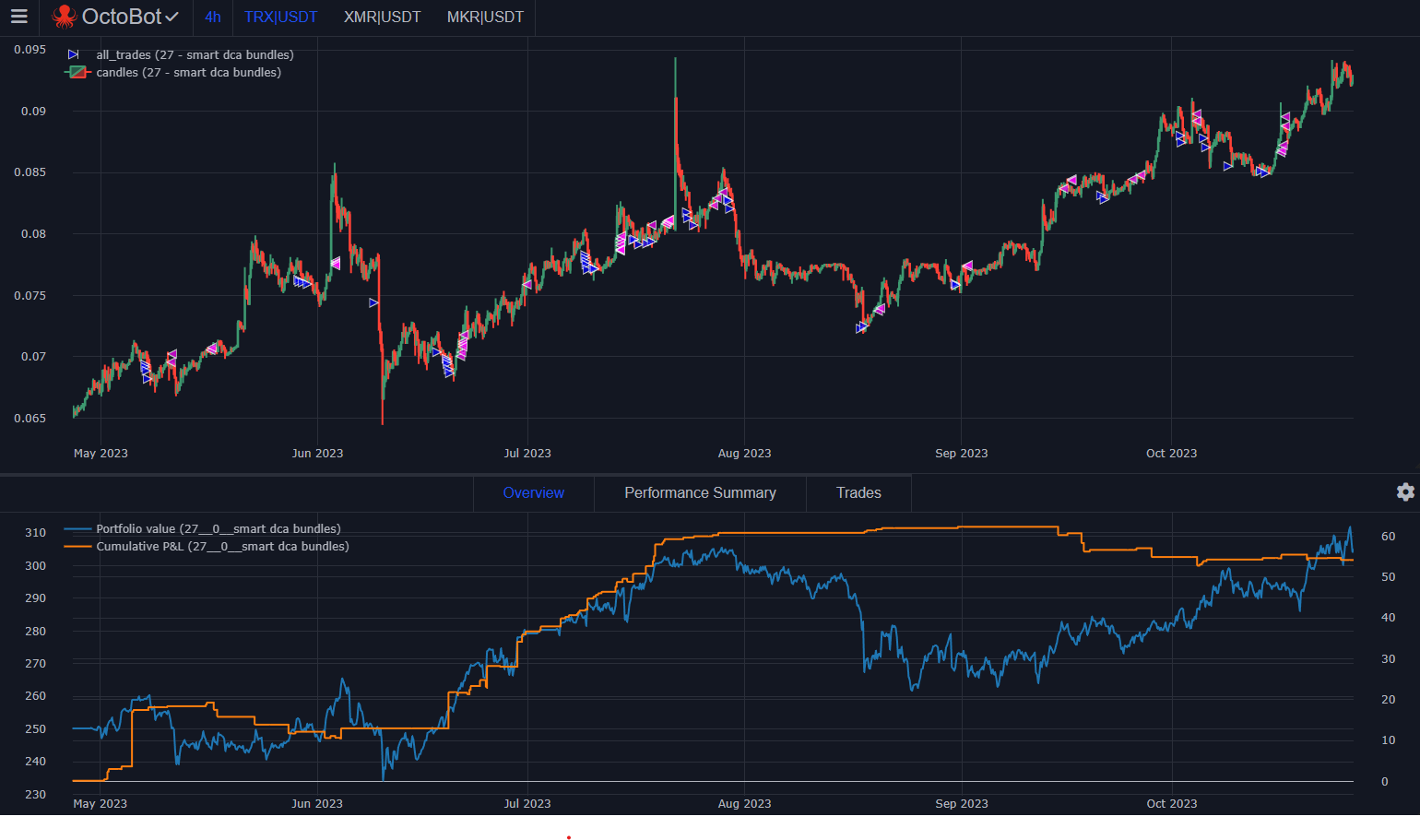
profitable but risky results with 2 percent take profit Unoptized portfolio growth: missed trades and higher volatily using 2% take profit targets

Of course this number is highly correlated to the volatility of the traded pairs. If you are trading pairs from top 100 to 200 ranks, it's possible that a 1.5% take profit target would be more profitable as those pairs are much more volatile.

Trader avec plusieurs paires

A key concept to optimize your returns using Smart DCA is to trade complementary coins. This allows to multiply trades while reducing risk by spreading funds between different assets.

But how many coins should be traded ?

Overal, the more the better providing 3 conditions:

  1. All assets must remain complementary (not making the same moves at the same time), otherwise profits are not increased.
  2. Assets should display a similar volatility.
  3. Having enough initial funds to create orders on every market.

Les actifs complémentaires

As explained on the video, the best way we found to identify complementary assets is to select assets from different naratives. This means coins that serve different purposes and therefore won't be moving from the same market events or trends.

Here are examples of coins naratives:

  • Value transfer/storage coins (BTC, XRP)
  • Blockchain coins (ETH, ADA, SOL)
  • Privacy coins (XMR, ZEC)
  • Oracle coins (LINK, BAND)
  • Exchange coins (BNB, UNI)
  • Meme coins (DOGE, SHIB)
  • Supply chain coins (VET)

There are many more naratives such as gaming, metaverse, NFTs and others.

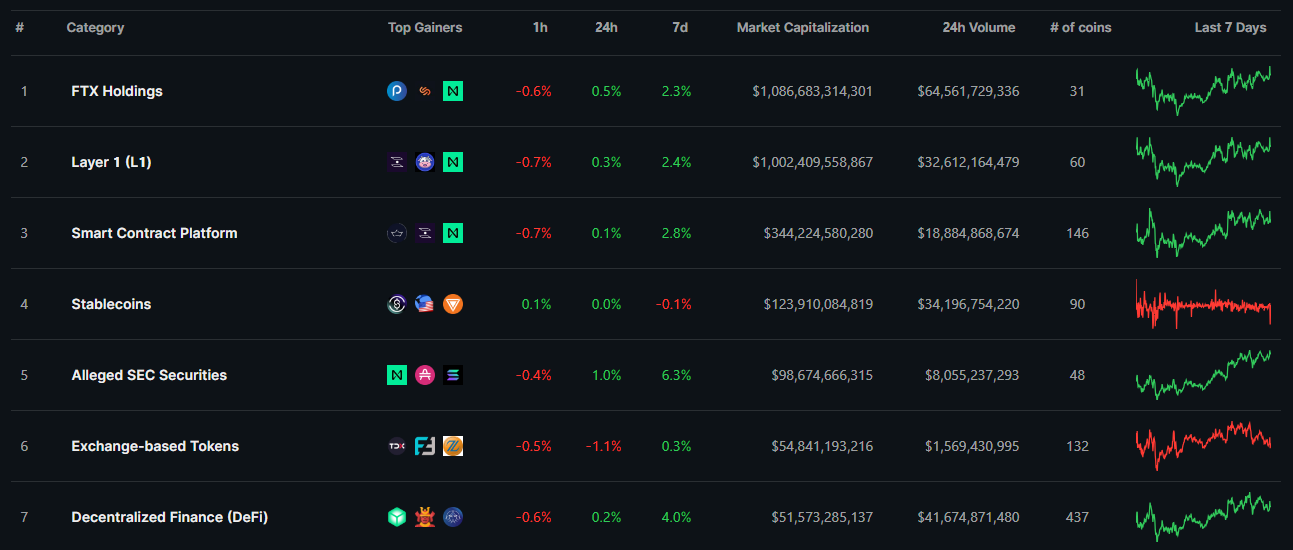
An alternative way to explore coin narative is to use coin explorers categories: coingecko top coin categories CoinGecko's top coin categories
La volatilité

As the goal of the strategy is to quickly go in and out of each asset, it is important that each asset displays overall the same volatily. This allows to fine tune entries and exits goals in an efficient manner.

Using markets with different volatility present the following risks:

  • Exiting the market too early and missing on profits from more volatile assets.
  • Not exiting the market when an opportunity arises due to targets adapted for a higher volatility market.

Les fonds initiaux

According to our tests, the ideal way to size orders on DCA is to use a small percent of your total traded portfolio value on each order. Here the meaning of small can vary depending on your context and goals but overal the idea is the following:

  • Using a %t order amount settings to size orders according to the total value of traded assets holdings and keep order sizes consistent.
  • Sizing %t in a manner that complies with the exchange minimal order size rules. For example this is usually $5 or $10 (or USD equivalent) on Binance. Please note that the current version of backtesting is very permissive on this topic and it's better to use the live trading simulator or manually check order sizes if you are unsure about minimal order sizes
  • Keeping the order amount smaller as you increase the number of traded pairs to profit of each pair and reduce chances of having a large part of your portfolio being stuck in sell orders of a particular asset when your exits did not yet trigger.
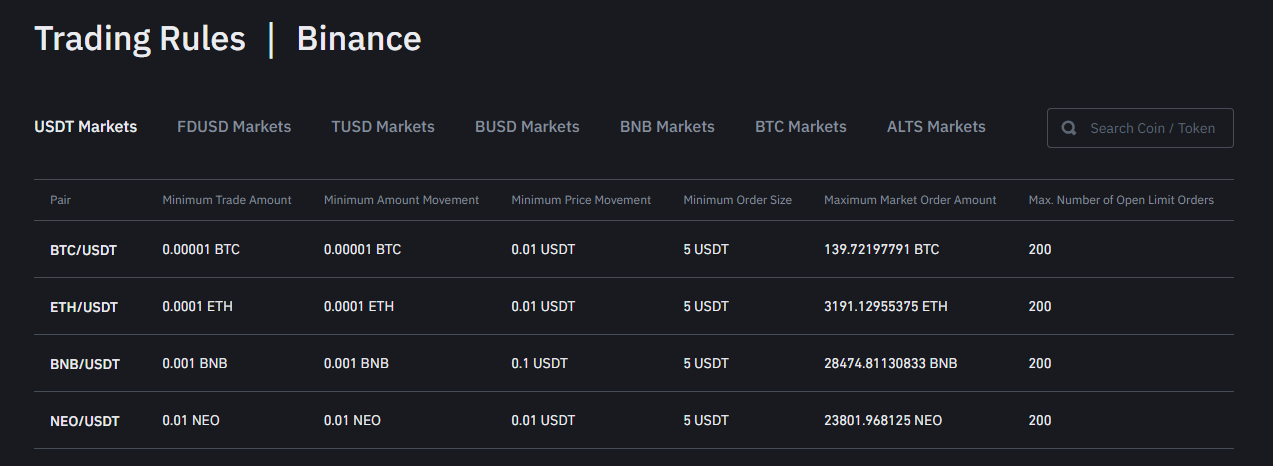
binance trading rules min funds for each market Binance's trading rules and minimal order size for each market

On OctoBot cloud, strategies usually trade with between 5% and 8% of the portfolio in each order. This allows to benefit from multiple pairs while allowing for minimum initial portfolios in the range of 100 to 200 USD-equivalent.

Au délà des résultats de backtesting

When creating a trading strategy, it's always important to test it with backtesting to make sure the strategy behaves as expected. Backtesting can also be used to optimize a strategy settings. This is what we do at OctoBot when we create a new strategy.

However, it's important to keep in mind that backtesting is only using past data. Therefore there are a few key points to pay attention to:

  1. Never over-optimize a strategy for a single backtesting context as the future is very rarely the exact repetition of the past. Prefer finding settings that work good (but not necessarily perfect) in most relevant historical range of your traded assets.
  2. Carefully identify areas with no buy trades when there should be some. This usually means that your portfolio is completely invested and probably that you are missing a few opportunities. Your settings can most likely be improved for the selected market.
  3. Assets that look complementary only based on their past price chart doesn't mean they will keep doing it. That's why having clear fundamental reasons to explain their price complementary (such as the narative) is better than just relying on price charts.

Avertissement

Veuillez noter que le contenu de cet article est destiné à DES FINS D'INFORMATION GÉNÉRALE et non pas à des conseils financiers. Les informations contenues ici sont uniquement à titre informatif. Rien dans ce document ne doit être interprété comme un conseil financier, juridique ou fiscal. Le contenu de cet article reflète uniquement les opinions de l'auteur et/ou de l'équipe d'OctoBot. Aucun d'entre eux n'est un conseiller financier agréé ou un conseiller en investissement. L'achat de cryptomonnaies comporte des risques considérables de perte. L'auteur et/ou l'équipe OctoBot ne garantissent aucun résultat particulier. Les performances passées ne préjugent pas des résultats futurs.
OctoBot 1.0.2 - Les nouveautés

OctoBot 1.0.2 - Les nouveautés

· 3 minutes de lecture
Guillaume
Co-founder of OctoBot
info

La traduction française de cette page est en cours.
cover

Présentation d'OctoBot 1.0.2

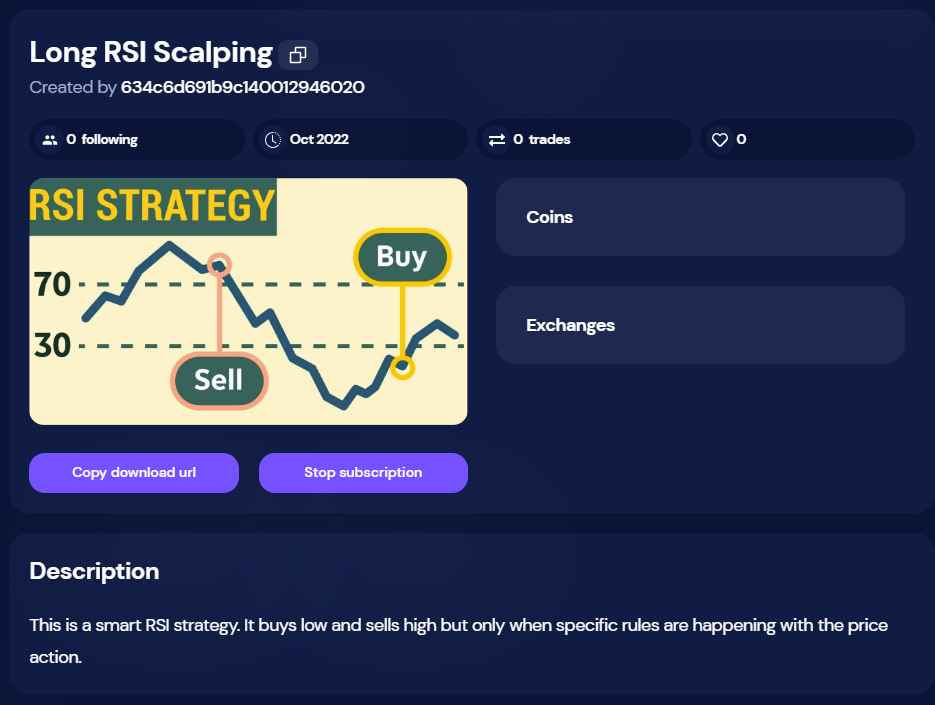
We're thrilled to announce the release of OctoBot 1.0.2, an upgraded version with many improved features, thanks to the great feedback we received from you all.

Refonte de la stratégie ChatGPT

In OctoBot 1.0.2, we've revamped the ChatGPT strategy. Until now, you couldn't run a backtesting on a chatgpt profile due to the excessive prompt, costing around $2 for 6 months history, hence we disallowed it. However, with the new update, you can run backtesting on some gpt settings because we've already computed the prompt against some exchanges pairs historical data which are downloaded from our servers.
We've also shifted from Daily Trading mode to a smart DCA trading mode in the chatgpt profile. The previous mode was no longer suited to the current market, hence we updated it to DCA trading mode to develop more accurate sell orders following a chatgpt entry signal.

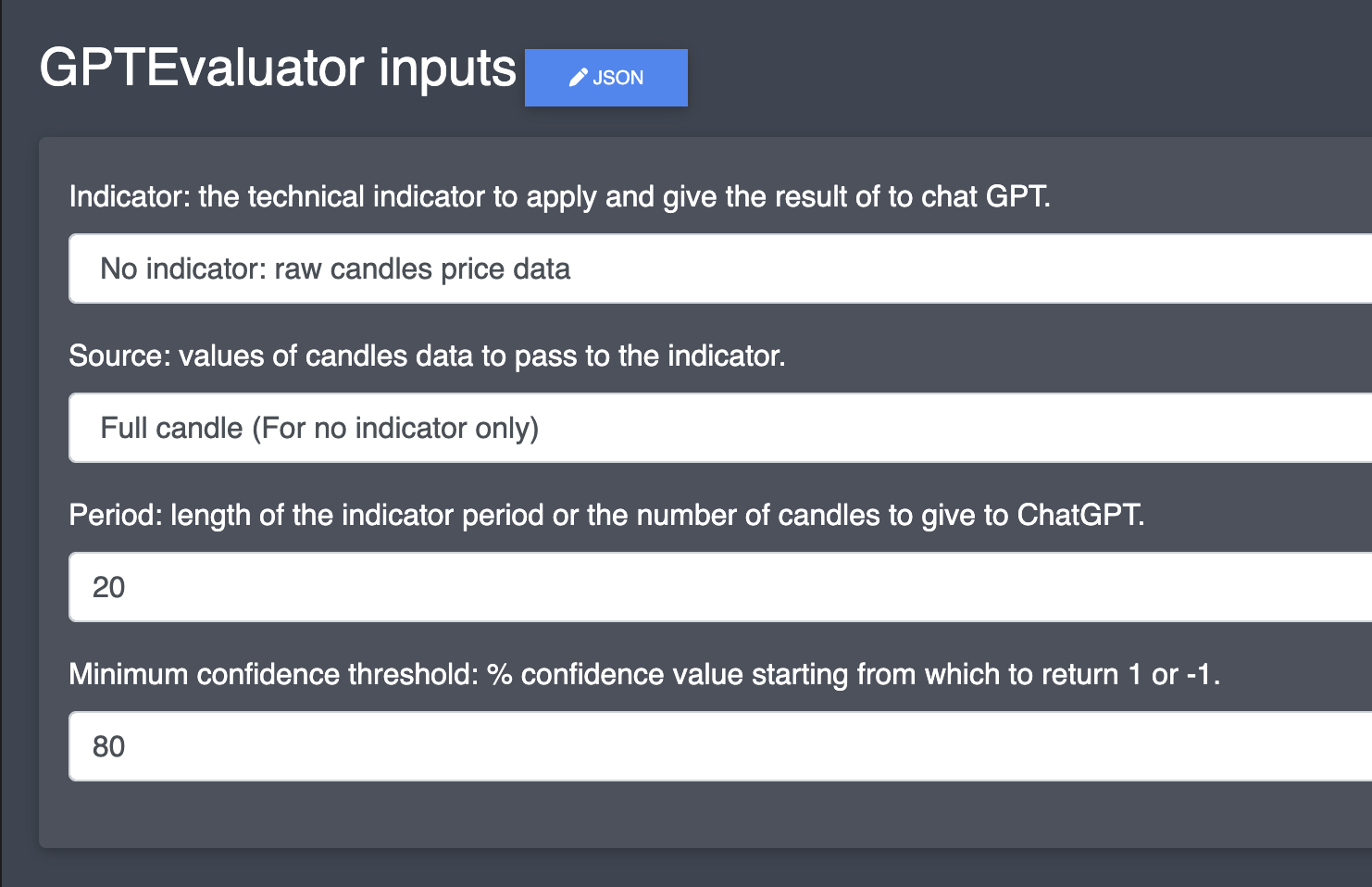
Additionally, we've introduced a new prompt setting. You can now ask chatgpt with pure candle history (without any TA indicator) and include the number of candles you want.

chatgpt settings

Amélioration de la connexion à TradingView

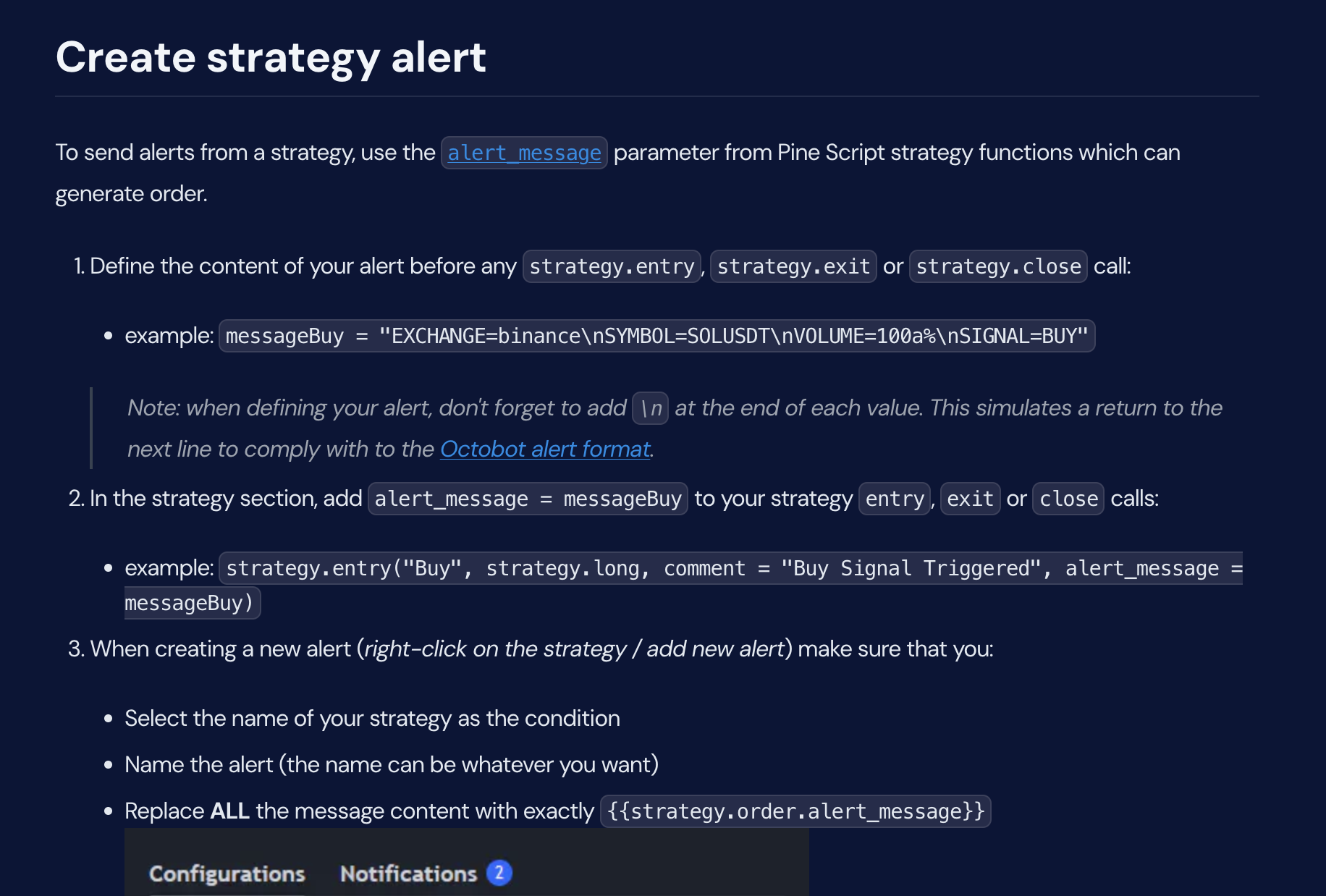
We've also made noteworthy improvements to the TradingView connection, thanks to some valuable feedback from our OctoBot users who use the TradingView integration. It's now possible to send a cancel order signal to cancel all current open orders for a symbol, or only to cancel an open order on a specific side using the param SIDE. More details on this can be found at this link.

Special thanks to @KidCharlemagne, an active member of our OctoBot Discord community, for helping with the complete refactor of the TradingView configuration guide. It's clearer now, with ample examples.
TradingView guide

Correction de bugs

We've also squashed some bugs in this release. After careful checks, we discovered an issue in the OctoBot backtesting engine that allowed for premature filling of open orders.
Conclusion

We can't wait to hear your thoughts on this new version. Please use this feedback link to share your suggestions and what you'd like to see in our next release.

La force des logiciels de trading open source

La force des logiciels de trading open source

· 4 minutes de lecture
Guillaume
Co-founder of OctoBot
info

La traduction française de cette page est en cours.

cover

Welcome to your guide to open source trading software. After going through this blog post, you'll have a thorough understanding of open source trading platforms, with a specific focus on open source crypto trading bots. We'll explore the main advantages they offer and how they use community feedback to optimize the trading experience.

Table des matières

Définition des termes

To fully understand the notion of open source trading software, it's essential to know the individual terms: open source, trading, and crypto trading.

  • Open Source: Open source refers to something that is publicly accessible and can be modified or shared. In the context of software, it means the source code is freely available for users to inspect, modify, or enhance according to their needs. Most open source software are available on github.

  • Trading: Trading is a fundamental economic concept involving the buying and selling of goods and services, with compensation paid by a buyer to a seller, or the exchange of goods or services between parties.

  • Crypto Trading: This refers to the act of buying or selling a cryptocurrency via a trading exchange like Binance.

  • Trading Platform Open Source: This is a publicly accessible software where cryptocurrencies and other forms of assets are bought and sold. Since it is open source, users can modify it to suit their specific trading needs.

  • Open Source Crypto Trading Bot: This is a specific type of trading platform which is open source and that uses algorithms to buy and sell cryptocurrencies on behalf of the user, based on parameters set by the user.

crypto

Les bénéfices des logiciels open source

When it comes to trading software, going open source comes with several benefits for the user.

  • Flexibility: Open source software allows users to customize and modify the software to fit their specific needs.

  • Cost Efficiency: They are generally free, reducing the cost of trading operations.

  • Community Support: Open source software often has a supportive community that can provide assistance and share innovative ideas.

  • Transparency: Open source software allows users to scrutinize, audit and improve upon the code, promoting trust and security.

La communauté open source

Open source software thrives on community involvement. The collective experience of the community helps to:

  • Improve the software: Users can spot bugs, suggest improvements, and contribute to the development of the software.

  • Foster innovation: Different users bring diverse perspectives, leading to novel solutions and features. For example, OctoBot encourages users to share feedback on the software with a dedicated website.

  • Provide support: The community can offer assistance and share knowledge, making it easier for new users to navigate the software.

OctoBot: un logiciel de trading open source

A man relaxing in his couch while OctoBot is making money by automating cryptocurrency strategies

OctoBot is a top recommendation when it comes to open source crypto trading bots. The reasons are:

  • Customization: Each OctoBot strategy can be customized to create your own trading strategy. A step by step guide is available in our guide.

  • Community: OctoBot has a robust community that continually contributes to its development and offers support to new users. You can join it on Discord and Telegram.

  • Transparency: OctoBot's open-source nature ensures transparency, allowing users to verify its security and fairness.

  • Diversity: OctoBot supports most major exchanges and each of their cryptocurrencies.

Conclusion

In essence, open source trading platforms, such as OctoBot, offer a cost-effective, flexible and transparent trading experience. Stay engaged with the community, keep your software updated, and embrace the journey of successful trading ahead.

Automatiser le trading de crypto avec IA

Automatiser le trading de crypto avec IA

· 4 minutes de lecture
Paul
Co-founder of OctoBot
info

La traduction française de cette page est en cours.

Dive into the future of cryptocurrency trading using the power of AI with OctoBot script! We'll walk you through 5 simple steps to automate your crypto trading using artificial intelligence. No matter your experience level, this guide is designed to provide a step-by-step process for setting up and executing your first automated cryptocurrency trade using AI.

IA dans le trading

Artificial intelligence (AI) has revolutionized how we trade. It helps in analyzing massive amounts of data, predicting market trends, and executing trades at lightning speed. To trade using AI, you need to choose a reliable AI trading software, set your trading parameters, and let the system do the rest.

trading

Comprendre le reinforcement learning

Reinforcement Learning is a type of machine learning (itself a type of AI) where an agent learns to make decisions by taking actions in an environment to maximize some notion of cumulative reward. An 'agent' in this context refers to the algorithm or program that is making the decisions. It operates by interacting with its environment (in this case, the trading market), taking actions (such as buying or selling stocks), and receiving rewards or penalties based on the outcome. The goal of this agent is to learn over time which actions lead to the best outcomes, in this case, the most profitable trades. In trading, we can use reinforcement learning to understand market dynamics, make accurate predictions, and execute profitable trades.

brain

OctoBot script

OctoBot script is engineered to provide traders with a framework for crafting and testing crypto trading strategies.

It offers a suite of keywords (Python methods) which simplifies the process of creating trades and calculating TA indicators like RSI, thus facilitating users to design their unique trading strategies.

OctoBot script also allows users to test their strategies using past data through the backtesting feature. With the generation of an advanced report at the end of each backtesting, users gain valuable insights into the performance of their strategies, enabling a comprehensive understanding of their effectiveness.

Comment utiliser OctoBot script pour trader avec de l'IA ?

  • Install OctoBot script by following the get started guide on github
  • Install AI requirements with
pip install -r requirements-ai.txt
  • Install the necessary dependencies to be able to run the script on your GPU by following this tutorial
  • Start to train your own model (model = the "brain" of your AI) on ETH/BTC using
python3 ai-example.py -t -s ETH/BTC -e 10
  • Once done your AI model will be saved in the weights folder. Find its name and add it in the end of the following command to run a backtesting using your new AI model
python3 ai-example.py -p -s ETH/USDT -w weights/202310050722-final-dqn.h5

202310050722-final-dqn.h5 is an example of weight, update it with your own

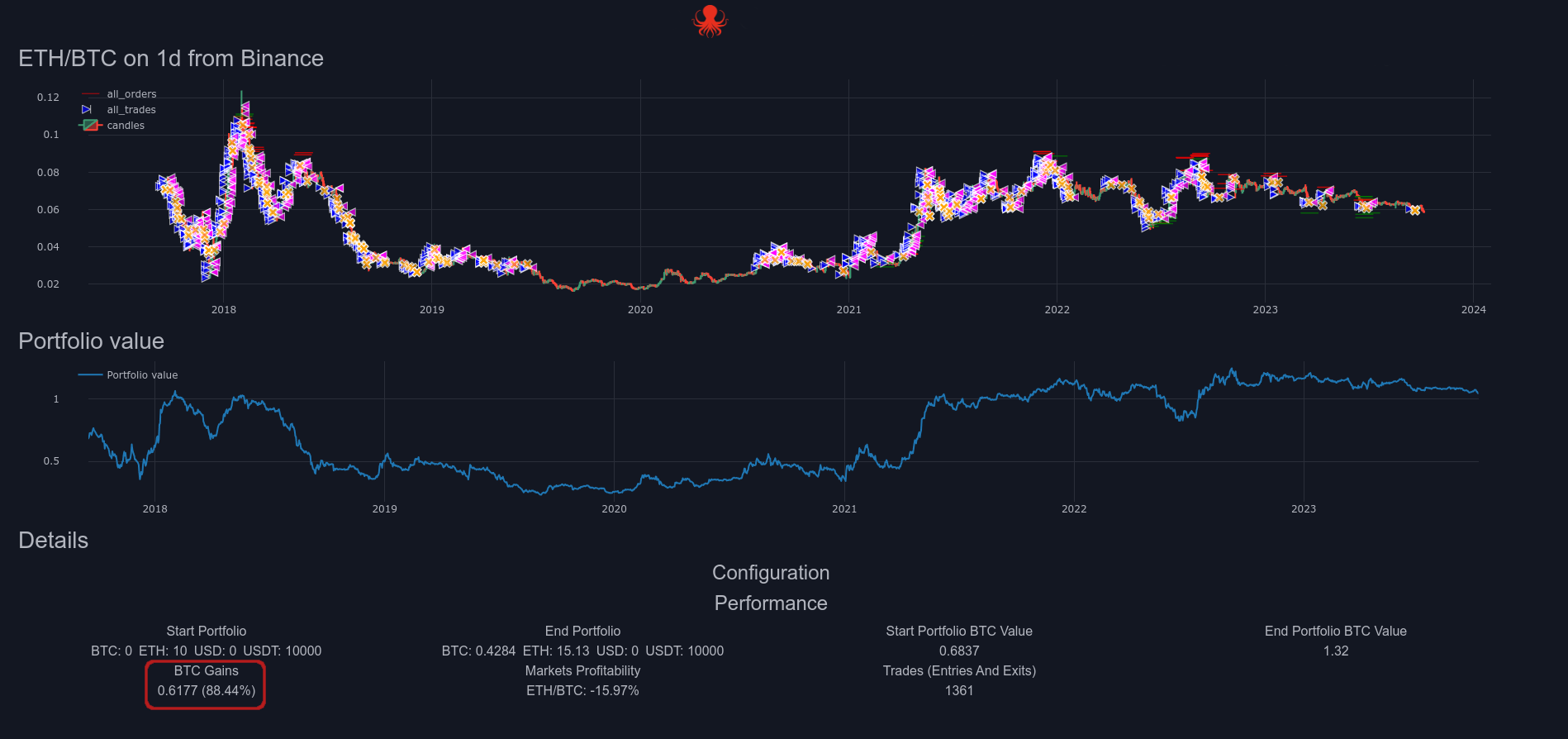
  • Here is an example of a backtesting using an AI model built using OctoBot script AI. There is no human action behind it, all the trades have been triggered by the AI.

strategy-ouput

If you found this content helpful, please give us feedback in our community Discord and Telegram! Your support will encourage us to create a series of detailed guides exploring more strategies and insights into AI trading.

Façonnez le future d'OctoBot

Façonnez le future d'OctoBot

· 3 minutes de lecture
Guillaume
Co-founder of OctoBot
info

La traduction française de cette page est en cours.

cover

Vos idées en priorité

Contexte rapide

Simplicity and transparency are among the most important values to us as we explaned on our previous article regarding the new OctoBot cloud.

With OctoBot cloud, we are comitted in creating the best strategy automation system possible. Of course, "best" always depends on what is used as comparison criteria.
For us it means that you, our users, can:

  1. Clearly identify the investment strategies you want to use
  2. Easily start the trading strategies you choose
  3. Quickly access and understand all the data to follow your investment
  4. Adjust things whenever you want to, in a very simple way

This represents many challenges as each of those 4 steps can become very complex and end up being unsable. We want to avoid that at all cost.

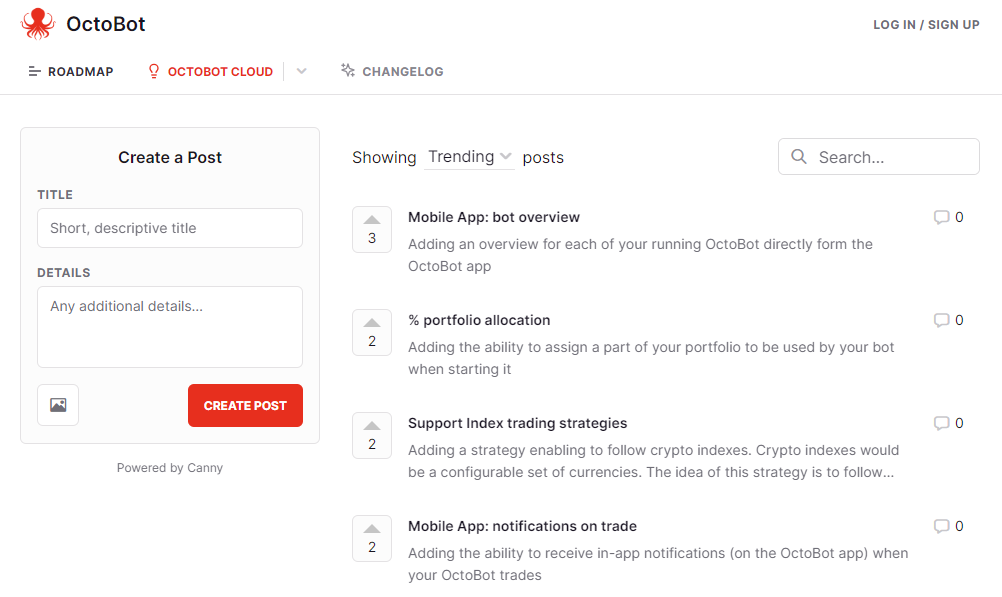
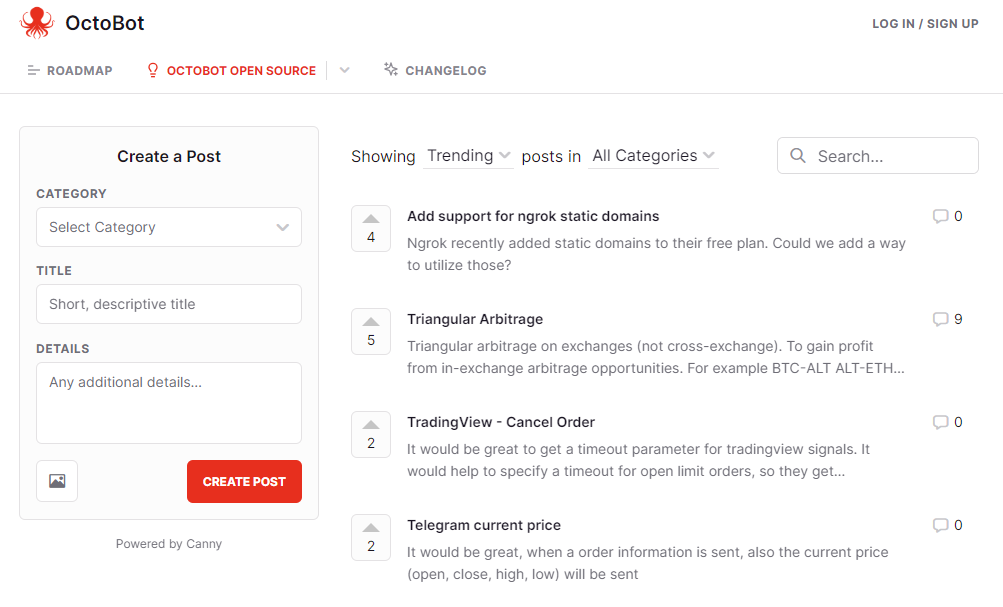
That is why are building tools to make it easy for you to share your ideas on how to improve each of those steps, according to your own experience.

Le système actuel

Up until the day of writing this article, the open source OctoBot grew based on user feedbacks according to a mix of ideas pushed by the user community on:

Ce que nous voulons accomplir

Our goal is, and has always been, to shape the whole OctoBot ecosystem according to its whole community best ideas and needs.

As the community is growing and we are now releasing new features at a much faster pace, we will give a greater weight to our public feedback and roadmap system and split it into two part:

octobot_cloud

open_source_octobot

Comment ça fonctionne ?

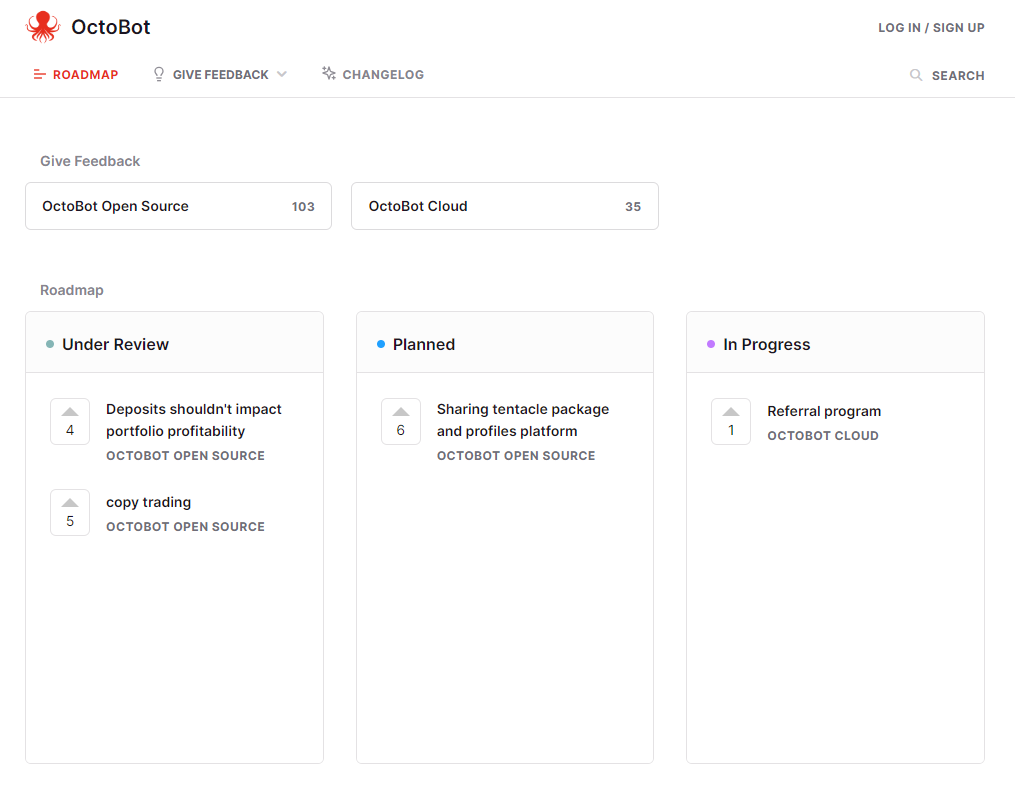
On feedback.octobot.cloud you will find our public roadmap showing:

  • What we are currently working on
  • What we are planning to do next
  • Ideas on the following things to work on based on your and our inputs

dca

What you can do to improve OctoBot:

What happens next ?

  • We update this roadmap on a regular basis to reflect our current work
  • You get notified when things change to an idea you submitted or are following
  • Both the open source OctoBot and OctoBot cloud become better and better thanks you and we are really greateful for this. Thank you
Présentation du nouvel OctoBot cloud

Présentation du nouvel OctoBot cloud

· 5 minutes de lecture
Guillaume
Co-founder of OctoBot
info

La traduction française de cette page est en cours.

The new Investor plans allow you to enjoy trading strategies in a very easy yet powerful way. These plans allow you to benefit from OctoBot based strategies without the technicalities of OctoBot. OctoBot cloud trading bots also benefit from an improvement and are now designer for users you want to automate their own trading strategies.

Pourquoi un nouvel OctoBot cloud ?

At OctoBot, we realized that the current state of OctoBot is suitable for users with a technical background but is too complex for the majority of people.

The goal of OctoBot has always been to bring automated trading strategies to any crypto investor. This includes tech savvy users as well as all the others. Up until now, OctoBot failed to be usable by any crypto investor and the new OctoBot cloud is built for them.

While the full OctoBot is designed to create and customize strategies, the new OctoBot cloud makes it very easy to use those strategies

We are splitting OctoBot plans into 2 different kinds:

  1. Strategy based plans
  2. Full OctoBot plans

Choisir une stratégie, pas un robot: les plans basés sur les stratégies

OctoBot can be complicated to use and setup, finding your suitable strategy can be even more difficult. That's why we make strategy based plans as simple and clear as possible

OctoBot, mais simple

Ideally, when you want to use a strategy and not create one, you want to:

  1. Explore and compare available strategies
  2. Understand potential profits and risks of the strategy of your choice
  3. Apply this strategy on your exchange account

It shouldn't be more complicated than this. Making these steps as easy as possible is our goal with the Investor and Pro plans.

Therefore, using those plans, you don't need to care about your OctoBot, we are doing it for you. You just need to:

  1. Select the strategy of your choice strategies

  2. follow your gains directly from OctoBot cloud bot

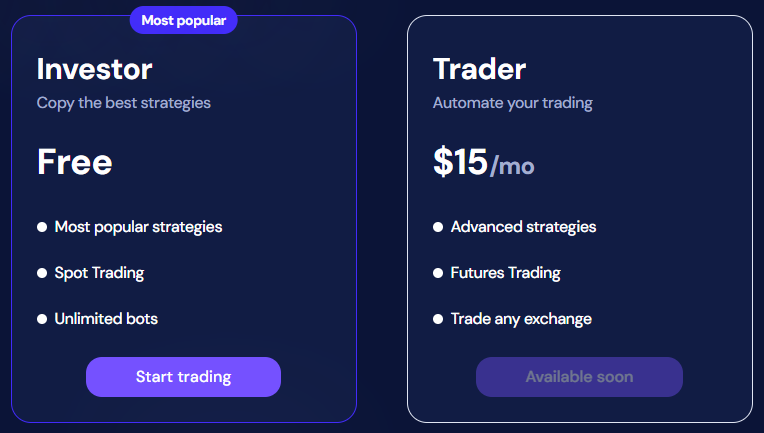
Besides simplicity, making strategies financially accessible is also important to us. For this reason, we designed the Investor plan to be completely free and unlimited.

Pas de coûts, pas de frais, ca fonctionne

At OctoBot, we believe that making a free plan will help a lot of people accessing automated trading strategies.

That's why the Investor plan enables everyone to simply use trading strategies for free.

This not a free trial: when you use a strategy with the Investor plan, we are not asking for your payment information, there is no monthly subscription fee, no % taken on gains, no hidden fees.

How is this possible ? When using the Investor plan, we rely on exchange partnerships to pay for our running costs. This means that as long as you use an exchange account from an OctoBot official partner, exchanges reward us and you are free to use the Investor plan forever.

plans

La transparency est clée

Of couse, each strategy on OctoBot cloud is built, run and tested using OctoBot. This means that each strategy past performance is evaluated on a regular basis using historical data and OctoBot's backtesting engine. This ensures that displayed statistics are real as strategy based plans are also using OctoBot under the hood.

dca

At OctoBot we believe in transparency. This means that sometimes strategies can turn unprofitable as profits depends on so many different factors including market conditions. If a strategy is not making profits during a given period, you will see it before using it.

Créer votre propre stratégie: les robots de trading OctoBot cloud

cover

OctoBot trading bots enable you to run OctoBots on our cloud system and adds a few features such as the strategy designer, free TradingView webhooks and ChatGPT integrations.

Those offers will now be explicitely targeting users who want to create or customize strategies.

Démarrer votre OctoBot

L'open source OctoBot

The current OctoBot (available on github) will stay open source, we will keep updating it as it is the backbone of everything on OctoBot cloud.

Each plan uses it and will help support the development of the free open source trading robot.

Basically nothing changed for the open source OctoBot, it will continue to grow and improve.

Phase de bêta

At the time of writing, the new OctoBot cloud is in beta stage. While the technical part is fully fonctionnal, we are working on the last user interface improvements before completely replacing the current octobot.cloud.

Feel free to use, experiment and give us your feedback on the new OctoBot cloud, we are looking forward to knowing what your think of it and our new strategy-based plans. Join us on the beta dedicated telegram channel here

Trader automatiquement avec TradingView

Trader automatiquement avec TradingView

· 2 minutes de lecture
Paul
Co-founder of OctoBot
info

La traduction française de cette page est en cours.

cover

Trader en utilisant vos stratégies TradingView favorites

You love using TradingView indicators and strategies ? With OctoBot, you can take it to the next level and trade using TradingView strategies and indicators directly the exchange you want.

This means that you can use all the OctoBot features according to your TradingView tools, this includes:

  • Trading on your favorite exchange(s) using your TradingView strategy
  • Test your TradingView strategy in real time with simulated funds
  • Get real time notifications when your TradingView strategy sends a buy or sell signal

Vos stratégies TradingView directement dans votre OctoBot

When following a TradingView strategy, your OctoBot will listen for TradingView signals and when signals are received, it will react instantly by creating the associated alert and order(s), which can be simulated or real, on any supported exchange.

plan-display

You can send details on the order to create directly from the TradingView signal such as the type of order, the take profit and stop loss prices and much more. View the full details of orders signals on the TradingView signals guide.

Comment lier votre compte TradingView à votre OctoBot ?

Utiliser OctoBot cloud

When using OctoBot trading bots, all you need to do is to create TradingView alerts on any event, directly from Pine Script or from a custom alert.

Cloud OctoBots' webhook configuration is done automatically and does not require any work.

Utiliser OctoBot en self hosted

When using a self hosted OctoBot, you will have to configure a way to make your OctoBot reachable from a webhook. This is required for TradingView to send signals to your OctoBot and might require an external paid software.

Please have a look at the webhook manual configuration.

Once your webhook setup, you can create TradingView alerts on any event, directly from Pine Script or from a custom alert.

Facilement déployer votre OctoBot dans OctoBot cloud

Facilement déployer votre OctoBot dans OctoBot cloud

· 2 minutes de lecture
Paul
Co-founder of OctoBot
info

La traduction française de cette page est en cours.

cover

Votre OctoBot, toujours en ligne et accessible

The main benefit of hosting OctoBot in the cloud are that it will be remain online, no need to install OctoBot or have it running your computer anymore. Moreover, your OctoBots can be accessed from anywhere, as long as you have an internet connection.

This can be especially useful for traders who need to monitor their OctoBot from different locations or devices.

Comment déployer votre OctoBot sur OctoBot cloud ?

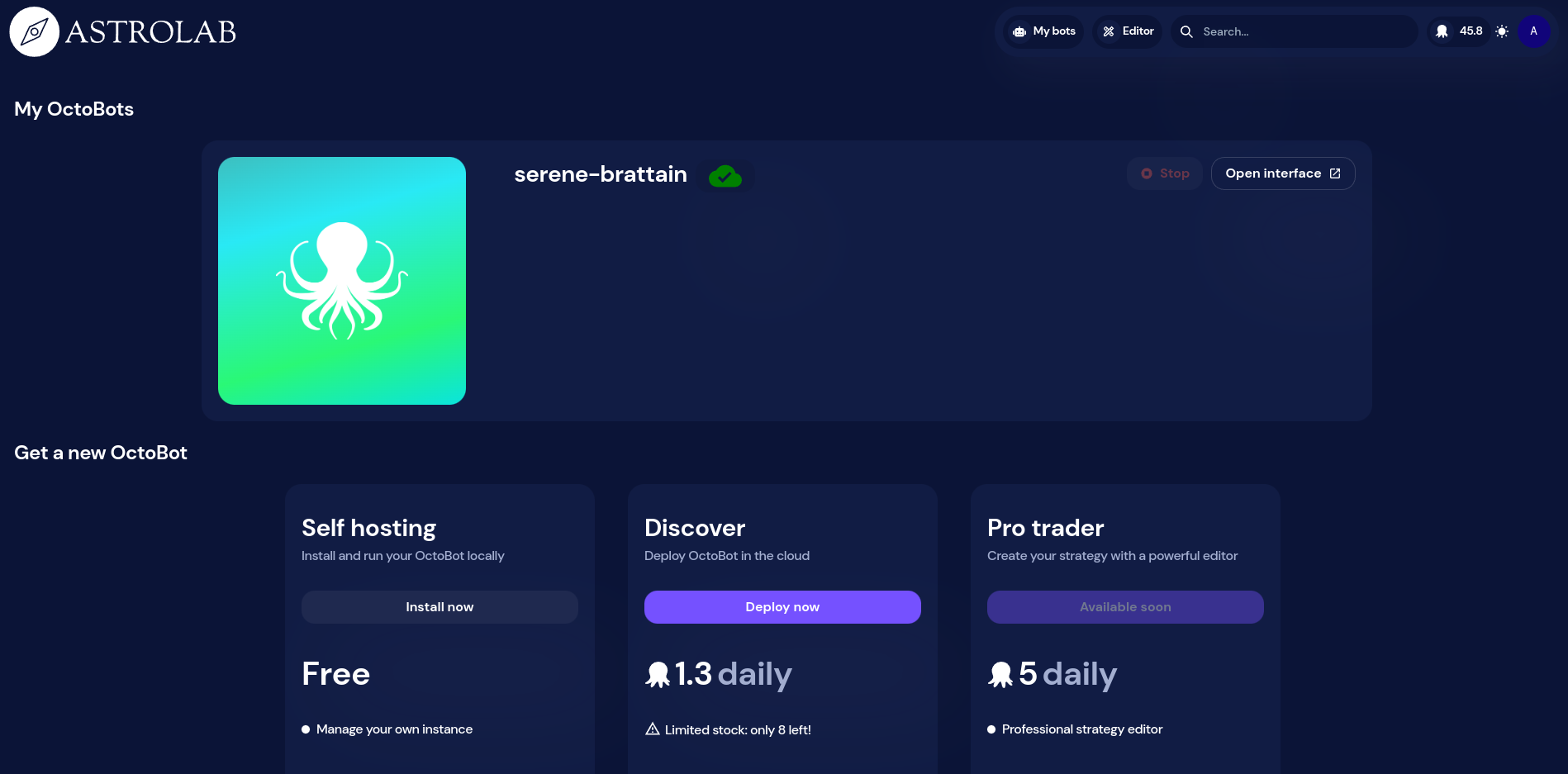
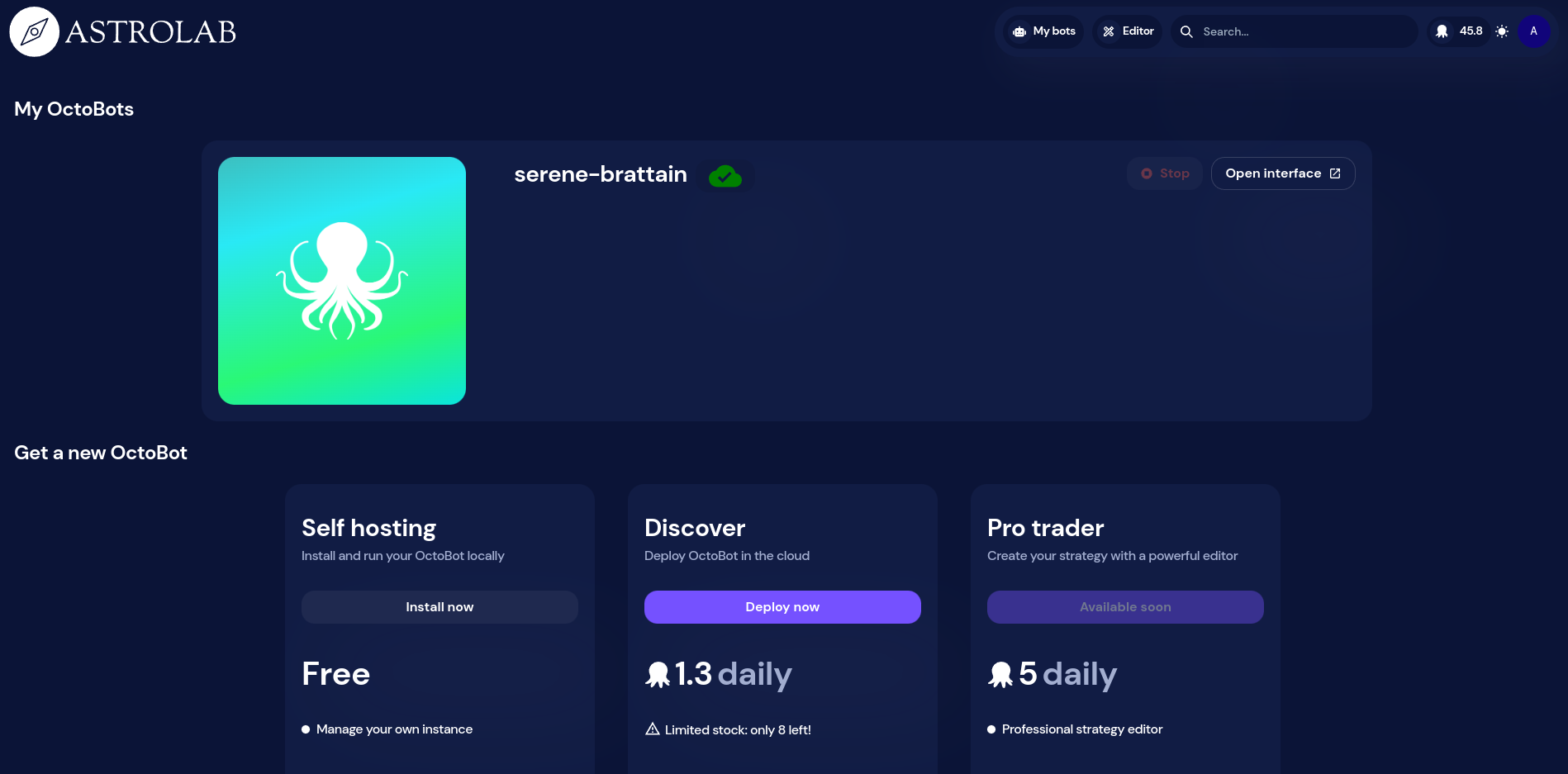
  1. Login on OctoBot cloud and go to My bots. my-bots-button
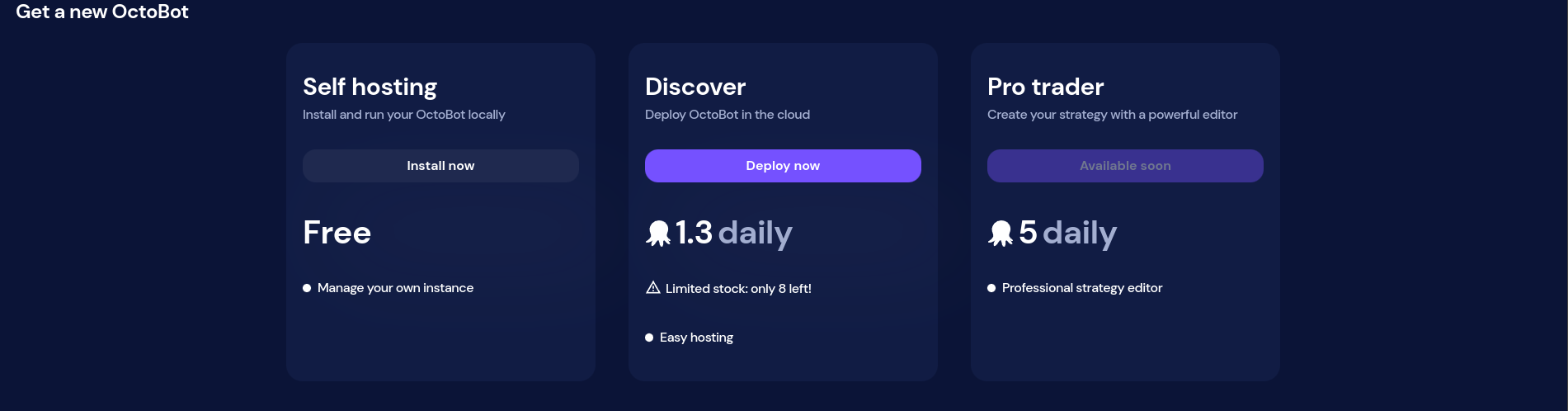
  2. Click on Deploy now from the Discover card. deploy-now
  3. Wait until your OctoBot is available. This may take a few minutes. deploying
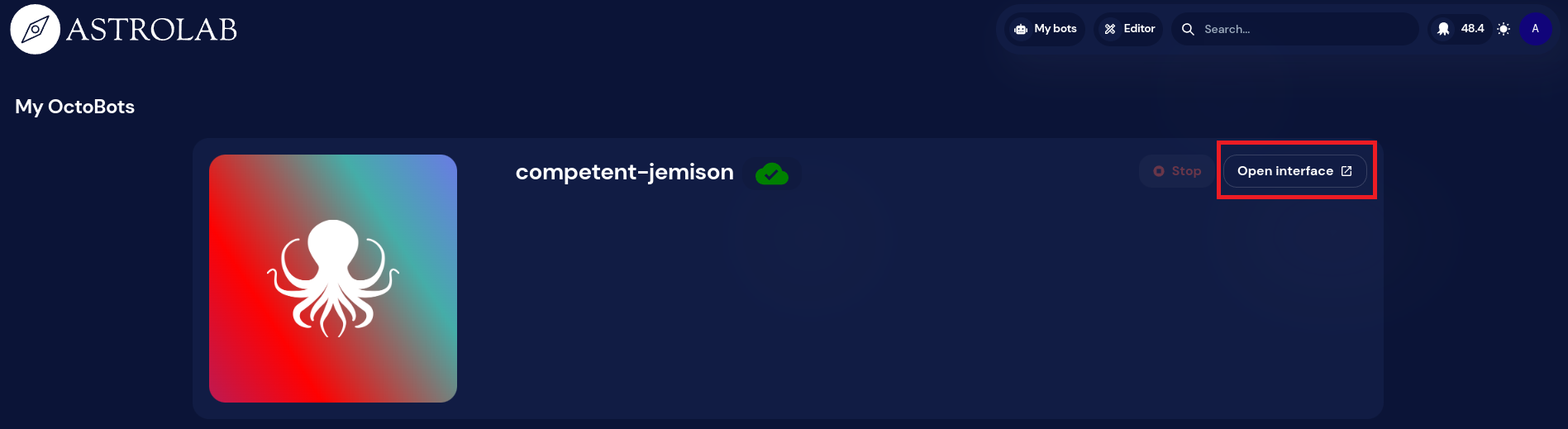
  4. Access your personal OctoBot using the Open Interface button. open-interface
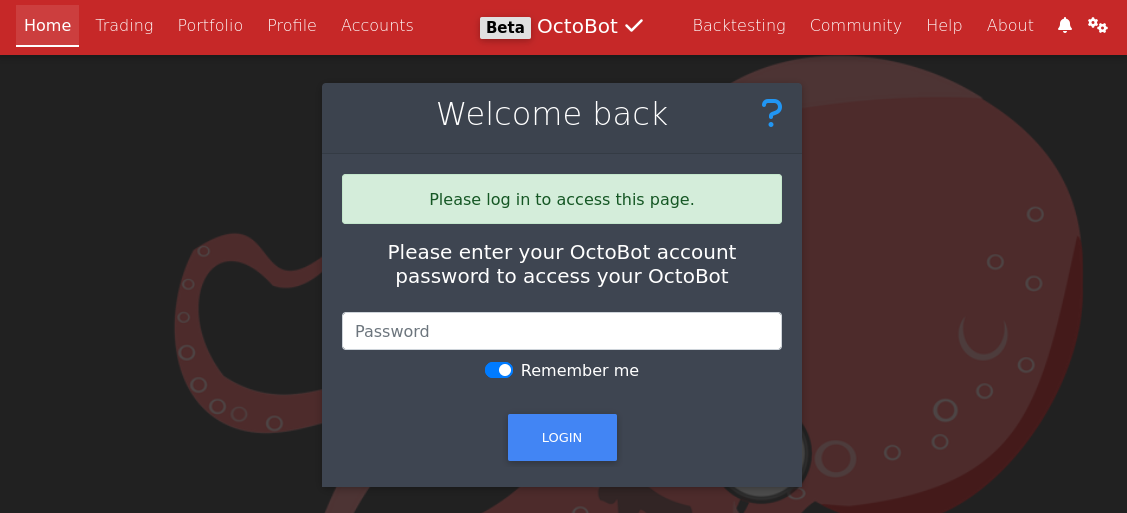
  5. Unlock your OctoBot with your OctoBot cloud account password. login
  6. Enjoy your OctoBot from anywhere.

Note: running a cloud OctoBot requires OctoBot cloud credits. We will soon add ways to get those credits. Fow now please ask the OctoBot team if you need beta credits.

Rejoindre la bêta

If you're interested in participating, be sure to follow any guidelines and instructions provided by the OctoBot team, and take the time to thoroughly test the application and provide useful feedback.

Cloud OctoBots will first be available on the beta OctoBot cloud.

To participate in the beta testing of OctoBot's cloud hosting, you'll need to sign up to be a beta tester.

Once you've been accepted into the program, please follow these instructions to access the beta version of the application and any other necessary information.

Suivre des stratégies avec OctoBot cloud

Suivre des stratégies avec OctoBot cloud

· 3 minutes de lecture
Paul
Co-founder of OctoBot
info

La traduction française de cette page est en cours.

cover

On OctoBot cloud, you can subscribe to trading strategies. Subscribing to a strategy allows you to easily trade using a strategy made by someone else from the OctoBot community.

When subscribed to a strategy, you can use the strategy profile directly from your OctoBot. When you do so, your OctoBot will follow the strategy by coping any trade made by this strategy. Order amounts will be adapted to your current portfolio.

Comment utiliser une stratégie ?

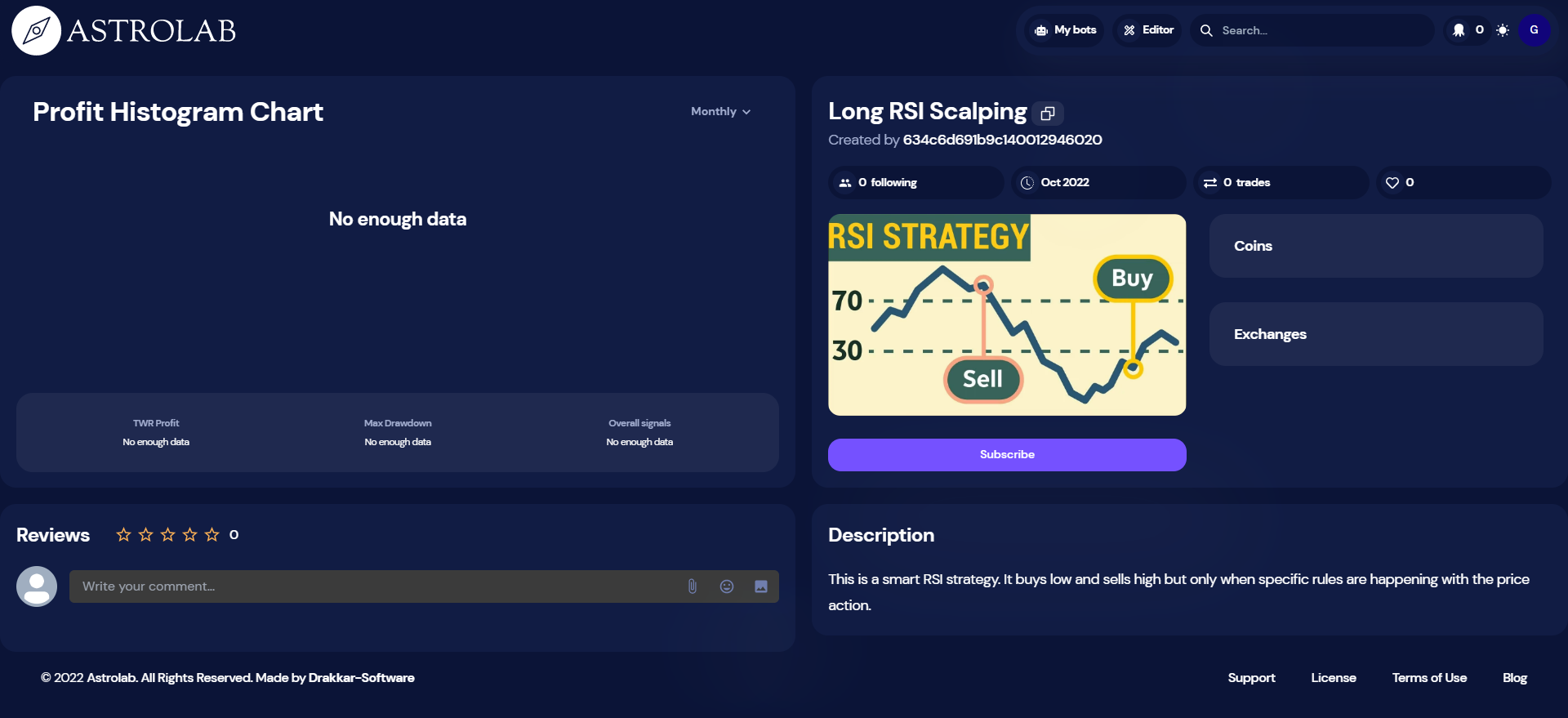
  1. Login on OctoBot cloud and go to the desired strategy page
  2. Click Subscribe Following-strategies-pre-sub
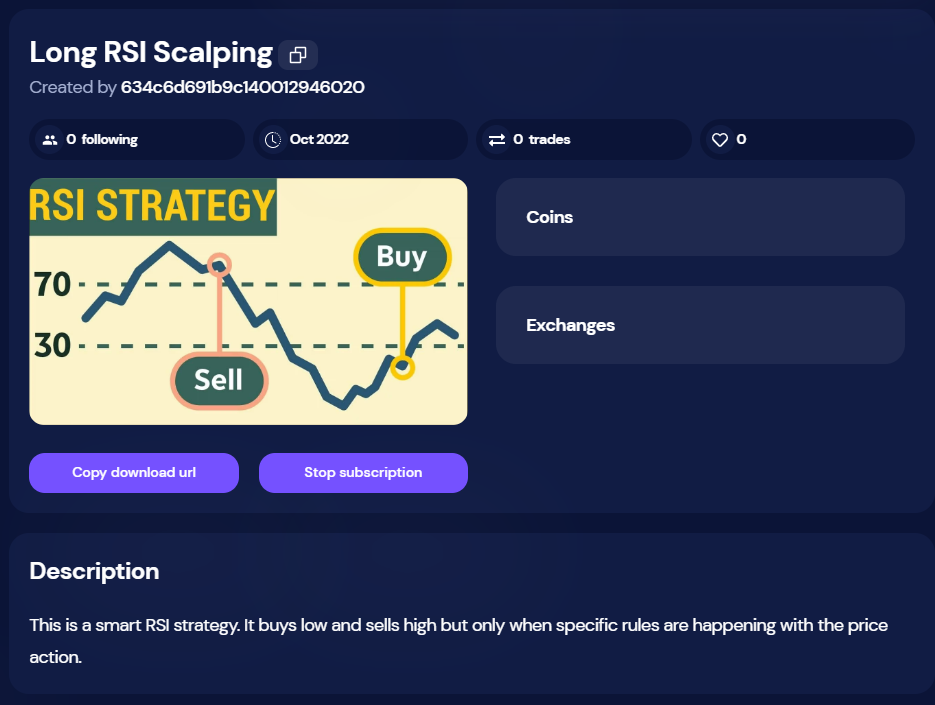
  3. Now that you are subscribing to the strategy, click Copy download url
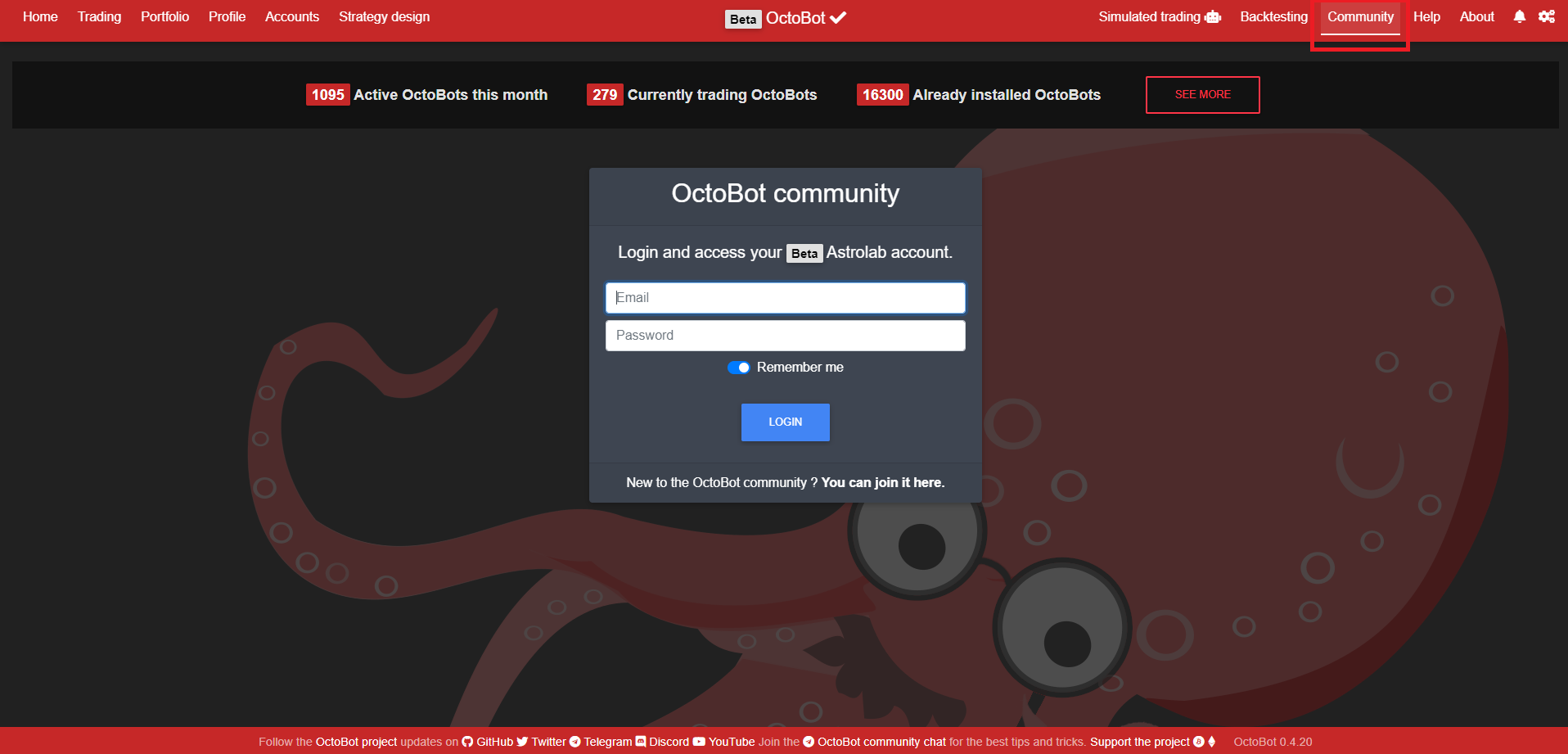
  4. From your OctoBot, login to your OctoBot cloud account Following-strategies-community
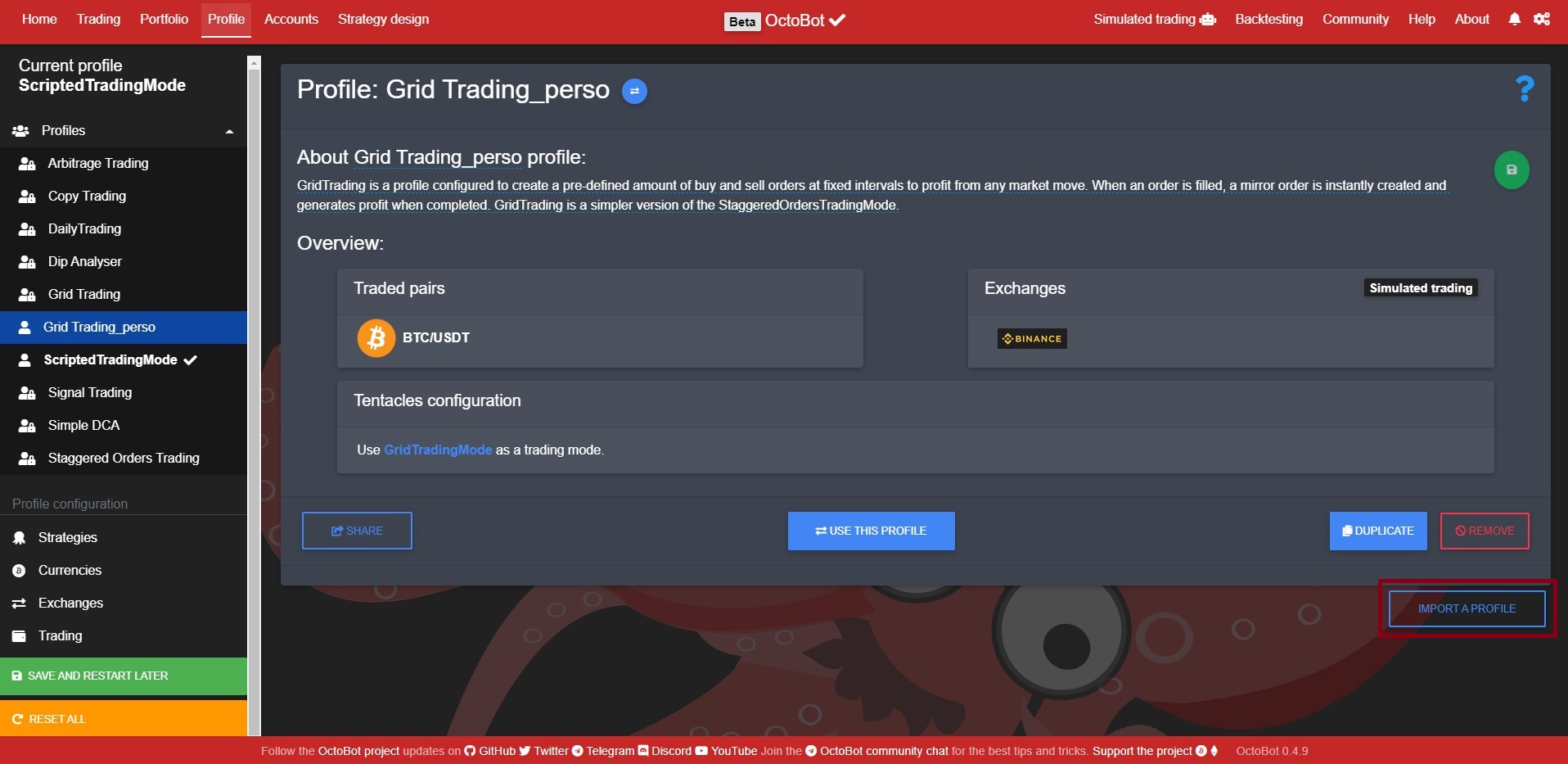
  5. Go to the Profile tab and click on the name of the current profile, click Import a profile Following-strategies-import
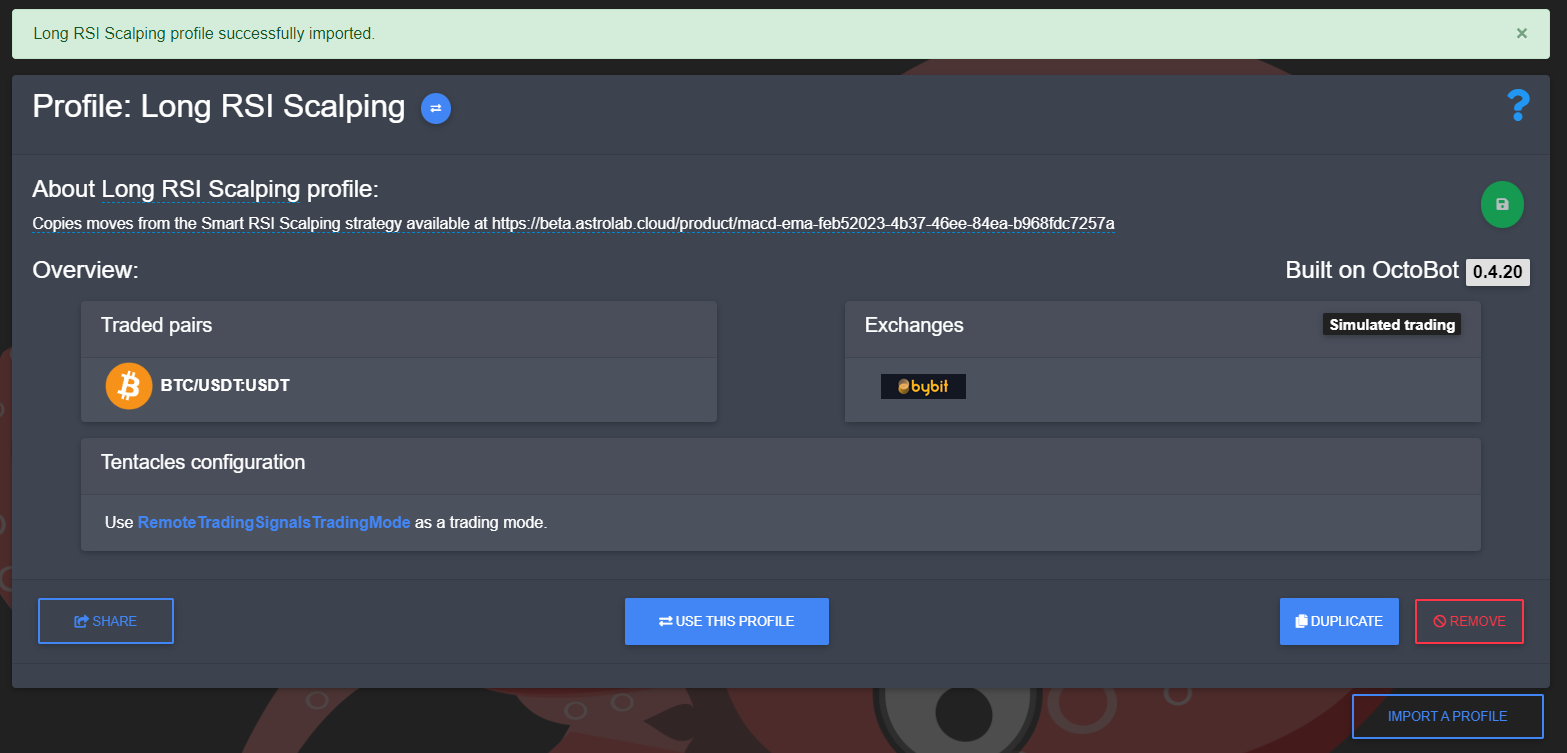
  6. Paste the download url (that was copied from step 3) and click Import Following-strategies-imported
  7. Use the imported profile and restart your OctoBot

Comment ça fonctionne ?

When following a strategy, a user gets access to the trading signals of the strategy. Trading signals are emitted at each order created or cancelled by the followed strategy. This way followers of a strategy benefit from trades of the desired strategy in real time directly from their OctoBot. Strategies can be applied to any exchange as long as the strategy trading pairs are supported. You can follow a strategy with real or simulated trading.

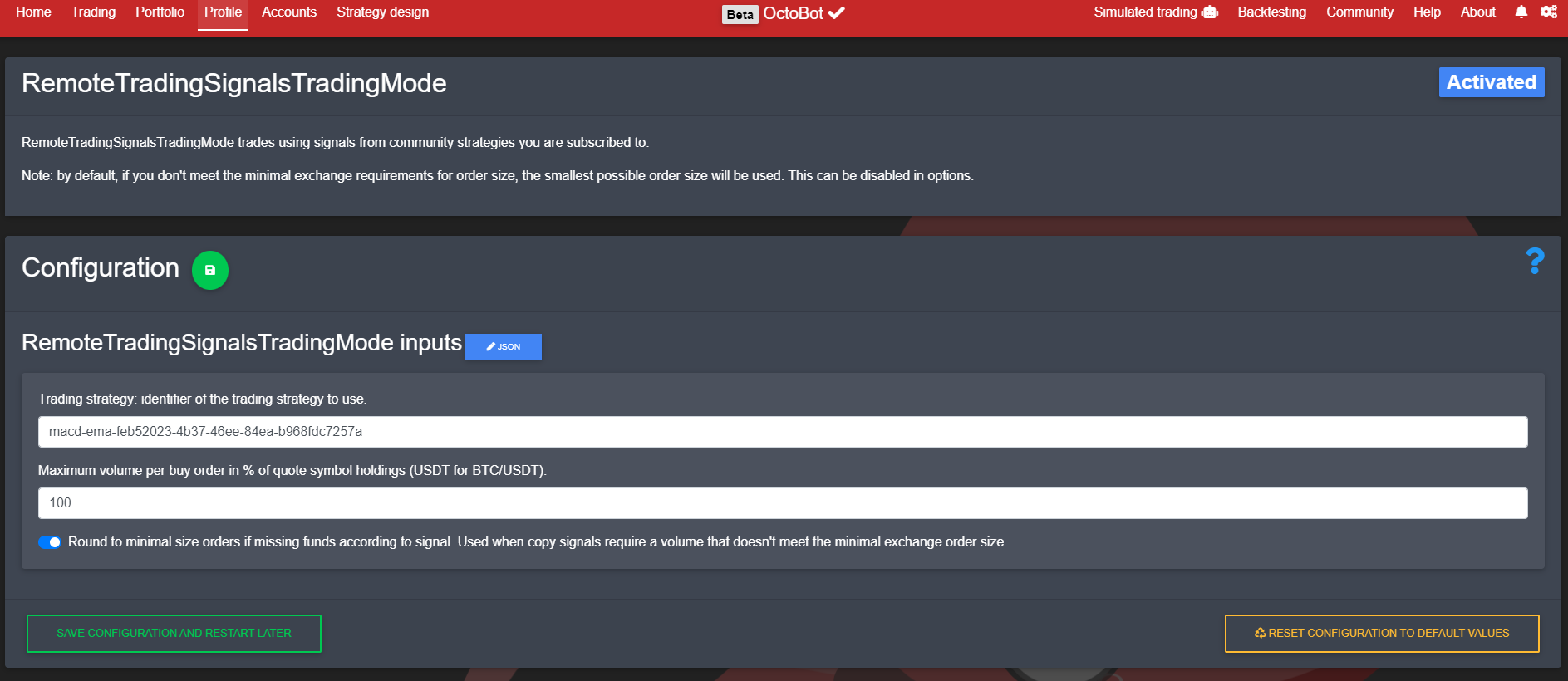
Trading through strategy signals is achieved by using the RemoteTradingSignalsTradingMode configured to follow the strategy you selected. When importing a strategy profile, you are importing an already configured profile that enables this trading mode with the right strategy identifier and the strategy traded pairs and default exchange.

Following-strategies-mode-config

As following a strategy is only possible through OctoBot cloud, you need to login to your OctoBot cloud account from your OctoBot to be able to follow a strategy.

Comment publier une stratégie sur OctoBot cloud ?

Trading strategies are published on OctoBot cloud by the OctoBot community. When a user wants to share a trading strategy, the only thing to do is to:

  1. Create a strategy on OctoBot cloud
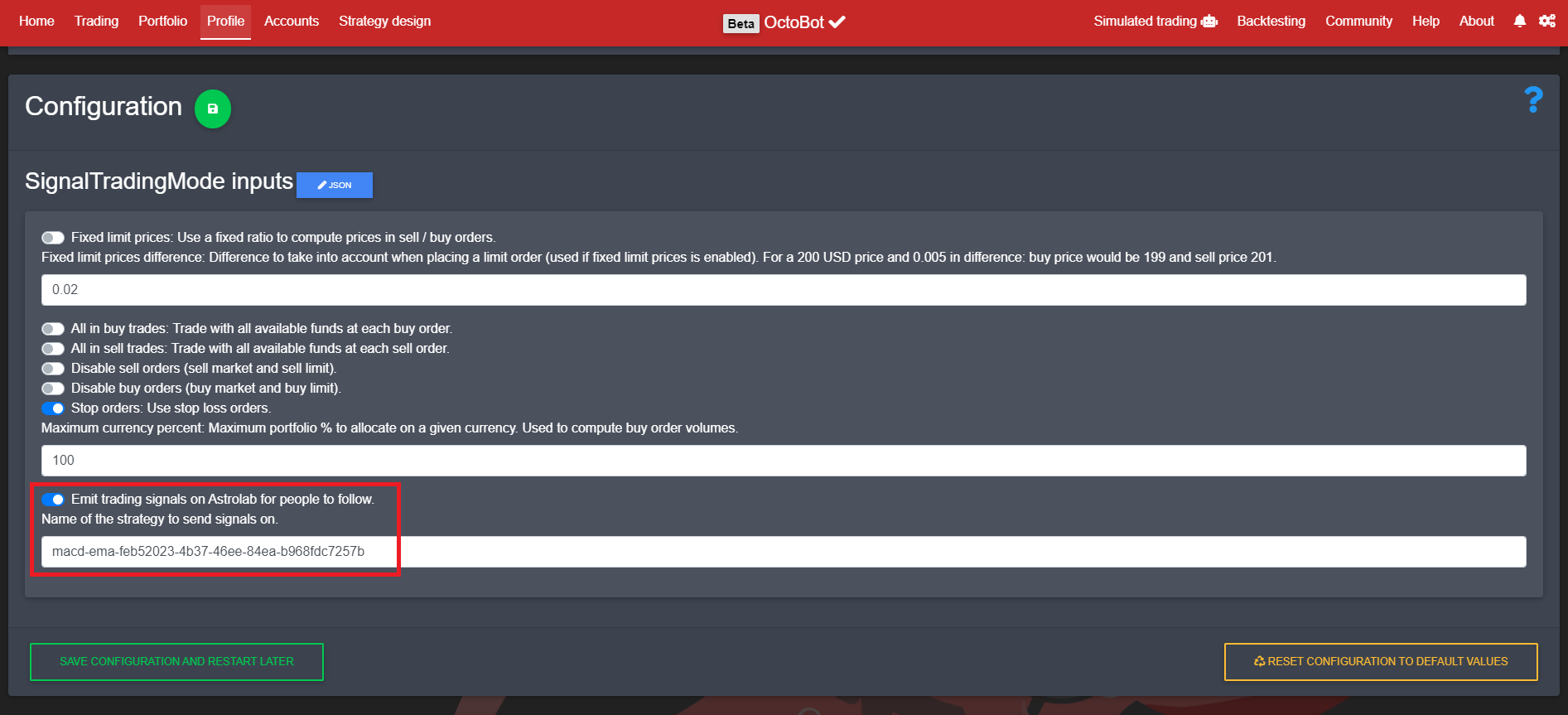
  2. Setup the desired OctoBot trading mode to emit trading signals to this strategy Following-strategies-config

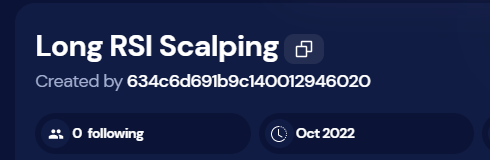
Note: the identifier of the strategy to emit signal on can be found on the strategy page, by clicking on this button Following-strategies-id-button

Please note that configuration and content of a published strategy is not uploaded to OctoBot cloud and followers can't access the code or configuration of the strategy. They will only get trading signals when the OctoBot that is actually running the strategy will create or cancel orders.

Rejoindre la bêta

Following strategies will first be available on the beta OctoBot cloud. To join the OctoBot beta program, have a look at our beta program